
Camera Auto-Scoring Is Here: Let Your Phone Keep Score
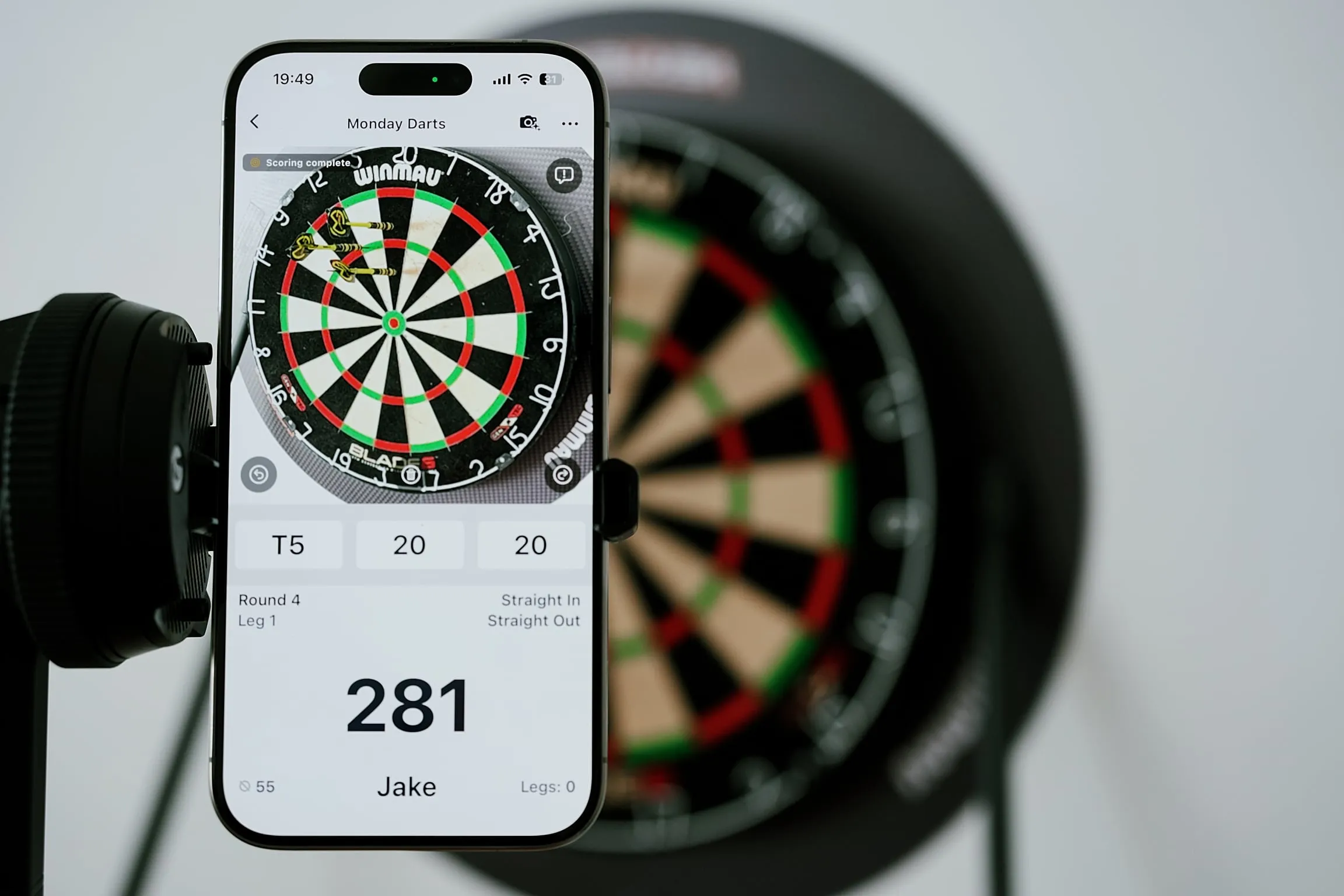
If you play enough darts, you know the rhythm. Throw three darts, walk up to the board, pull them out, add the visit, tap the score into an app, then try to get back into the leg. Sometimes that pause is fine. Sometimes it breaks the flow right when the game was getting good.
That’s the bit we’ve been trying to remove.
With DartsOn v2, your phone can now keep score through the camera. Set the phone where it can see the board, start a game, and throw as usual. DartsOn watches each dart after it lands, works out the segment and multiplier, and updates the score for you.
It’s still your regular board, your regular darts, and your regular game. There is just less stopping in the middle.
Why we built it
Manual scoring is a small interruption, but darts is full of small interruptions. In a single 501 leg, you might enter scores ten, fifteen, or twenty times. Add a few friends, a couple of close checkouts, and the occasional “wait, was that treble 20 or treble 5?” and the scoreboard starts taking up too much space in the evening.
Mental math can be fun when you’re in the mood for it. It can also be the thing that slows down a casual game, especially when newer players are involved or nobody wants to be the person doing the arithmetic all night.
Automatic scoring has existed for a while, but it usually means buying an electronic board, setting up extra cameras, or turning a simple home board into a permanent project. We wanted something lighter: automatic scoring for the board you already have, using the phone you already own.
How it works
DartsOn uses your phone’s camera and an on-device AI model to read the dartboard. When a dart is visible, the app identifies whether it landed in a single, double, treble, or bull and adds the score to your game.
Because the model runs directly on your device, it does not need to send video anywhere to score a visit.
- It works offline. The scoring stays on your phone at home, in the garage, at the club, or in a pub with a weak signal.
- It feels quick. There is no server round-trip, so the score can update as soon as the phone has a clear read.
- Your camera view stays on your device. The scoring happens locally.
And because this is still a camera looking at a real room, we built correction into the flow. Shadows, glare, a crowded board, or a steep camera angle can make a dart harder to read. If DartsOn gets one wrong, correcting the score takes a single tap.
That matters to us. Auto-scoring should make the game easier to play, not make you argue with the app.
What you need
The setup is intentionally simple:
- A standard dartboard. Use the board already on your wall.
- Steel-tip or soft-tip darts. Both are supported.
- A phone with a clear view of the board. A small tripod, phone stand, shelf, or stable surface is enough.
You do not need an electronic board, Bluetooth darts, stickers, sensors, or a permanent camera rig.
Setting it up
Getting started takes about a minute once you know where the phone will sit:
- Place your phone so the whole board is in frame. Slightly off to the side of the throw line usually works well.
- Start a game in DartsOn and turn on auto-scoring.
- Align the board when the app asks. DartsOn remembers the setup, so the next game is quicker.
That’s the short version. Our dedicated setup guide has photos and troubleshooting tips. Read the full auto-scoring setup guide.
Tips for the best results
Small changes in the room can make a real difference:
- Light the board evenly. A clear, evenly lit board is better than one bright lamp throwing hard shadows across the wires.
- Keep the whole board in frame. The app needs to see the board face, including the outer double ring.
- Avoid blocking the view. Move scoreboards, shelves, or hanging items out of the camera’s line of sight.
- Keep the phone steady. A stand or flat surface is much better than balancing the phone on something that moves.
Try it
Download DartsOn, set up your phone, and try a few legs with camera scoring turned on. It’s available now on iOS and Android.


