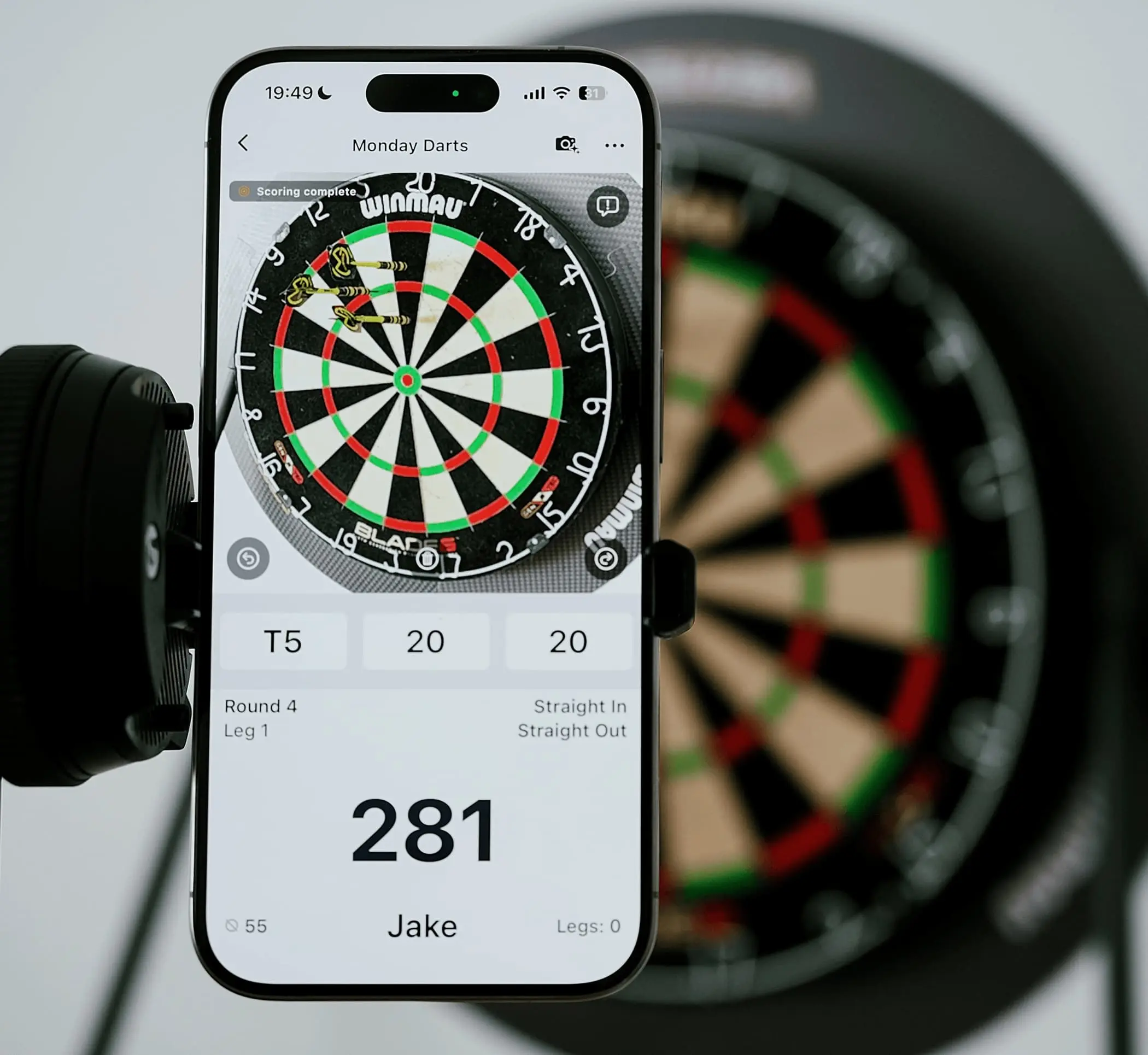
DartsOn uses your device’s camera to score each throw. Point the camera at the board and play as usual. The app detects each dart and enters its score for you.
Camera and device support
Your device’s built-in camera is all you need. You do not need any extra hardware.
The app works with a wide range of camera angles and positions.
The DartsOn model runs entirely on your device. After the first model download, it does not need a network connection.
Auto-scoring works with most steel-tip dartboards and darts.
You can use your device in portrait or landscape orientation.
Set up your device
Keep the device still during the game. Place it on a tripod, shelf, or holder so it cannot move or shake.
Center the whole dartboard in the camera view and let it fill most of the frame, as shown above.
Move the device closer before using zoom. Too much zoom reduces image quality and makes darts harder to detect.
Position the camera at a moderate angle. Avoid placing it straight in front of the board or at a very steep angle.
Light the board evenly. The app supports a wide range of lighting conditions, but a dartboard light with several light sources works best. The app will warn you if the image is too bright, too dark, or has strong glare.
Plug in a charger if you can. Processing the camera feed on your device uses more battery than normal play.
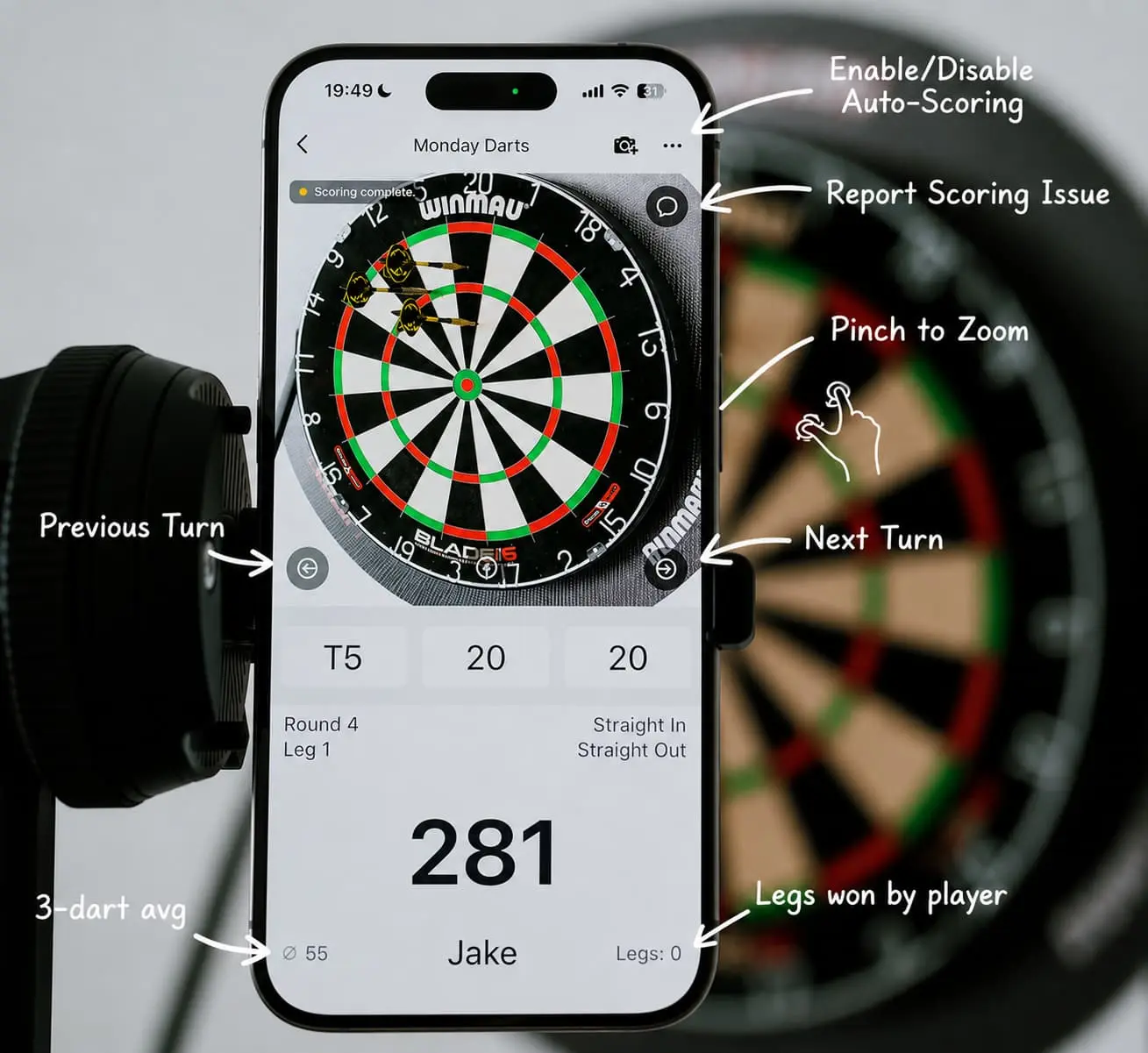
The scoring screen
The live camera view is at the top, with your score below it.
Use the camera icon at the top right to turn auto-scoring on or off.
Use the feedback icon to report a scoring problem.
Pinch the camera view to zoom in or out and frame the board.
Tap a dart score slot to correct its value.
Use Previous turn or Next turn to move between turns manually.
During the game
Throw as usual. Each detected dart appears on the scoreboard when it lands.
After your third dart, remove the darts from the board. The app confirms the turn and advances to the next one.
If the app scores a dart incorrectly, tap its slot and enter the correct value. You can make manual corrections while using auto-scoring.
Occluded darts
The camera may miss a dart when its tip is partly or completely hidden behind another dart. If a dart is still missing after all three throws:
Remove the darts one at a time, starting with the ones closest to the camera.
Removing each blocking dart gives the camera a clear view of the dart behind it so the app can score it.
With this method, DartsOn auto-scoring should score more than 95% of darts automatically.
Turn control
The app usually advances the turn after it sees that you have cleared the dartboard. Use the previous and next turn buttons in these cases:
If the last dart slot has the wrong value, tap Previous turn, select the slot, and correct the score. Then tap Next turn to continue.
If every dart landed outside the camera view, tap Next turn to continue. If the camera saw at least one dart, clear the board as usual. The app will fill the empty slots with MISS (0) and advance to the next turn.
Troubleshooting and feedback
DartsOn Auto-scoring works with a wide range of dartboards, darts, and lighting conditions. It is still in Beta, so some setups may not work well yet.
If your setup has problems, use the Report Scoring Issue button at the top right of the camera view. Reports from real setups show us where the model struggles with different boards and dart positions. Other feedback is welcome too.
Auto-scoring during Beta
During the Beta, everyone gets many free games with auto-scoring. Later, only a small number of games will be free. You will need Premium to use auto-scoring in more games.
When you first turn on auto-scoring during the Beta, the app may ask if you want to help improve the model. If you do not see the question, sharing stays off by default. We collect feedback frames only after you explicitly opt in. You can opt in or change your choice at any time under Settings → Data Controls → Improve auto-scoring model. When sharing is on, your reported and corrected turns help us find gaps and improve auto-scoring.