
How to correct an auto-scored dart in DartsOn
Fix a dart the camera scored wrong, move between turns with Previous, Clear and Next turn, and confirm a camera checkout before the leg ends.
You can change any dart the camera scores. Tap its slot during the turn, or go back a turn with the buttons on the camera view. In online matches, fix your darts before the turn moves on, since you can’t go back to an earlier turn there.
Correct a dart
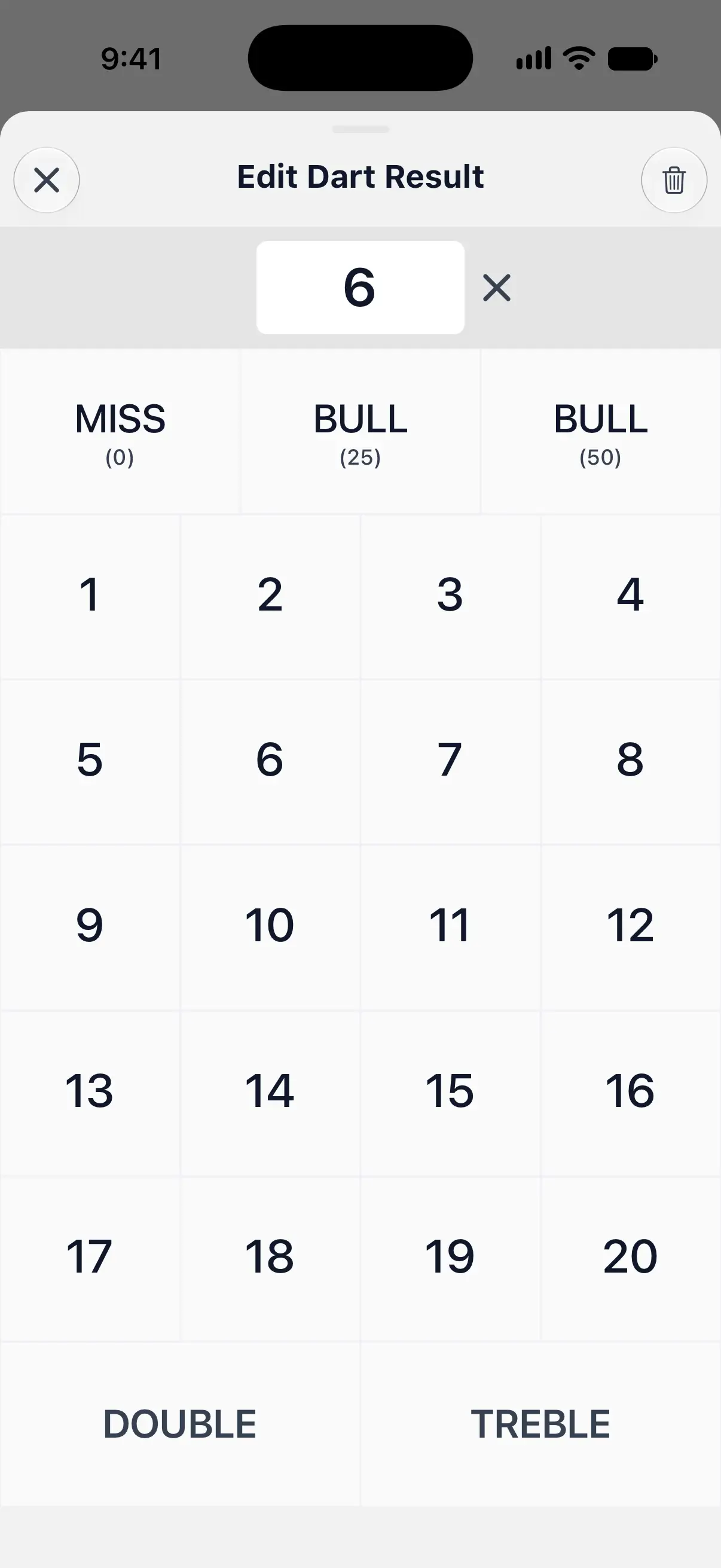
- Tap the dart’s slot below the camera view. Edit Dart Result opens, and scoring pauses while it’s open.
- Tap the right value:
- a number for a single
- DOUBLE or TREBLE first, then the number
- the left BULL key for the outer bull, the right one for the bullseye
- MISS for a dart that scored nothing
If the camera scored a dart you didn’t throw, tap the trash button at the top right of the sheet to remove it. The darts after it move up a slot. The close button at the top left leaves the dart as it was.
In X01, when you’re on a finish, the sheet also shows the suggested checkout dart for that slot. Tap it to enter that dart in one go.
A small person icon on a slot marks a dart the camera didn’t score itself, such as one you corrected or a MISS that DartsOn filled in.

Go back, clear or skip a turn
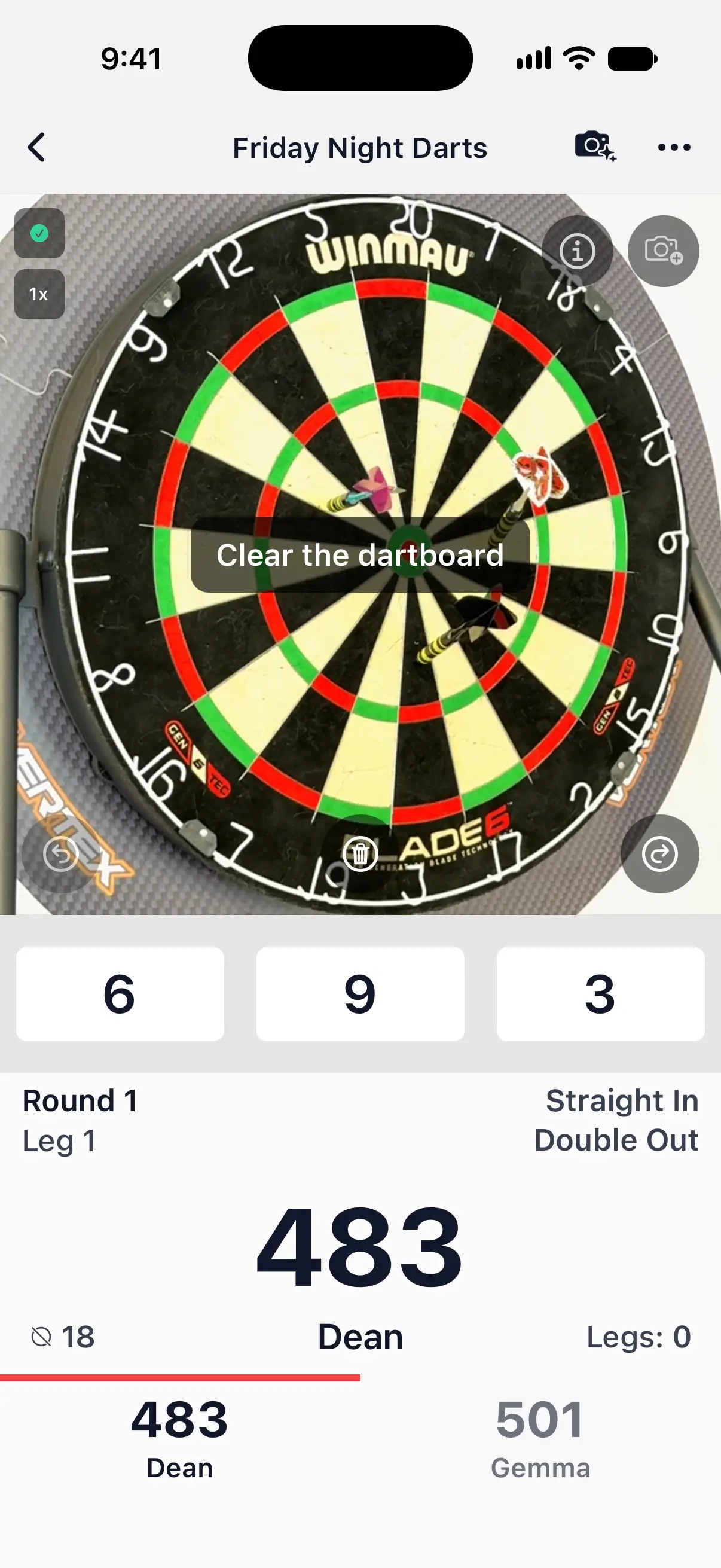
Three buttons sit along the bottom of the camera view, in every game mode:
- Previous turn, the back arrow on the left, reopens the turn before so you can fix one of its darts. If the current turn already has darts, DartsOn asks Go to Previous Turn? first, because those darts are removed. Tap Continue. Online matches don’t allow going back.
- Clear turn, the trash button in the middle, removes every dart scored in the current turn.
- Next turn, the arrow on the right, ends the turn now. Empty slots count as MISS.
Two common cases:
- The last dart was wrong and the next turn has already started. Tap Previous turn, tap the dart and fix it, then tap Next turn to carry on.
- The camera saw none of your darts, for example because they all landed out of view. Tap Next turn. If it saw at least one, clear the board as usual instead, and DartsOn fills the empty slots with MISS.
After Next turn, DartsOn waits for an empty board before it scores the next turn, so darts left in the board aren’t counted for the next player.
Confirm a checkout in X01
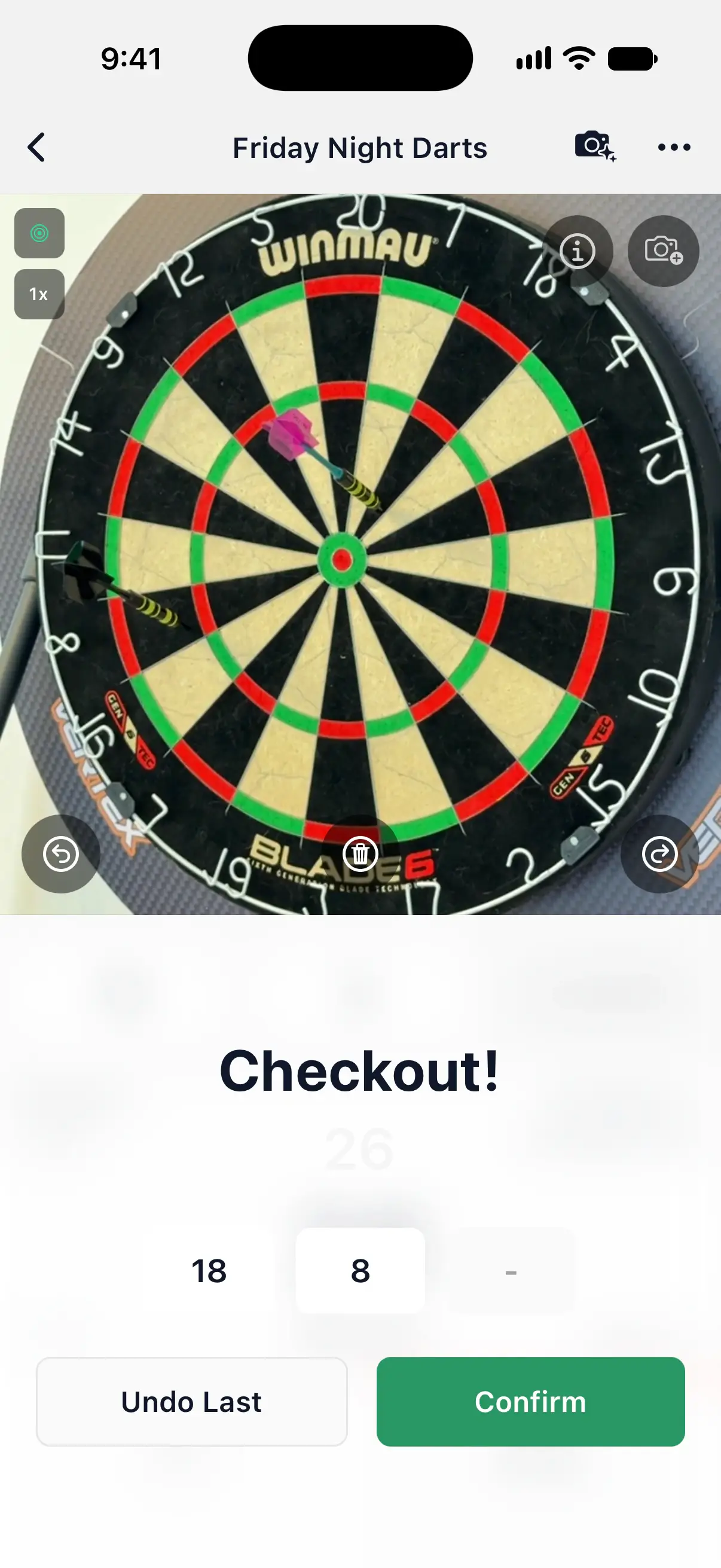
When the camera scores a dart that wins the leg, the leg doesn’t end straight away. A Checkout! card shows the finish and the darts that made it.
- Check the darts. Tap one to correct it.
- Tap Confirm to win the leg, or Undo Last to take the last dart off and go back to the turn.
If you record Action Replays, a camera checkout only becomes a replay once you confirm it. Action Replays.
Help the camera learn from your corrections
If Improve auto-scoring model is on, a correction in an X01 game can also send DartsOn a camera frame of the board, so the model can learn from the dart it got wrong. Nothing is sent while the setting is off. Help improve auto-scoring.
Questions and answers
Can I switch from the camera to the keypad in the middle of a game?
Yes. Tap the camera button at the top of the game screen to turn Auto-Scoring off and enter your darts by hand, or tap ••• and choose Numeric under Input Mode. Tap the camera button again to go back to the camera.
Why doesn't the camera score the next turn after I tap Next turn?
After Next turn, DartsOn waits until it sees an empty board, so darts still in the board aren't scored for the next player. Pull out every dart and scoring carries on.
Does correcting a dart change my stats?
Yes. The value you enter replaces the camera's score, so the turn total, your remaining score and your stats all use your correction.
Why does DartsOn ask me to confirm a checkout?
In X01, a checkout scored by the camera ends the leg only after you tap Confirm. It gives you a moment to check the finishing darts and fix one before the leg is over.
Related
- How to set up camera auto-scoring in DartsOn Place your phone by the board, turn on Auto-Scoring and let the camera score each dart. What you need, where to put the phone and how each turn works.
- How to fix camera auto-scoring problems in DartsOn What to try when DartsOn misses darts, scores the wrong number, won't start the next turn, can't open the camera or says your phone is too slow.
- How to help improve camera auto-scoring in DartsOn Share camera frames when you correct or report a camera-scored dart. What Improve auto-scoring model shares, when DartsOn asks and how to turn it off.
- Darts auto-scoring with your phone camera | DartsOn Turn your phone into an automatic darts scorer. DartsOn's on-device AI reads every dart through your camera. No electronic board, no tapping, fully offline.