
Log out of DartsOn or delete your account
Log out and keep or clear the games on this device, or delete your DartsOn account and its cloud data, optionally with device data and backups.
Logging out signs this device out of your DartsOn account. Your account and everything synced to it stay safe for the next time you sign in. Deleting your account removes it, and its cloud data, for good.
Both options are at the bottom of your profile.
Log out
- Open Settings and tap your name at the top.
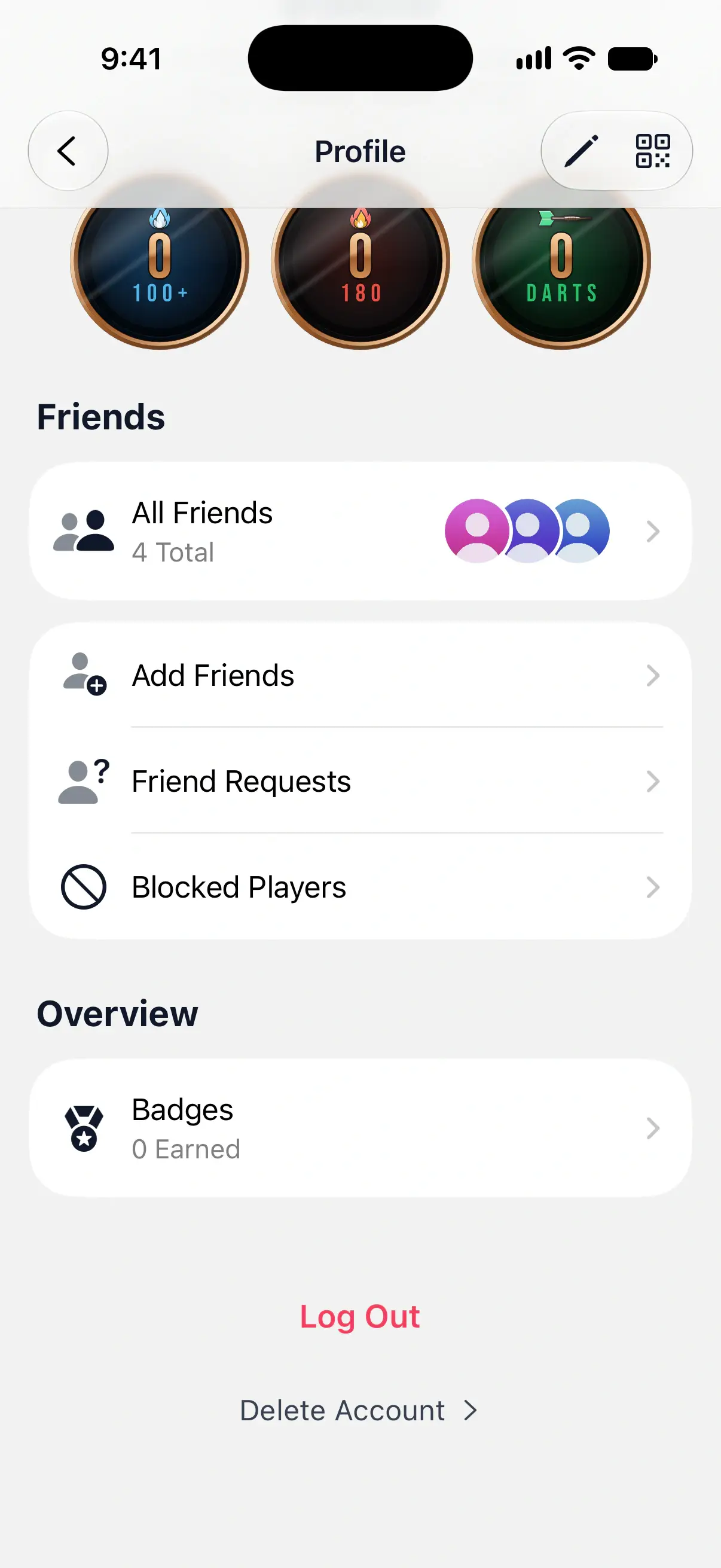
- Scroll to the bottom of your profile and tap Log Out.
- Decide whether to keep a copy on this device, then tap Log out.
Your app settings, such as Appearance and Sound Settings, stay as they were.

Keep a copy or clear the device
The Log out? sheet has one choice, Keep Local Copy.
- Off, the default, removes your matches and players from this device. They’re still in your account. Choose this on a shared or borrowed phone, or when you’re switching to another account.
- On leaves everything on the device. You can keep scoring and looking at your stats while signed out.
If some changes haven’t synced yet and Keep Local Copy is off, DartsOn asks Clear data on this device? Those changes would be lost. Tap Cancel, connect to the internet and let sync finish, or tap Log out and clear device if you don’t need them.
Logging out never removes your backup files or sign-in recovery copies. See backups.
Delete your account
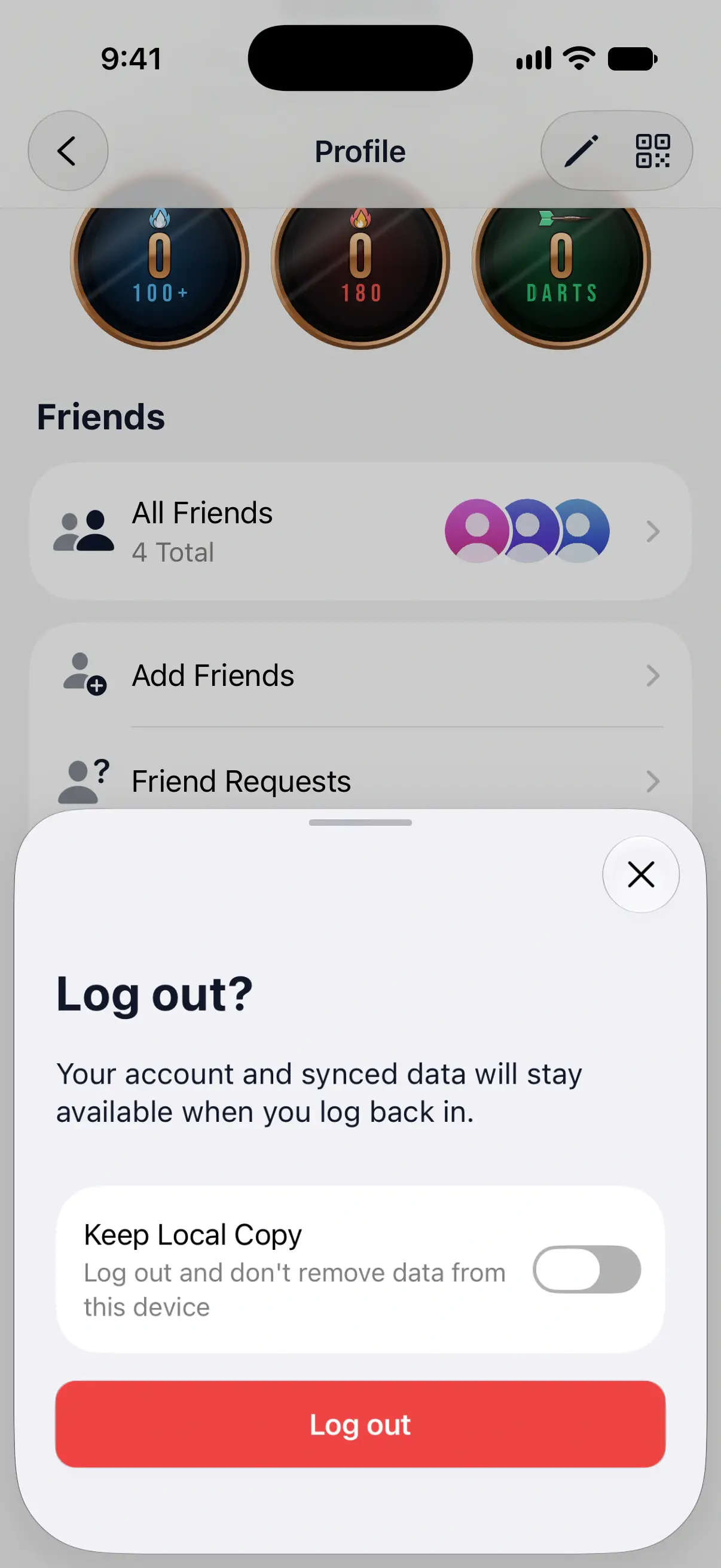
- Open your profile and tap Delete Account at the bottom.
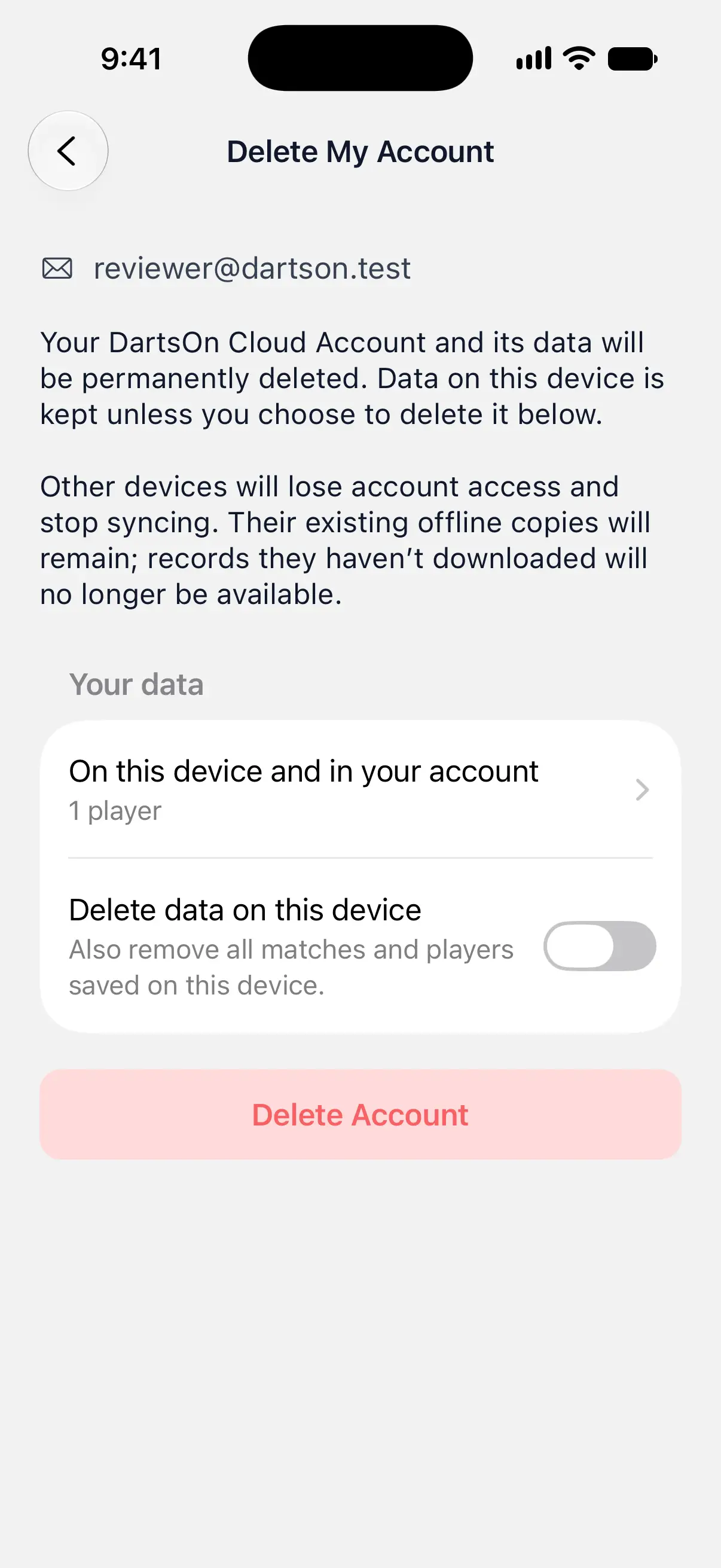
- Read the summary under Your data. It shows what’s on this device, what’s in your account and what’s in both. Tap a row to see the records.
- Choose whether to turn on Delete data on this device.
- Tap Delete Account.
- Check the summary in the confirmation and tap Delete Cloud Account, or Delete Cloud Account and Device Data if you chose to clear the device.
DartsOn then checks it’s you. It opens the Apple or Google sign-in, or asks for the password of the email linked to your account.
Choose what happens to this device
With Delete data on this device off, DartsOn deletes your cloud account and leaves your games and players on this device. You keep using DartsOn without an account.
If your account holds records this device doesn’t have, the screen lists them and offers Download missing data. Tap it before deleting if you want an offline copy of everything.
With Delete data on this device on, DartsOn also removes every match and player from this device, and its sign-in recovery copies. If you have backups in Settings → Backups, a second switch, Delete all backups, appears. Turn it on to remove those too, in iCloud and on the device. Files you’ve exported or shared elsewhere aren’t touched. Leave the switch off and you can restore a backup later.
What happens on your other devices
Other phones and tablets signed in to the account lose access and stop syncing. They keep the games they had already downloaded, but records they hadn’t downloaded are gone.
What happens to your friends and online history
Deleting your account also deletes what the DartsOn server keeps for it:
- Your friendships end, and you disappear from your friends’ lists.
- DartsOn removes the links between your account and players on other people’s phones. See link a player.
- DartsOn deletes your online stats and your profile photo.
- In online matches your opponents keep in their history, your seat shows as Deleted Player, without your username or photo.
Premium and deleting your account
Deleting your account doesn’t cancel an App Store or Google Play subscription. If you have Premium, the Delete My Account screen says so and shows Manage subscription. Cancel there or in your store’s subscription settings before you delete the account. See DartsOn Premium.
Questions and answers
Will I lose my games if I log out of DartsOn?
Not the ones that have synced. They stay in your account and come back when you sign in again. Turn on Keep Local Copy when you log out to keep your games on the device too, including changes that haven't synced yet. With it off, unsynced changes are lost.
Does deleting my DartsOn account cancel my Premium subscription?
No. Deleting your account doesn't cancel an App Store or Google Play subscription. Cancel it separately with Manage Subscription or in your store's subscription settings.
Can I get my account back after deleting it?
No. DartsOn deletes the account and its cloud data permanently. Games you chose to keep on the device stay there, and other devices keep the copies they had already downloaded.
What do my friends see after I delete my account?
You disappear from their friends lists. In online matches they played against you, your name shows as Deleted Player, without your username or photo.
Related
- Sync your darts matches across devices Signed in, DartsOn syncs your matches, players, bots and badges between iPhone, iPad and Android. Check the sync status and fix sync problems.
- Back up and restore your DartsOn data Keep a copy of your darts matches. Use automatic iCloud backups on iPhone, restore a backup or a file, or export and import a backup file on Android.
- What DartsOn Premium and Ultra include and how to get them See what's free in DartsOn, what Premium adds and what Ultra adds on top. Buy a plan in the App Store or Google Play, upgrade, restore a purchase, or cancel.
- How to edit your DartsOn profile Change your name, photo, username and date of birth in DartsOn, find your QR code, and read the sync status on your profile.