
How to enter darts by voice in X01
Say each dart instead of tapping it. Turn on Voice-Input on iPhone or iPad, learn what to say, practise and save corrections DartsOn learns from.
With Voice-Input, you hold a button, say your darts and DartsOn fills in the dart slots. It works in X01 games on iPhone and iPad.
What you need
- An iPhone or iPad with iOS 26 or later that supports Apple Intelligence.
- English or German, the two languages DartsOn understands.
- Microphone access for DartsOn.
Speech recognition runs on your device. The first time you turn on Voice-Input, DartsOn downloads the language model for your language. Voice-Input isn’t available on Android.
Turn on Voice-Input
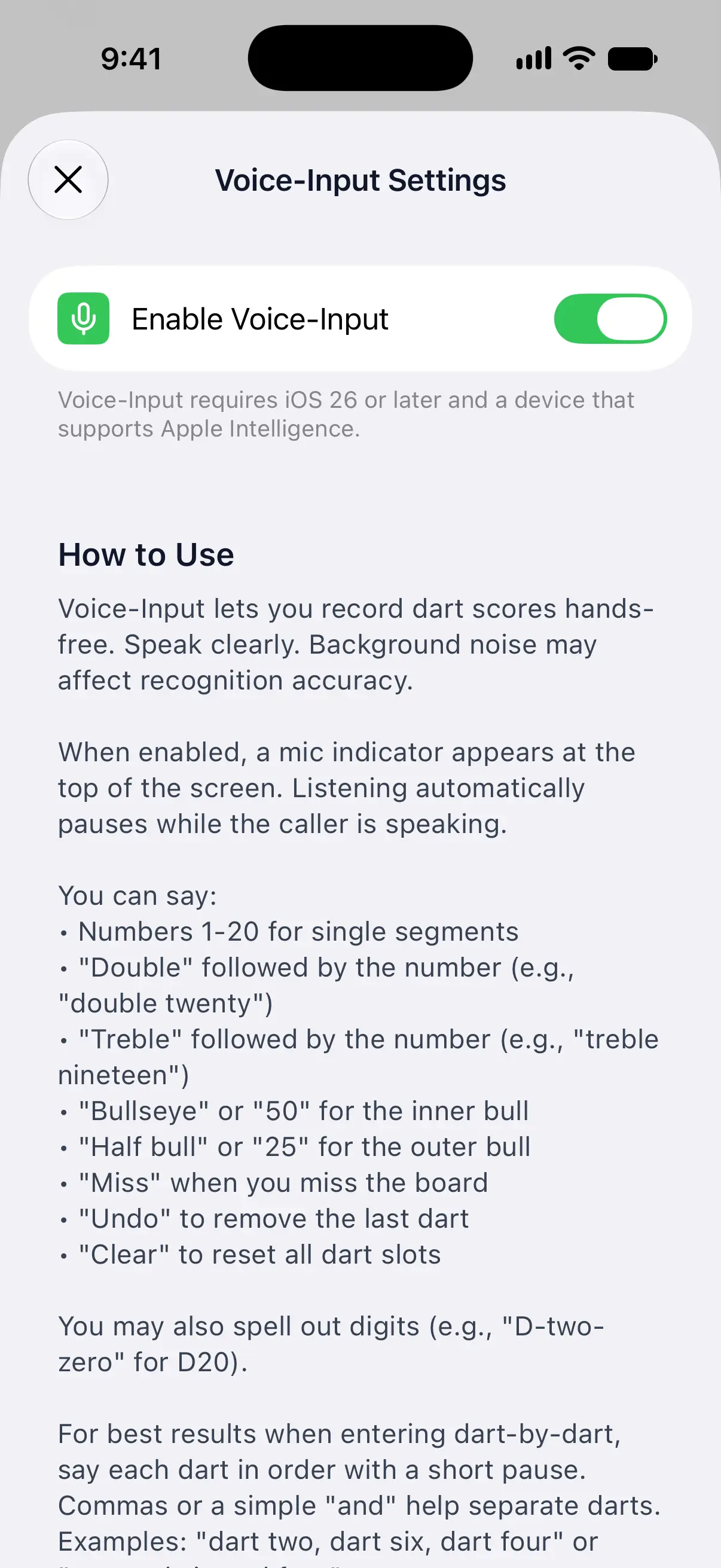
- Open the Settings tab and tap Voice-Input Settings in the Gameplay group.
- Turn on Enable Voice-Input.
- When iOS asks for microphone access, tap Allow.
- If DartsOn needs the language model, it downloads it now.
With Voice-Input on, How to Use lists everything you can say, and Try Voice-Input below it lets you practise.
If the switch is greyed out, check the note under it. Voice-Input requires iOS 26 or later and a device that supports Apple Intelligence. If a Language Model row shows below the switch, choose a language there first.

If your device isn’t set to English or German
DartsOn shows a Language Model row, and the switch stays greyed out until you pick a language. Tap the row and choose English or German in one of its regional versions. Pick a language you speak fluently, since recognition works best that way. Then tap Tap to download language model. If you skip that, turning on Enable Voice-Input downloads it too.
Say your darts in an X01 game
- Start or continue an X01 game. A mic button appears at the top of the scoreboard, between the round number and the game’s rules. It isn’t there while camera auto-scoring is on.
- Touch and hold the mic, say one dart or all of them, then let go.
- DartsOn fills the next empty dart slots with what it heard. Check them before the turn moves on.
Here’s what you can say:
| To enter | Say |
|---|---|
| A single | The number, such as “twenty” or “5” |
| A double | ”Double” and the number, as in “double twenty” |
| A treble | ”Treble” and the number, as in “treble nineteen” |
| The bullseye, 50 points | ”Bullseye” or “50” |
| The outer bull, 25 points | ”Half bull” or “25” |
| A miss | ”Miss” |
| Remove the last dart | ”Undo” |
| Empty all dart slots | ”Clear” |
You can also spell out a dart, such as “D-two-zero” for D20. In German, say “Doppel” or “Dreifach” before the number, “zurück” to undo and “alles löschen” to clear.
To say several darts at once, leave a short pause between them, or separate them with “and” or “dart”, as in “dart two, dart six, dart four” or “two and six and four”. Single digits tend to run together, so put a word between them, such as “7 and 5 and 3”.
When the mic is paused
The mic button dims and waits:
- During a bot’s turn.
- While the caller is speaking. Listening pauses until it finishes.
- While the turn summary or another overlay is showing.
- When all 3 dart slots are filled, until the next turn starts. Spoken “Undo” and “Clear” don’t work then, so remove a dart on the keypad instead.
Practise before a game
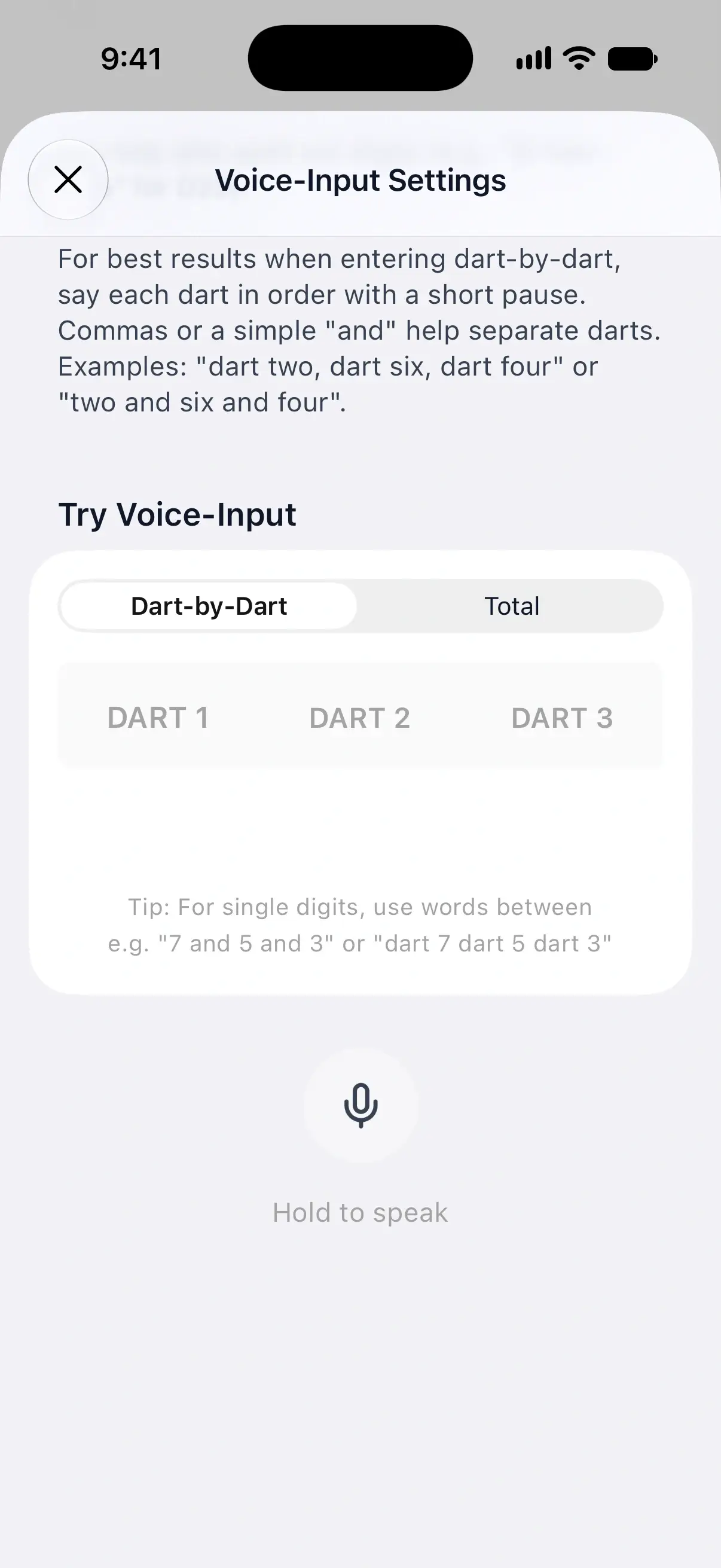
Try Voice-Input sits under How to Use in Voice-Input Settings. Hold the large mic button, speak, and let go. It shows Release to Stop while you speak.
- Dart-by-Dart fills 3 practice slots, the same way a game does.
- Total takes a 3-dart total from 0 to 180, and the caller reads it back to you. Totals are for practice only. In a game, say each dart.
After each try, DartsOn shows the words it heard under the slots. That’s where you fix a mistake.
Correct what DartsOn hears
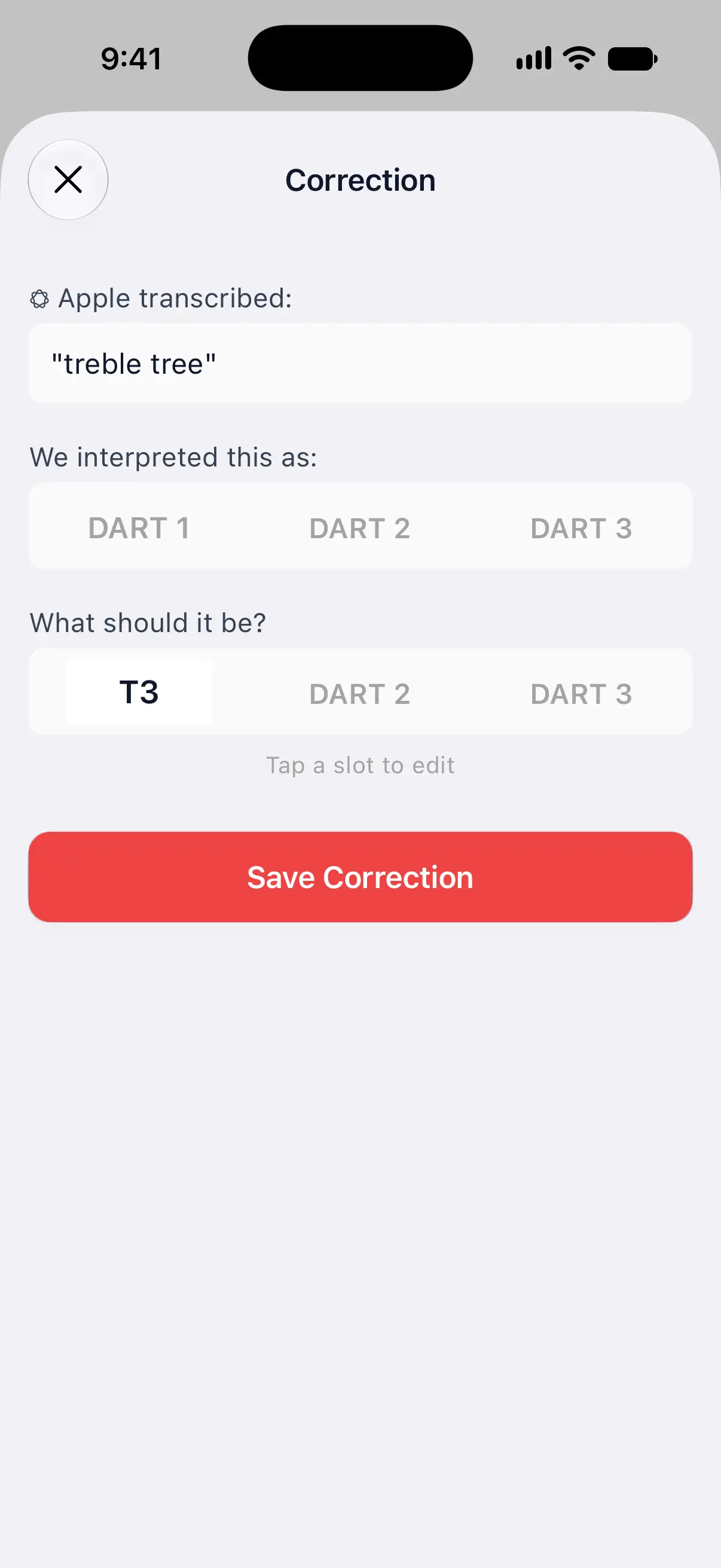
When a practice try comes out wrong, teach DartsOn the right reading:
- Tap Wrong interpretation? under the transcription.
- The Correction screen shows what Apple transcribed and how DartsOn interpreted it.
- Under What should it be?, tap a slot to edit it. In Total, tap the total.
- Tap Save Correction.
The next time speech recognition hears that phrase, DartsOn reads it your way, in games too, even when the phrase is part of a longer sentence. If “treble three” keeps coming through as “treble tree”, save “treble tree” as T3.
Review or delete saved corrections
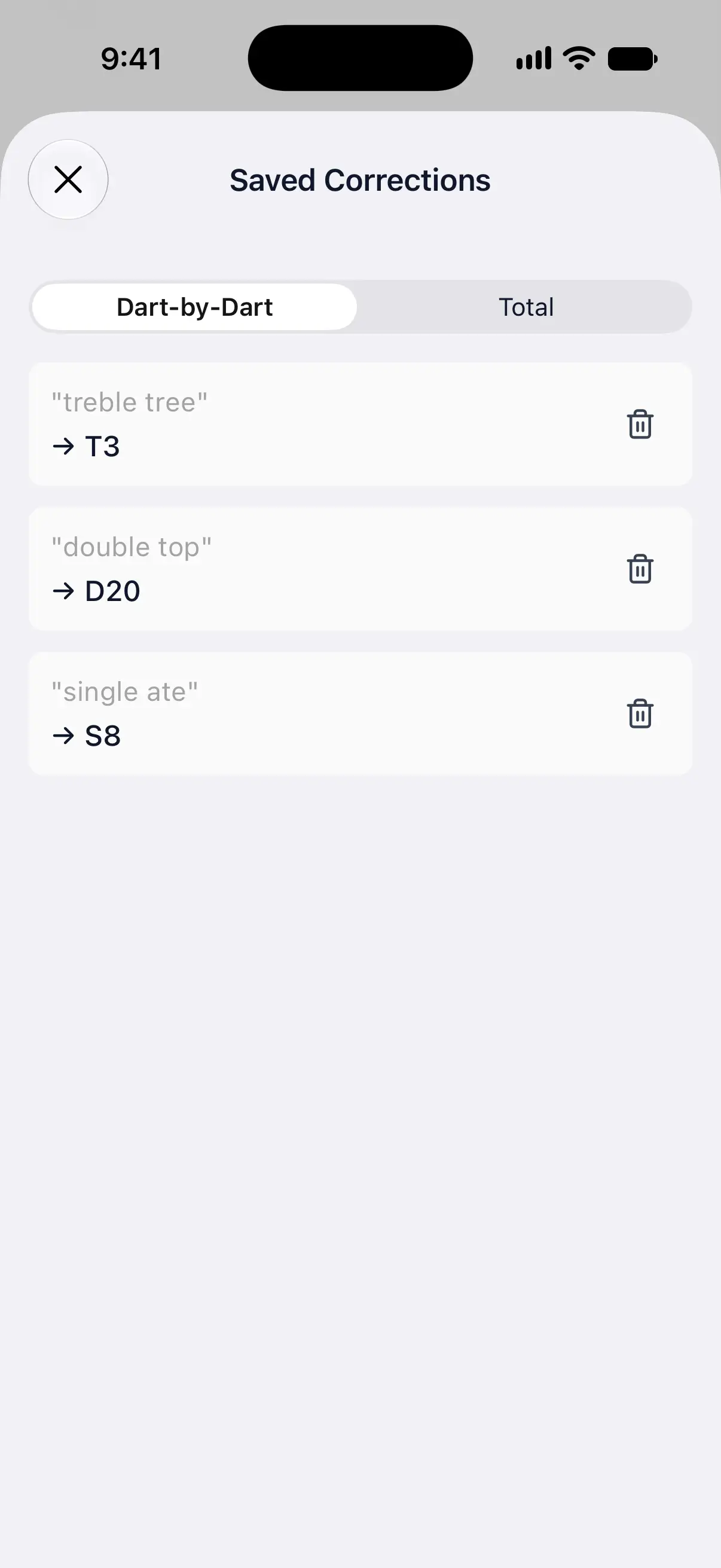
Once you’ve saved a correction, View Saved Corrections appears under the practice mic and on the Correction screen.
Saved Corrections lists them on two tabs. Dart-by-Dart corrections apply to games and to dart-by-dart practice, and Total corrections apply to total practice. Tap the trash button to delete one.
Allow microphone access
DartsOn asks for the microphone when you turn on Enable Voice-Input. If you tapped Don’t Allow, the switch stays off and DartsOn shows Permission to access microphone is required. Tap Open Settings and turn on Microphone for DartsOn, then turn on Voice-Input again.
Online matches
Online matches don’t take voice input. Score them with the keypad, the dartboard or camera auto-scoring, and the caller still announces each score. Learn how to play an online match.
Questions and answers
Does DartsOn voice input work on Android?
No. Voice-Input needs an iPhone or iPad with iOS 26 or later and a device that supports Apple Intelligence.
Which languages can I use for voice input?
English or German. If your device is set to another language, DartsOn asks you to choose one of them and download its language model.
Can I enter darts by voice in an online match?
No. Online matches take the keypad, the dartboard and camera auto-scoring. The caller still announces the scores.
Why can't I press the mic button?
The mic pauses during bot turns, while the caller is speaking and while the turn summary is showing. When all 3 dart slots are filled, it waits until the next turn or until you clear a slot.
Related
- How to enter darts scores in DartsOn Enter each dart in DartsOn with the keypad or by tapping the dartboard, undo mistakes, use the turn summary and score in landscape or on a tablet.
- How to set up the DartsOn caller and game sounds Choose what the darts caller announces, set its volume and speed, add player names and checkout callouts, and change bust and game sounds.
- How to play an online darts match in DartsOn Score an online darts match with the keypad, dartboard or camera, correct a dart, reconnect after a dropped connection, end a match or ask for a rematch.