
How to make your DartsOn profile private
Turn on Private Profile so only your friends see your online darts stats, and see what other players still see when they open your profile.
Any signed-in DartsOn player can open your Online Profile, from a lobby, a match or a search, and see your online stats. With Private Profile on, only your friends see them.
Turn on Private Profile
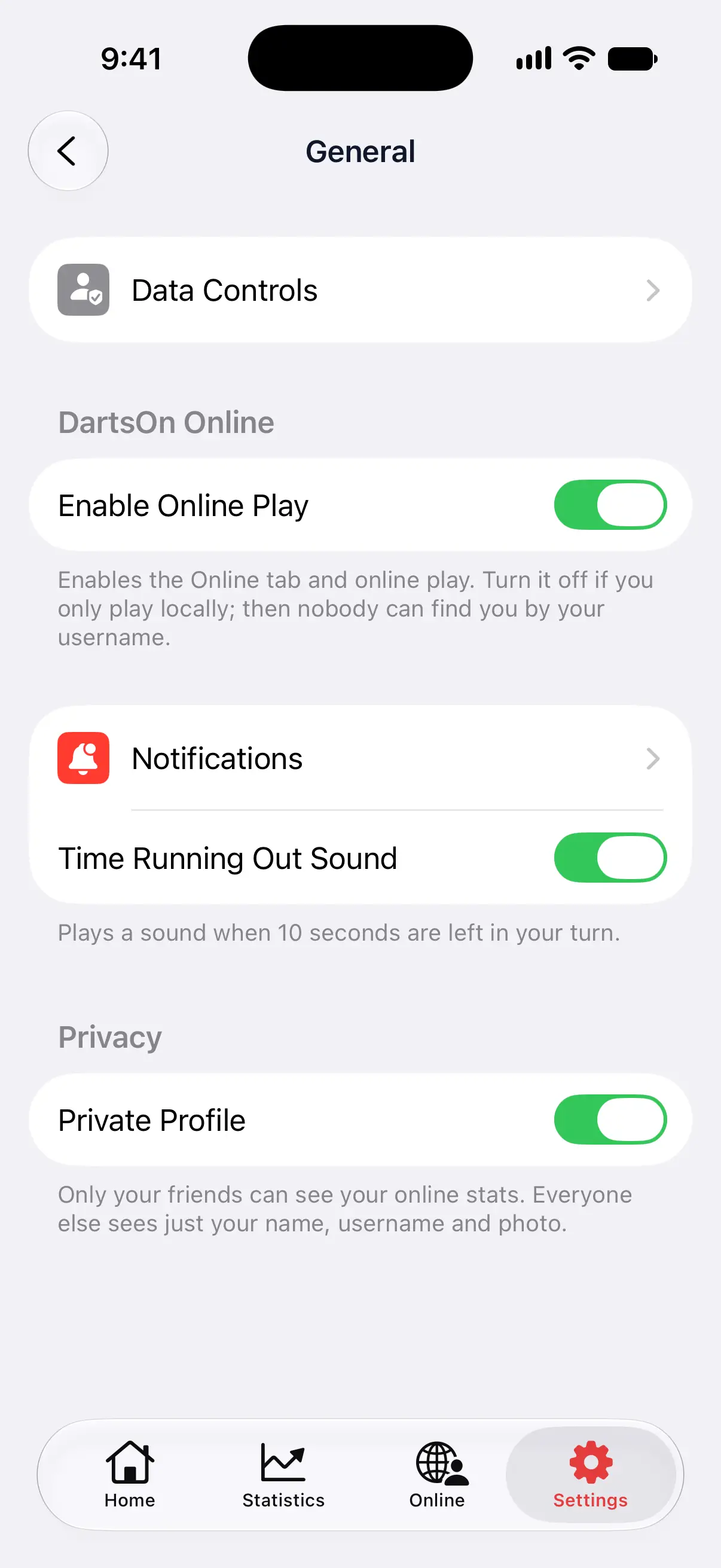
- Open Settings and tap General.
- Under Privacy, turn on Private Profile.
Private Profile shows only while you’re signed in and Enable Online Play is on. The setting is saved on your account, so it applies on every device you sign in on. Turn it off the same way.

What other players see
| Who opens your profile | Private Profile off | Private Profile on |
|---|---|---|
| A friend | Your name, username and photo, your online stats and your record against them. Recent online matches appear if Show Recent Games to Friends is on. | The same |
| Anyone else | Your name, username and photo, your online stats and how many friends you have | Your name, username and photo, and This Profile Is Private |
Where your stats would be, a player who isn’t your friend sees a note asking them to become friends with you first. They can still send you a friend request from your profile, and once you accept, they see your stats.
What Private Profile doesn’t hide
- Your username. Players can still find you by your username and add you as a friend. To stop that, turn off Enable Online Play in Settings → General, which also hides the Online tab.
- Your matches as they happen. Your opponent and anyone watching see your name, your photo and every dart, as in any online match.
- Your local games. These were never on your Online Profile. Games you share with a friend through a linked player still reach them, whatever the setting.
To stop one player finding you, challenging you or joining your matches, block them. See report or block a player.
Choose what friends see
Two more switches in Settings → General → Privacy apply to friends:
- Show Last Online to Friends lets friends see when you last had DartsOn online. Turn it off to hide that time.
- Show Recent Games to Friends shows your recent online matches on your Online Profile. Turn it off to hide the list, including matches against other players.
These choices are saved on your account. They don’t change scores other players keep from matches you played together, or hide a match from people watching it live.
Questions and answers
Can people still find me by my username with a private profile?
Yes. Private Profile hides your online stats, not your account. To stop players finding you by your username, turn off Enable Online Play in Settings, General. That also hides the Online tab.
Do my friends see my stats when my profile is private?
Yes. Private Profile doesn't hide your stats from friends. Show Recent Games to Friends separately decides whether they see your recent online matches.
Does a private profile hide me during an online match?
No. Your opponent and anyone watching still see your name, your photo and every dart you throw. Private Profile only changes what your Online Profile shows to players who aren't your friends.
Related
- Online darts stats, match history and Online Profiles See your stats and history from online matches in DartsOn, open any player's Online Profile, and make your profile private so only friends see your stats.
- How to add friends in DartsOn Find friends by username or QR code, answer friend requests, see who's online or in a match, and remove a friend in DartsOn.
- How to report or block a player in DartsOn Report a DartsOn player for cheating, an offensive profile or quitting, block or unblock someone, and see what an Online Play suspension means.