
How to report or block a player in DartsOn
Report a DartsOn player for cheating, an offensive profile or quitting, block or unblock someone, and see what an Online Play suspension means.
If a player cheats, uses an offensive name or photo, or keeps leaving matches early, report them. If you’d rather not meet someone online again, block them. You can do both in one step.
Reports are private, and the other player isn’t told when you block them. What’s expected of everyone online is in the DartsOn Online Code of Conduct.
Find Report and Block
Every other player has a menu with Report and Block:
- On their Online Profile: tap … at the top right.
- On their photo: touch and hold it in a lobby seat, on the Online tab’s friend rows, in All Friends, in a match’s Watching list, or on a challenge they sent you.
- During an online X01 or Cricket match: touch and hold your opponent’s score card to open their Online Profile, then tap …. After a match, tap your opponent in the match summary.
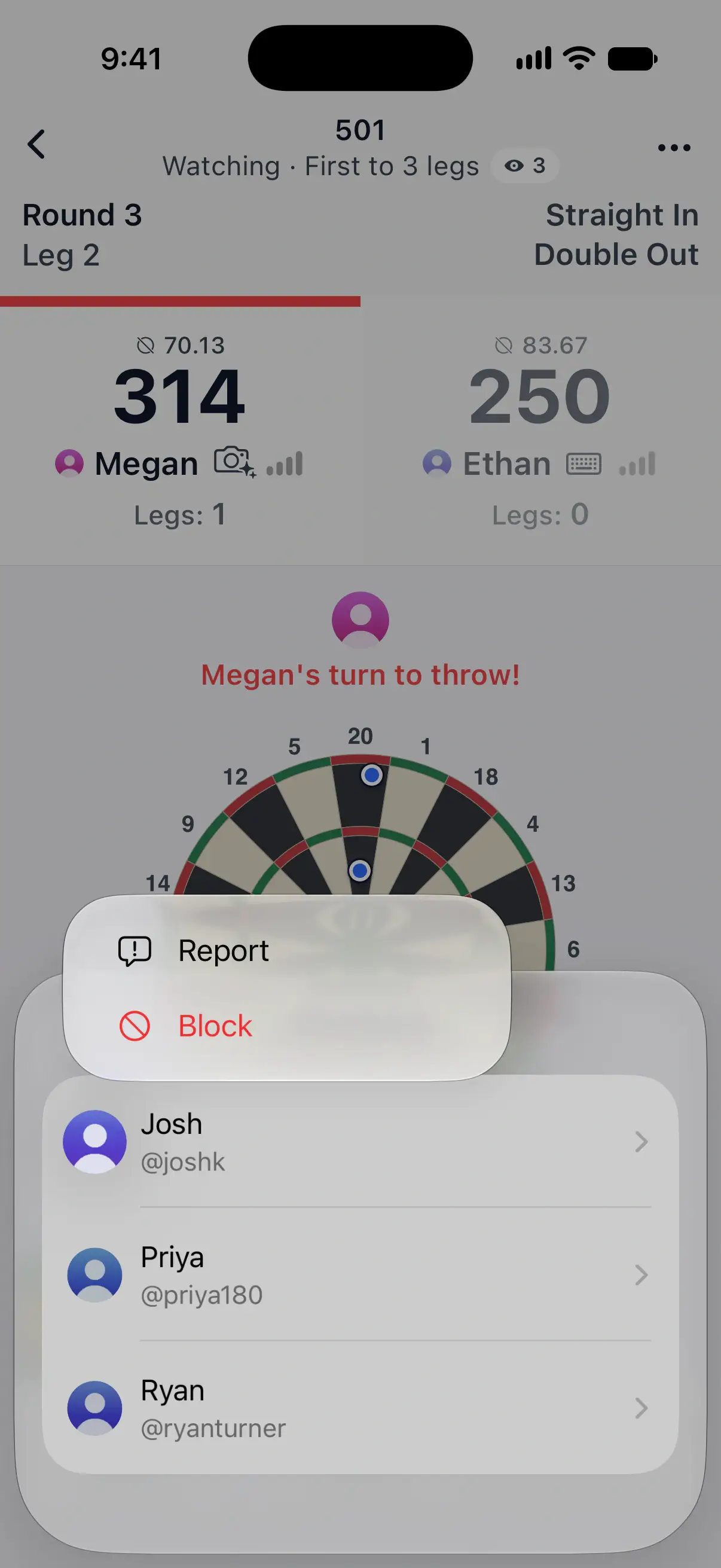

To report an opponent, start from the match when you can, through their score card or the match summary. The report then includes the match, which helps the team check what happened.
Report a player
- Open the player’s menu and tap Report.
- Under What’s the problem?, pick a reason:
- Cheating or false scores: entering darts they didn’t throw, or keeping a score they know is wrong.
- Offensive name or photo: a name, username or profile photo that isn’t suitable.
- Leaving matches early: quitting matches again and again.
- Something else: anything else that breaks the Code of Conduct.
- Under Details, add what happened if it helps. This is optional.
- Leave Also Block Josh, with the player’s name, switched on to block them in the same step, or turn it off.
- Tap Send Report.
The DartsOn team reviews reports, and a report doesn’t suspend anyone on its own.
Block a player
- Open the player’s menu and tap Block.
- Tap Block again to confirm.
Blocking works both ways, and the other player isn’t told. From then on:
- Neither of you finds the other in search, and neither can send the other a friend request.
- They can’t challenge you, join your lobbies or watch your matches, and you don’t see their lobbies or matches either.
- Your friendship ends, along with any request between you. A player you linked to their account stops sharing games, and the games you already played stay.
- Blocking someone from a lobby seat removes them if you’re the host, or takes you out of their lobby.
A match that’s already running isn’t ended. Their profile shows Blocked, with no photo or stats.
Unblock a player
- On Profile, tap Blocked Players.
- Tap Unblock next to the player, then Unblock to confirm.
You can see each other online again. Your friendship doesn’t come back on its own, so send a new friend request if you want to be friends. You can also unblock from the player’s profile, which shows Unblock in place of their stats.
If you’re suspended from Online Play
When reports lead to a suspension, a notice at the top of the Online tab says what it covers, how long it lasts and why. Trying to create, join or challenge shows the same notice as an alert.
The notice can give one of these reasons:
- Reported multiple times for entering incorrect scores.
- Your name or profile picture wasn’t appropriate.
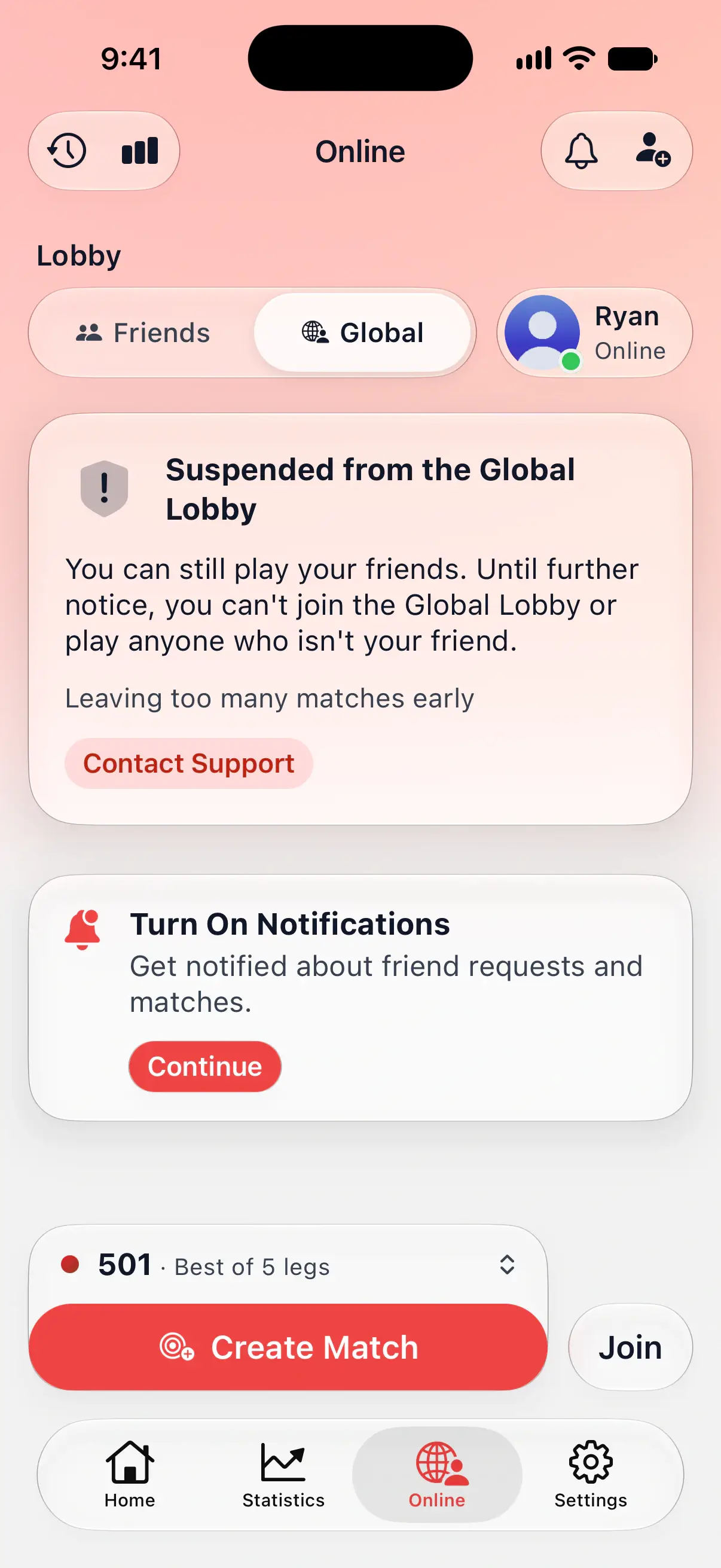
- Leaving too many matches early.
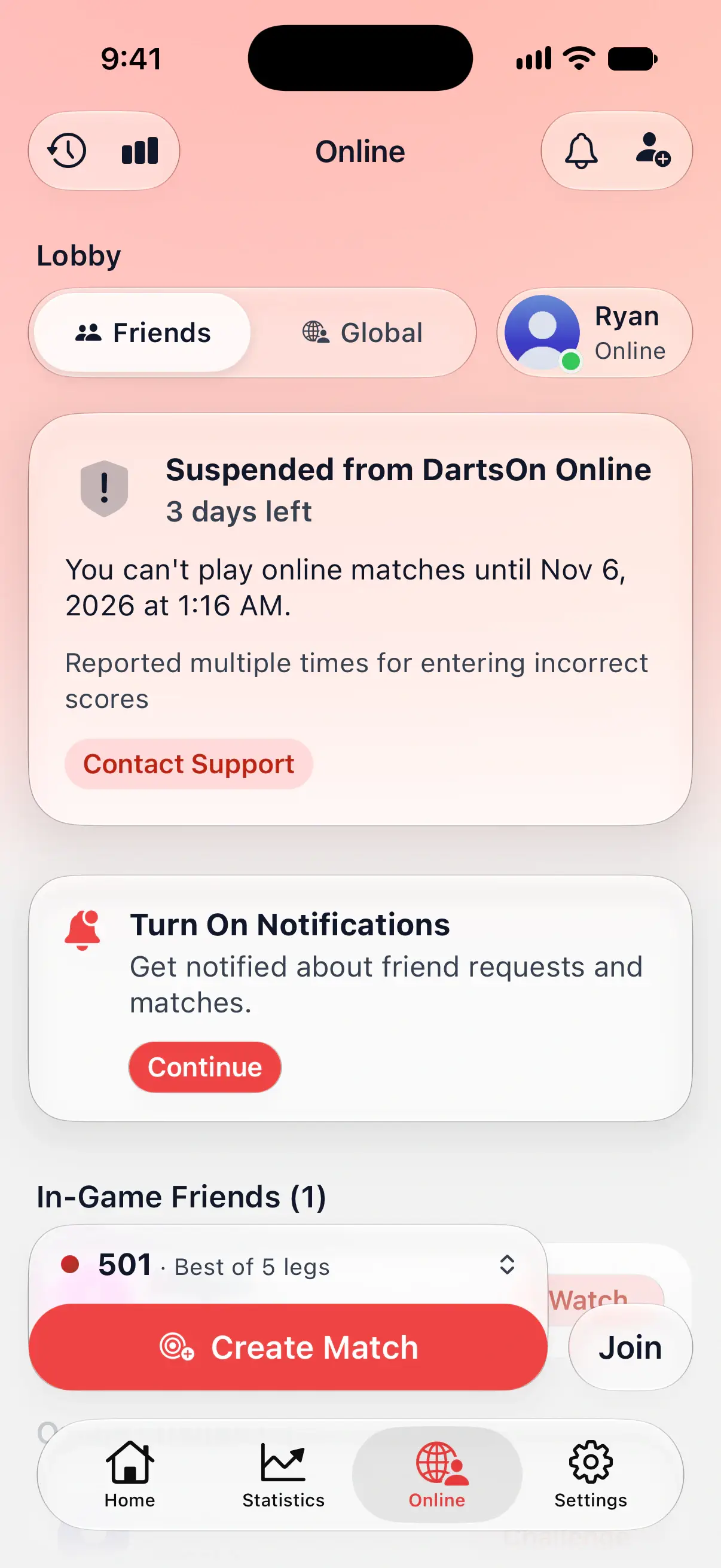
A suspension can last until a set date, with the days or hours left counting down, or until further notice. It covers one of two areas:
| Suspension | What you can’t do | What still works |
|---|---|---|
| Suspended from DartsOn Online | Create, join, start or watch an online match, challenge friends, or use the Global Lobby | Your friends list, your online history and your online stats |
| Suspended from the Global Lobby | Use the Global Lobby, or play anyone who isn’t your friend | Private matches with friends, by challenge or match code, and watching friends’ matches |
During any suspension you can’t send new friend requests, but you can still accept the ones you get.
A suspension only affects Online Play. Local games, camera auto-scoring, your statistics, sync and the rest of DartsOn keep working as usual, and your account and history stay as they are.
A suspension also applies to other accounts used on the same phone, so a new account doesn’t get around it.
To ask about a decision, tap Contact Support on the notice. It opens the feedback form. You can also email support@rsapps.eu with your username, the decision and why you’d like it reviewed.
Questions and answers
Does a player know I reported or blocked them?
No. Reports are private, and DartsOn doesn't tell anyone that you blocked them. A blocked player stops finding you online.
Does blocking someone end our match?
No. A match that's already running carries on. Blocking prevents new matches, challenges and friend requests between you.
Can I still play offline while I'm suspended from Online Play?
Yes. A suspension covers online matches or the Global Lobby only. Local games, camera auto-scoring, your stats and the rest of DartsOn work as usual.
How do I appeal a suspension?
Tap Contact Support on the suspension notice on the Online tab, or email support@rsapps.eu with your username, the decision and why you'd like it reviewed.
Related
- How to add friends in DartsOn Find friends by username or QR code, answer friend requests, see who's online or in a match, and remove a friend in DartsOn.
- Online darts stats, match history and Online Profiles See your stats and history from online matches in DartsOn, open any player's Online Profile, and make your profile private so only friends see your stats.
- Watch your friends' online darts matches live Follow a friend's online darts match dart by dart in DartsOn, watch public matches from the Global Lobby and see who else is watching.
- Play darts online | DartsOn Online Play darts online with live scores, camera auto-scoring, live video and audio. Challenge anyone to 501, Cricket, Killer and more on your own dartboards.