
Set player handicaps and head starts in DartsOn
Balance local darts games with player handicaps. Set X01 rules, Cricket marks, starting scores, lives or target requirements for each player.
A handicap gives a player their own rules or head start, so players of different levels can have a closer game. In X01, each player can have their own starting score, starting rule and ending rule. In Cricket, a player can start every leg with marks already on the board. Other games offer starting scores, lives or target requirements.
Handicaps are for local games with 2 or more players. They aren’t available in online matches, JDC Challenge, 121 Checkout, Doubles Training or Checkout Trainer.
When a handicap makes a game fair
A handicap helps when the players’ 3-dart averages are far apart. If one player wins almost every leg, the game is no fun for either of you. Some starting points:
- Lower starting score for the weaker player. As a rule of thumb, scale it by the ratio of your averages. Against a player averaging 60, a player averaging 40 could start on about 335 instead of 501, so both need a similar number of darts. Use Enter custom starting score for a score like that.
- An easier finish for the weaker player. Hitting a double is the hardest part of X01 for most beginners. Straight Out lets them finish on any dart.
- A harder start for the stronger player. With Double In, a strong player’s score only starts counting once they hit a double, which usually costs them darts at the start of each leg.
- A Cricket head start. 1 mark on every target gives the weaker player 7 marks in Standard Cricket before the first dart. Closing the bull for them takes away the hardest target to close.
Your averages are on the Statistics tab. Play a few legs, then adjust. If the same player still wins most of them, make the handicap bigger.
Set an X01 handicap
- Set up an X01 game with at least 2 players.
- Tap the player’s avatar and choose Set handicap.
- In Handicap, change the player’s Starting Score, Starting Rule or Ending Rule.
- Tap the checkmark to close the sheet.
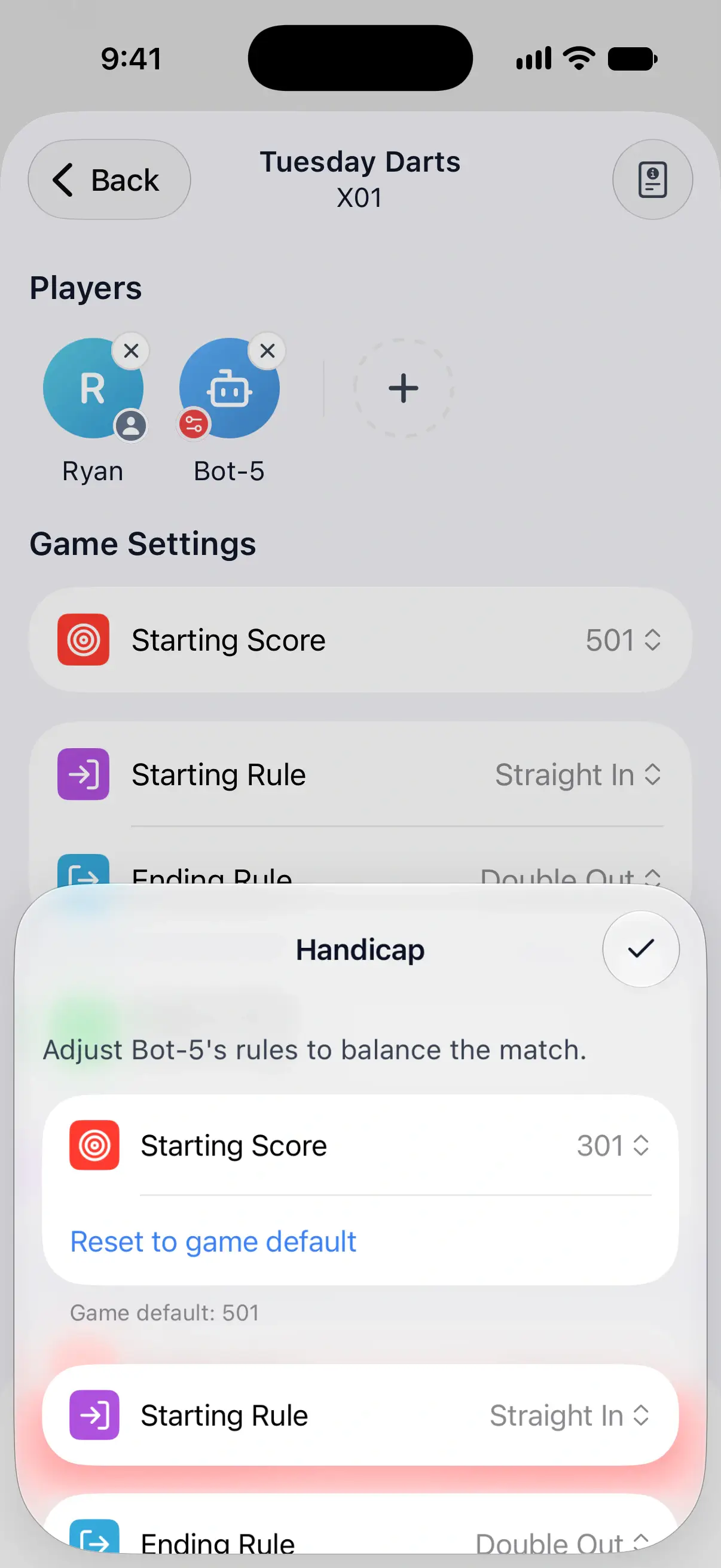

Under each row you’ve changed, DartsOn shows the game’s own value, such as “Game default: 501”, with Reset to game default to undo the change.
The player’s avatar gets a small badge, and their menu now reads Edit handicap. Bots can have handicaps too, for example a higher starting score for a bot that’s a little too strong.
Set a Cricket head start
A head start puts marks on the board for one player before the leg starts, every leg of the game.
- Set up a Cricket game with at least 2 players.
- Tap the player’s avatar and choose Set handicap.
- Under Every Target, choose None, 1 Mark or 2 Marks. The player starts with those marks on every number and the bull.
- To set targets one by one, use Single Targets. Each target can have None, 1 Mark, 2 Marks or Closed, and these replace the Every Target marks for that target.
- Tap the checkmark to close the sheet.
A target set to Closed counts as closed by that player from the first dart, the same as one they closed by throwing. At least one target has to stay open.
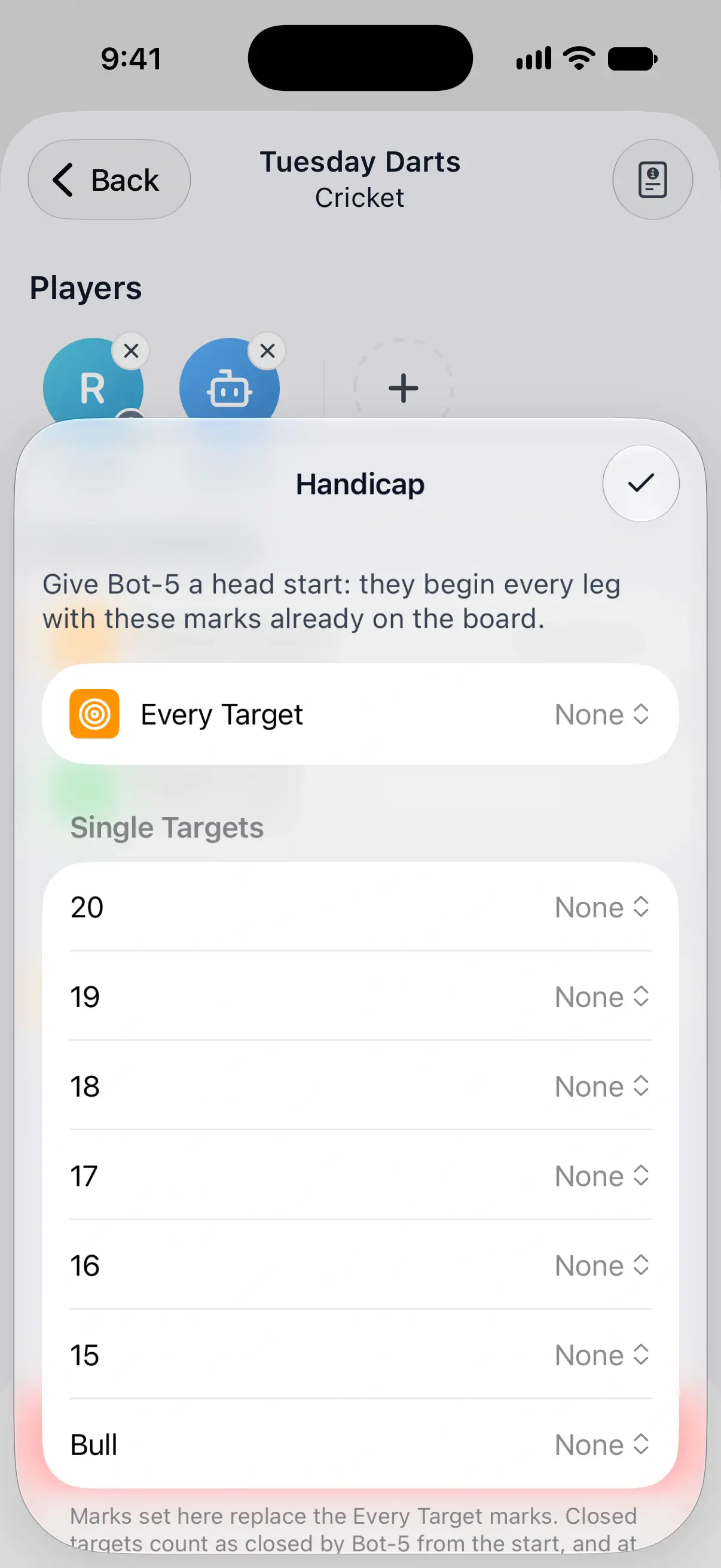
Random and Hidden Cricket draw new numbers every leg, so they only offer Every Target. To clear a head start, tap Remove Head Start.
Set a handicap in other games
- Set up a supported game with at least 2 players.
- Tap a player’s avatar and choose Set handicap.
- Change their rules, then tap the checkmark.
| Game | What you can change for that player |
|---|---|
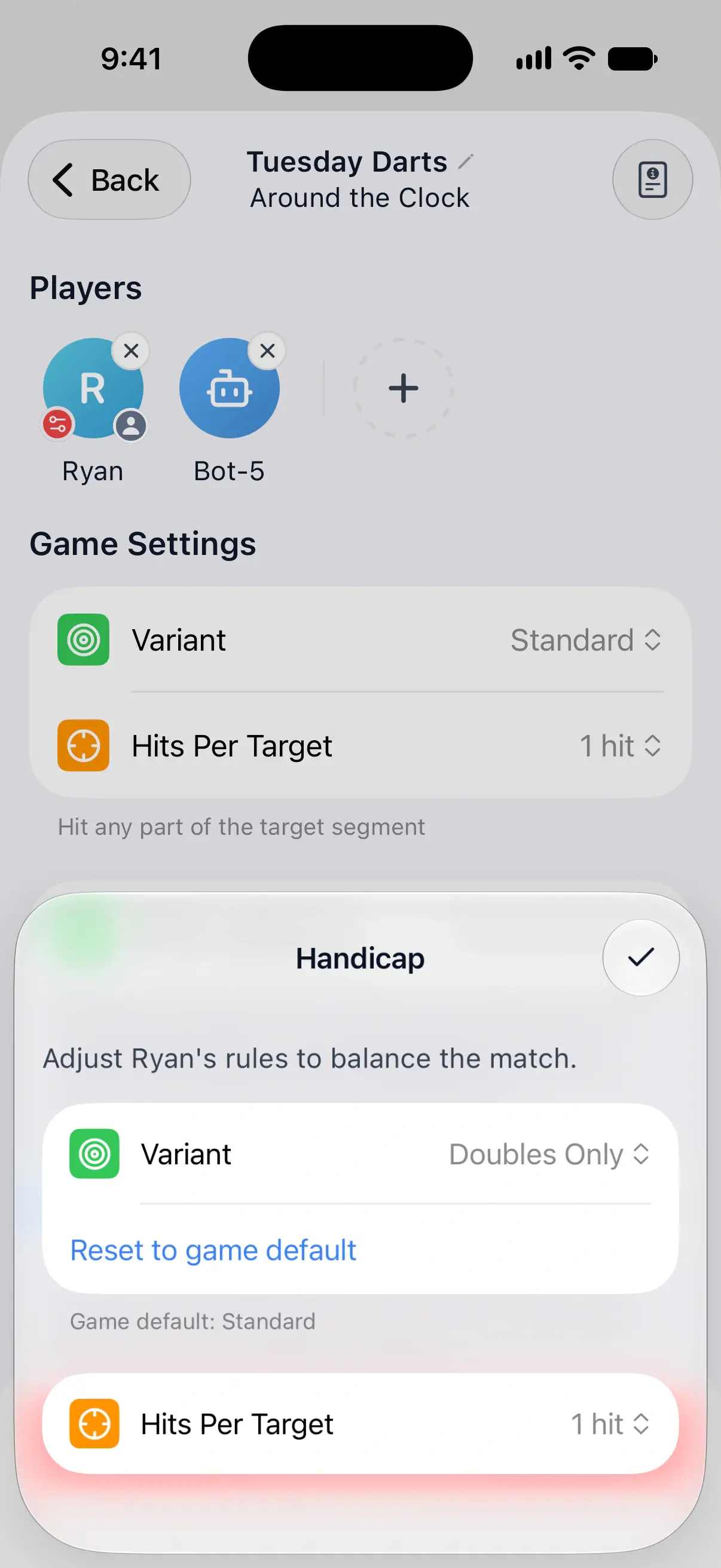
| Around the Clock and Round the World | Variant, such as Doubles Only, and Hits Per Target |
| Shanghai | A points Head Start at the start of each leg |
| Count Up | A points Head Start at the start of each leg |
| Half It | Starting Score, instead of the usual 40 |
| Bob’s 27 | Starting Score, instead of the usual 27 |
| Killer | Lives |
| Singles Training | How doubles and trebles count toward the player’s target. Available for a sequence of targets, not Dedicated Target. |
The sheet shows the game’s usual value under each changed row. Reset to game default removes that override.
See handicaps during a game
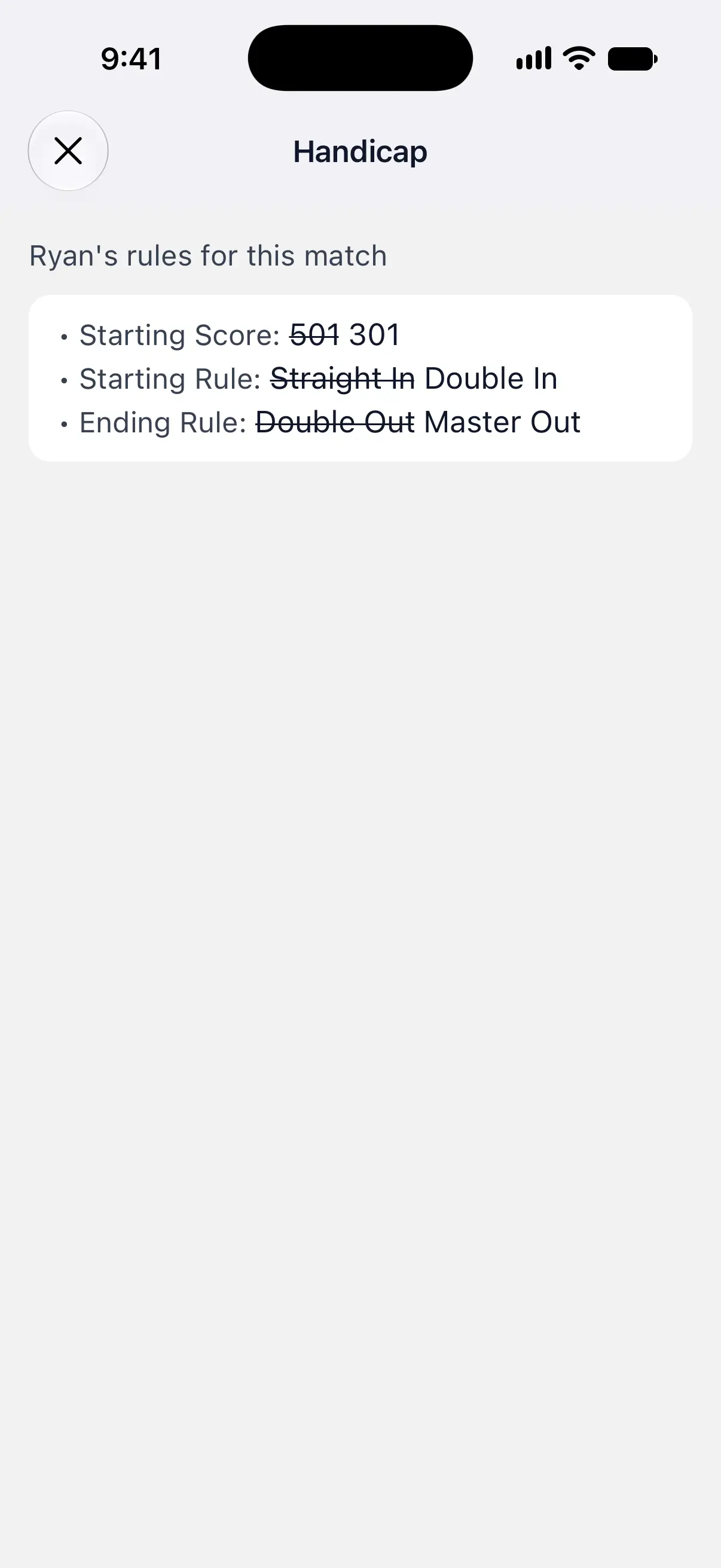
A badge on a player’s score card shows they have a handicap. Tap it to see their rules for the match, with the game’s own values struck through. In Cricket, the badge on the board opens the player’s head start. The other supported games show their player’s rule changes in the same way.
Game Info in the game’s ••• menu lists every player’s handicap under Handicaps. See manage your games.
Handicaps carry over when you duplicate a game or tap New Game on its summary. When you set up a game from New Game on the Home tab, every player starts without one.
Questions and answers
What is a fair X01 handicap between a beginner and a stronger player?
Scale the weaker player's starting score by the ratio of your 3-dart averages. Against a player averaging 60, someone averaging 40 could start on about 335 instead of 501. Letting the weaker player finish on any dart with Straight Out helps too.
Can a bot have a handicap?
Yes. Tap the bot's avatar in the game setup and choose Set handicap, the same as for a person.
Do handicaps work in online matches?
No. Handicaps and head starts are for local games only.
Do handicaps carry over to the next game?
They do when you duplicate the game or tap New Game on its summary. A game set up from New Game on the Home tab starts without handicaps.
Why can't I see Set handicap?
Add at least 2 players, then tap a player's avatar. Handicaps are available in X01, Cricket, Around the Clock, Round the World, Shanghai, Half It, Count Up, Bob's 27, Killer and Singles Training. Singles Training needs a sequence of targets, not Dedicated Target. Online matches don't offer handicaps.
Related
- How to create a darts game in DartsOn Start a new darts game in DartsOn. Name it, pick one of 14 games, set the starting score, in and out rules and match length, then tap Create Game.
- Add players and bots to a darts game Add yourself, new or saved players, friends, phone contacts or bots to a DartsOn game. Pick a bot level, then rename or remove players before you start.
- X01 darts stats explained, from 3-dart avg to checkout % What each X01 number in DartsOn means and how it's counted, from 3-dart avg and first 9 avg to checkout %, high scores, records and Cricket MPR.