
DartsOn gameplay settings explained
Set how fast bots throw, whether turns and legs move on by themselves, whether checkouts confirm automatically and whether DartsOn suggests checkouts.
Gameplay Settings control how fast bots throw, what happens after each turn and leg, and whether DartsOn shows you a way to finish. They apply to every game you score on this device.
Open Gameplay Settings
- Open Settings.
- Under Gameplay, tap Gameplay Settings.
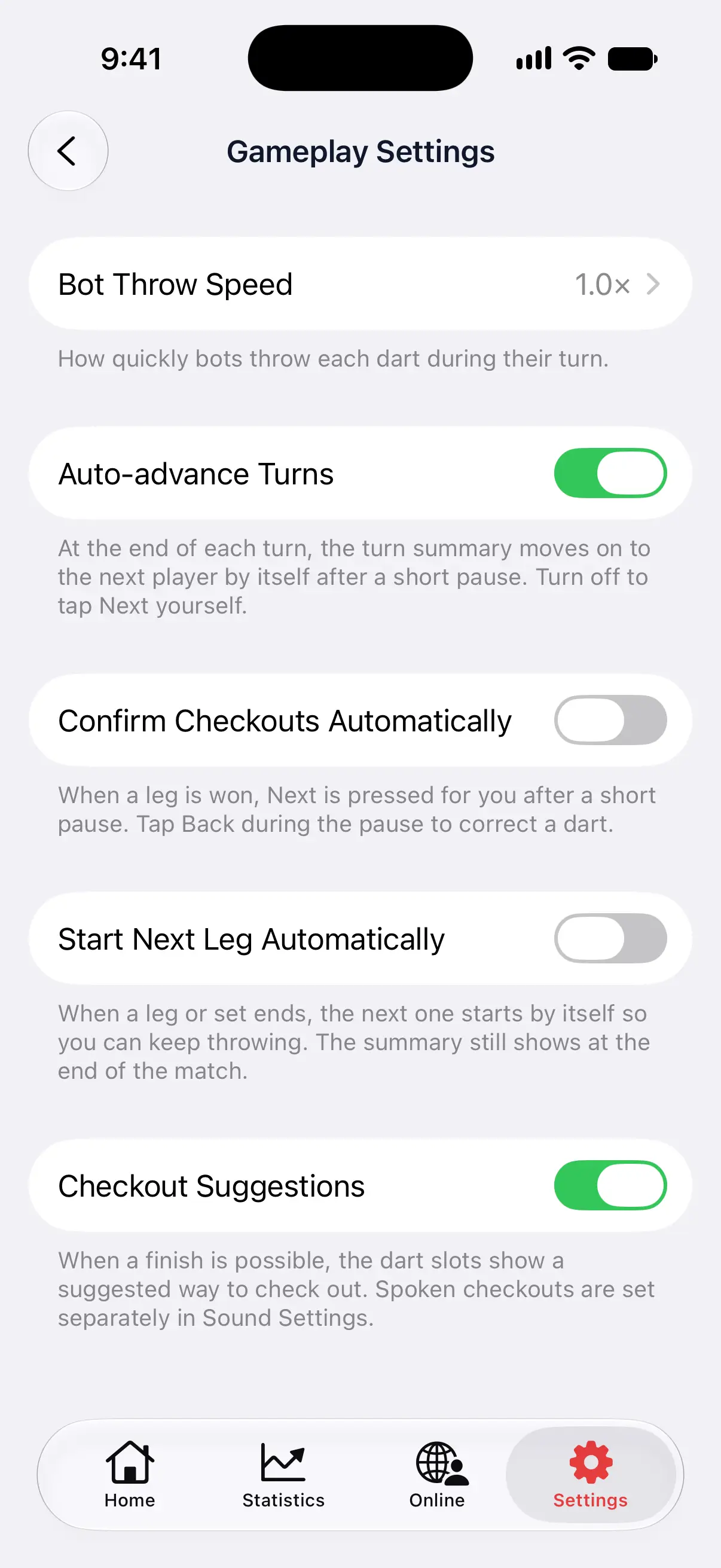

| Setting | Default | What it does |
|---|---|---|
| Bot Throw Speed | 1.0× | How quickly bots throw each dart during their turn. |
| Auto-advance Turns | On | The turn summary moves on to the next player by itself after a short pause. |
| Confirm Checkouts Automatically | Off | When a leg is won, DartsOn presses Next for you after a short pause. A camera-scored X01 checkout still waits for Confirm. |
| Start Next Leg Automatically | Off | When a leg or set ends, the next one starts by itself. |
| Checkout Suggestions | On | The dart slots show a way to finish, using your checkout routes. |
| Setup Suggestions | Off | When no finish is possible, suggests darts that leave a finish for the next visit. Shown while Checkout Suggestions is on. |
| Checkout Routes | Standard | Choose a preferred double and customize routes for each score, dart count and ending rule. |
Set the bot throw speed
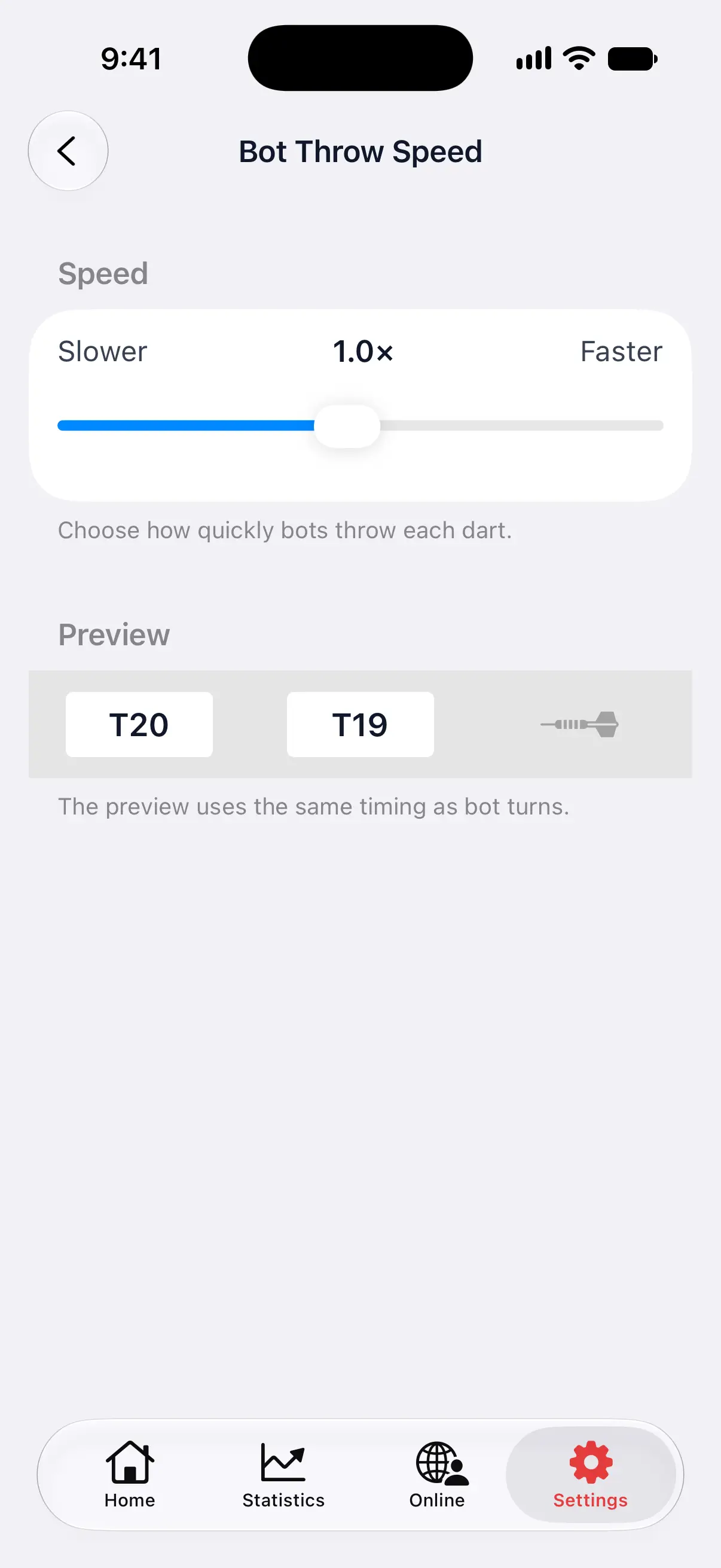
- Tap Bot Throw Speed.
- Drag the Speed slider between Slower and Faster.
The speed goes from 0.1× to 2.0×. At 1.0×, a bot throws one dart a second. At 2.0×, it throws two a second, and at 0.1× it takes 10 seconds per dart.
The Preview under the slider throws T20, T19 and D12 into the dart slots at the speed you picked, with the landing sound, so you can try a speed before your next game.
Pick a faster speed when you practice against a bot and want your own turn back sooner. Pick a slower one if you like to follow each of the bot’s darts, or when a group is watching. Read more about bots in players and bots.
Auto-advance Turns
After each turn, DartsOn shows a turn summary. With Auto-advance Turns on, the summary moves on to the next player by itself after about 3 seconds, and a bar on Next fills up until it does. Tap Next to move on sooner.
Turn it off if you want time to check every score before the next player throws. The summary then waits until you tap Next.
Bot turns always move on by themselves, whatever this switch says. With camera auto-scoring, the next turn starts when you pull your darts from the board.
In an online match, the match’s own auto-advance setting decides instead. See match presets.
Confirm Checkouts Automatically
When a dart wins the leg, DartsOn normally waits for you to tap Next, so you can fix a wrong dart before DartsOn records the leg. With Confirm Checkouts Automatically on, DartsOn presses Next for you after a short pause.
Tap Back during the pause to correct a dart. Turn this on when you trust your scoring and want legs to finish without a tap.
A checkout scored by camera auto-scoring in X01 isn’t affected. DartsOn always asks you to check those darts, and waits until you tap Confirm, or Undo Last to fix one. See confirm a checkout in X01.
Start Next Leg Automatically
In a match of several legs or sets, DartsOn shows a summary after each leg. With Start Next Leg Automatically on, it skips that summary and starts the next leg or set by itself, so you can keep throwing.
The match summary still appears at the end of the match.
Checkout Suggestions
With Checkout Suggestions on, the dart slots show a suggested route whenever you can finish, in X01, 121 Checkout and Checkout Trainer. Tap a suggested dart to enter it. See checkout suggestions.
Setup Suggestions, underneath, adds suggestions when no checkout is possible. It starts off. Turn it on if you want help leaving a finish for your next visit.
Open Checkout Routes to choose a Preferred Double or a route for an individual score. You can keep separate routes for 2 or 3 darts and each ending rule. The caller and external scoreboards follow the same choices. See customize a route.
Turn it off if you want to work out your finishes yourself. Checkout Trainer also has its own Show Checkout Suggestions option when you set up a session, and turning off Checkout Suggestions here hides them there too.
Questions and answers
How do I make bots throw faster in DartsOn?
Open Settings → Gameplay Settings → Bot Throw Speed and drag the slider toward Faster. 1.0× is one dart a second, and 2.0× is twice as fast.
How do I stop DartsOn moving to the next player by itself?
Open Settings → Gameplay Settings and turn off Auto-advance Turns. After a turn you enter with the keypad or dartboard, the turn summary then waits until you tap Next. Bot turns still move on by themselves.
How do I turn off checkout suggestions?
Open Settings → Gameplay Settings and turn off Checkout Suggestions. The dart slots stop showing a suggested finish. Spoken checkouts have their own setting in Sound Settings.
Related
- How checkout suggestions work in DartsOn See checkout and setup suggestions in DartsOn. Pick your preferred double, customize routes for each ending rule, or turn suggestions off.
- Add players and bots to a darts game Add yourself, new or saved players, friends, phone contacts or bots to a DartsOn game. Pick a bot level, then rename or remove players before you start.
- How to enter darts scores in DartsOn Enter each dart in DartsOn with the keypad or by tapping the dartboard, undo mistakes, use the turn summary and score in landscape or on a tablet.
- Every DartsOn setting explained A guide to each row in the DartsOn Settings tab, in the app's order, with what it changes and where to read more.