
How to help improve camera auto-scoring in DartsOn
Share camera frames when you correct or report a camera-scored dart. What Improve auto-scoring model shares, when DartsOn asks and how to turn it off.
When you correct a dart the camera got wrong, a camera frame of your board shows the team where the model struggles with different boards, angles and dart positions. Improve auto-scoring model lets DartsOn collect those frames, so they can improve auto-scoring for you and other players. It’s off until you turn it on.
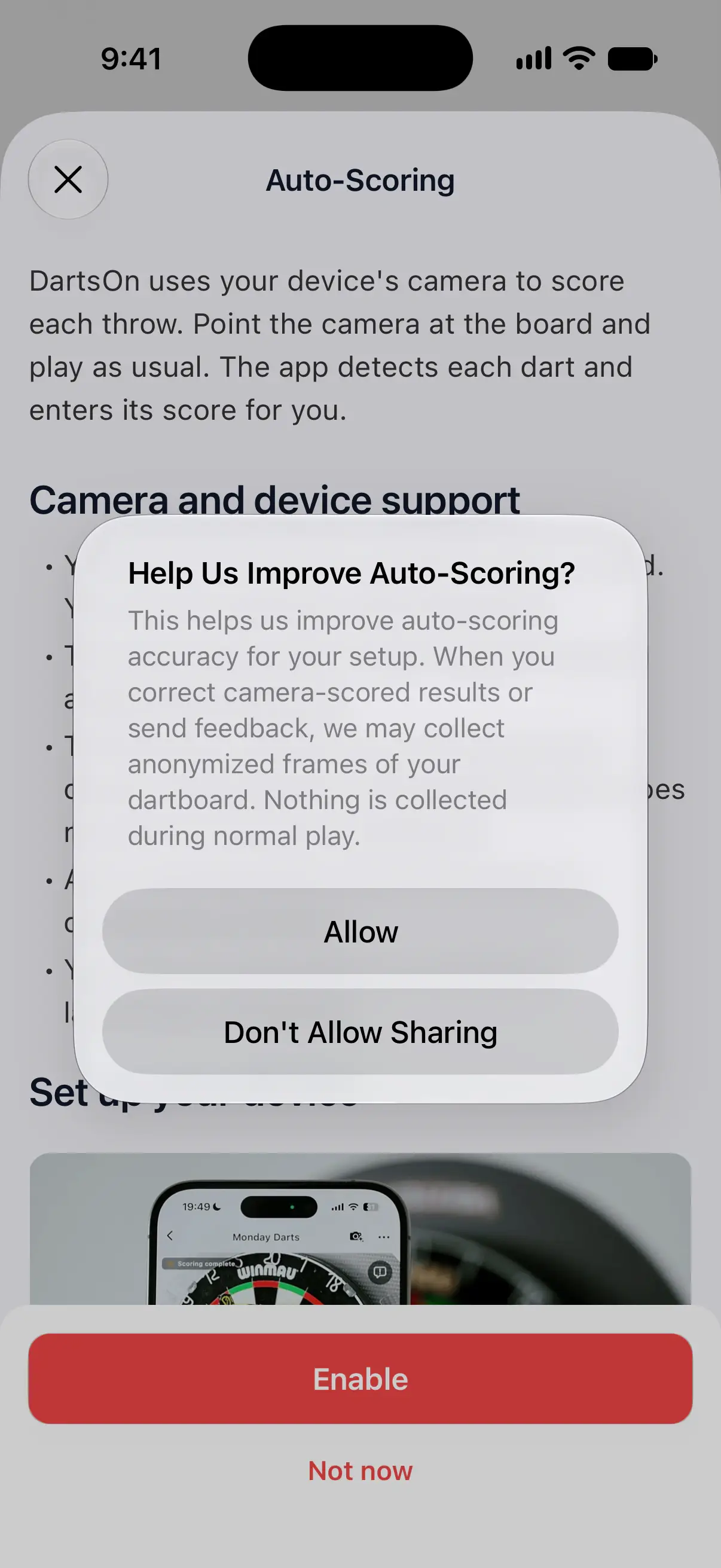
Answer the prompt on iPhone and iPad
The first time you tap Enable in the Auto-Scoring guide, DartsOn may ask Help Us Improve Auto-Scoring? It doesn’t ask if you’ve already set the switch in Data Controls.
- Allow turns on Improve auto-scoring model.
- Don’t Allow Sharing leaves it off.
Auto-Scoring turns on either way, and you can change your answer any time in Data Controls.
On Android there’s no prompt. Sharing stays off until you turn it on yourself.

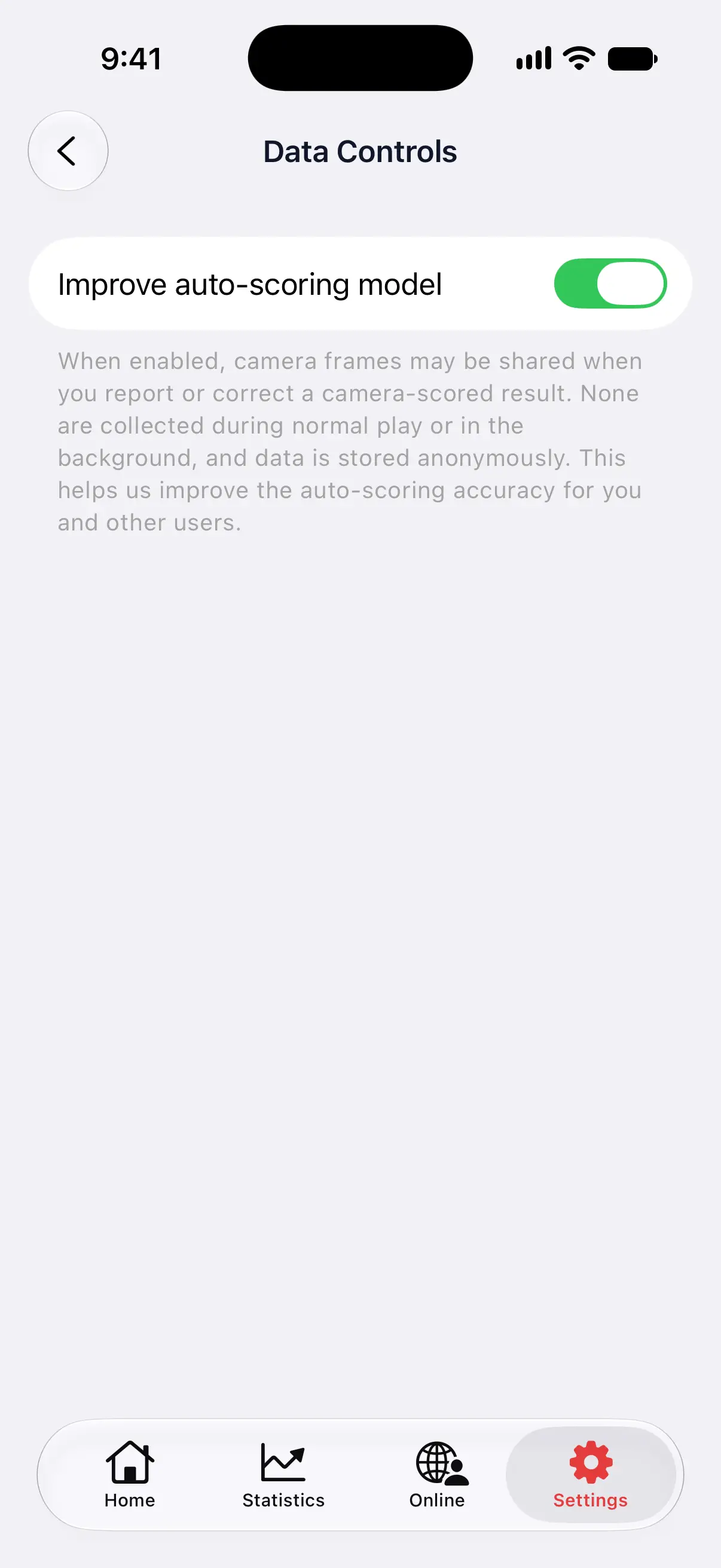
Turn sharing on or off
- On the Settings tab, tap General.
- Tap Data Controls.
- Turn Improve auto-scoring model on or off.
The change applies straight away, on this device.
What DartsOn shares
With Improve auto-scoring model on, DartsOn may share camera frames of your dartboard at two moments, both in X01 games:
- When you correct a camera-scored dart, by picking another value or clearing it. The frame shows the board the camera was looking at.
- When you send a scoring report from the camera view.
Nothing is collected during normal play or in the background, and the frames are stored anonymously. An automatic frame is only sent while the camera has the board in view. On iPhone and iPad, DartsOn also drops an automatic frame when it detects a person in it.
Report a scoring issue
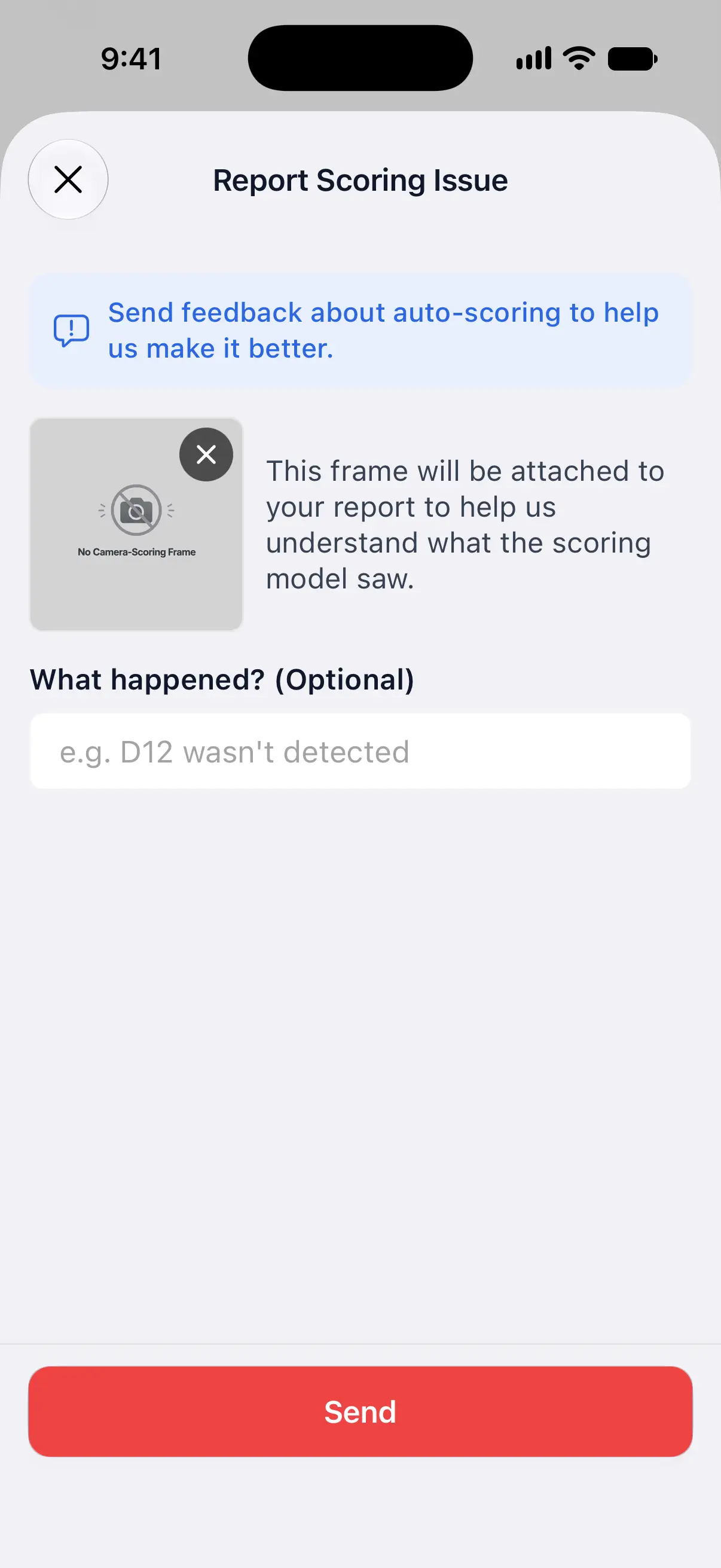
If the camera view in an X01 game shows a report button, a speech bubble with an exclamation mark, tap it right after the problem. The button only appears while Improve auto-scoring model is on. If there’s no button, describe the problem in Settings → Feedback.
- Report Scoring Issue opens with the current camera frame attached. Use the buttons on the frame to take a fresh one or remove it. Once it’s removed, you can add a photo from your library instead.
- Under What happened? (Optional), describe the problem, such as “D12 wasn’t detected”.
- Tap Send.
A report needs a frame or a message. If you leave both out, DartsOn asks for one.
For anything else about the app, use Feedback in Settings too. Send feedback.
Questions and answers
Does DartsOn upload video of my games?
No. With Improve auto-scoring model on, DartsOn may share single camera frames of the board when you correct or report a camera-scored dart. Nothing is collected during normal play, and Action Replays stay on your phone.
Is the data I share anonymous?
Yes. Frames you share are stored anonymously and used to improve auto-scoring accuracy.
Can I stop sharing after I've said yes?
Yes. Go to Settings, then General, then Data Controls and turn off Improve auto-scoring model. DartsOn stops sharing frames straight away.
Is sharing on by default?
No. DartsOn shares frames only after you turn on Improve auto-scoring model yourself or tap Allow when it asks.
Related
- How to correct an auto-scored dart in DartsOn Fix a dart the camera scored wrong, move between turns with Previous, Clear and Next turn, and confirm a camera checkout before the leg ends.
- How to fix camera auto-scoring problems in DartsOn What to try when DartsOn misses darts, scores the wrong number, won't start the next turn, can't open the camera or says your phone is too slow.
- How to set up camera auto-scoring in DartsOn Place your phone by the board, turn on Auto-Scoring and let the camera score each dart. What you need, where to put the phone and how each turn works.
- Send feedback and join the DartsOn community Send the DartsOn team feedback with screenshots, read What's New after an update, ask for features and join the DartsOn Discord and Reddit communities.