
How to edit your DartsOn profile
Change your name, photo, username and date of birth in DartsOn, find your QR code, and read the sync status on your profile.
Your profile holds your name, photo and username, which friends and online opponents see, along with your friends and badges. It needs a DartsOn account; see create an account.
Open your profile
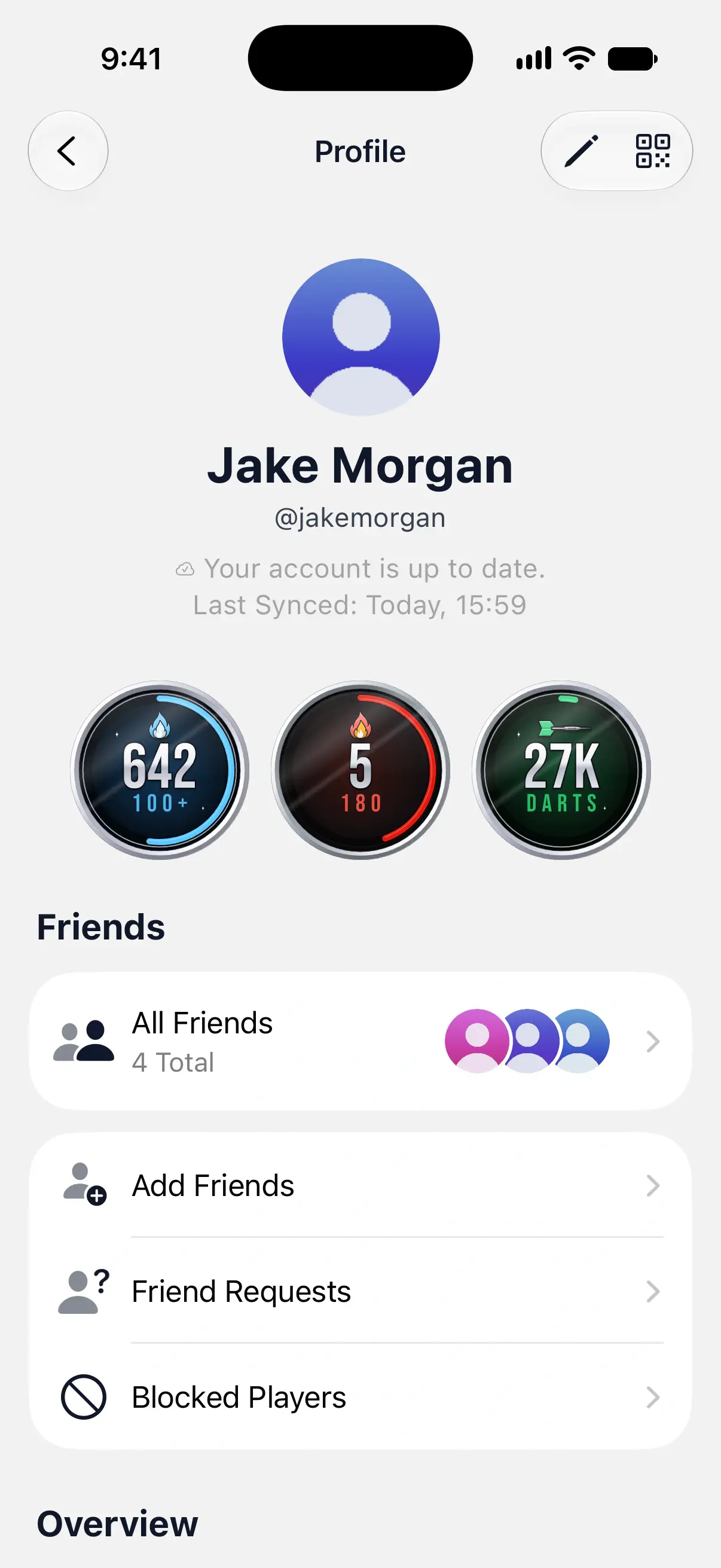
In Settings, tap your name at the top. Profile shows:
- Your photo, name and username.
- The sync status, such as “Your account is up to date.” with the time of the last sync.
- Three lifetime medallions: Lifetime 100+, Lifetime 180s and Lifetime Darts, counting local and online games. Tap one for its level and progress, then tilt or spin the medal. See badges.
- Friends, with All Friends, Add Friends, Friend Requests and Blocked Players. See add friends.
- Overview, with your Badges. See badges.
Log Out and Delete Account are at the bottom. See log out or delete your account.

Edit your profile
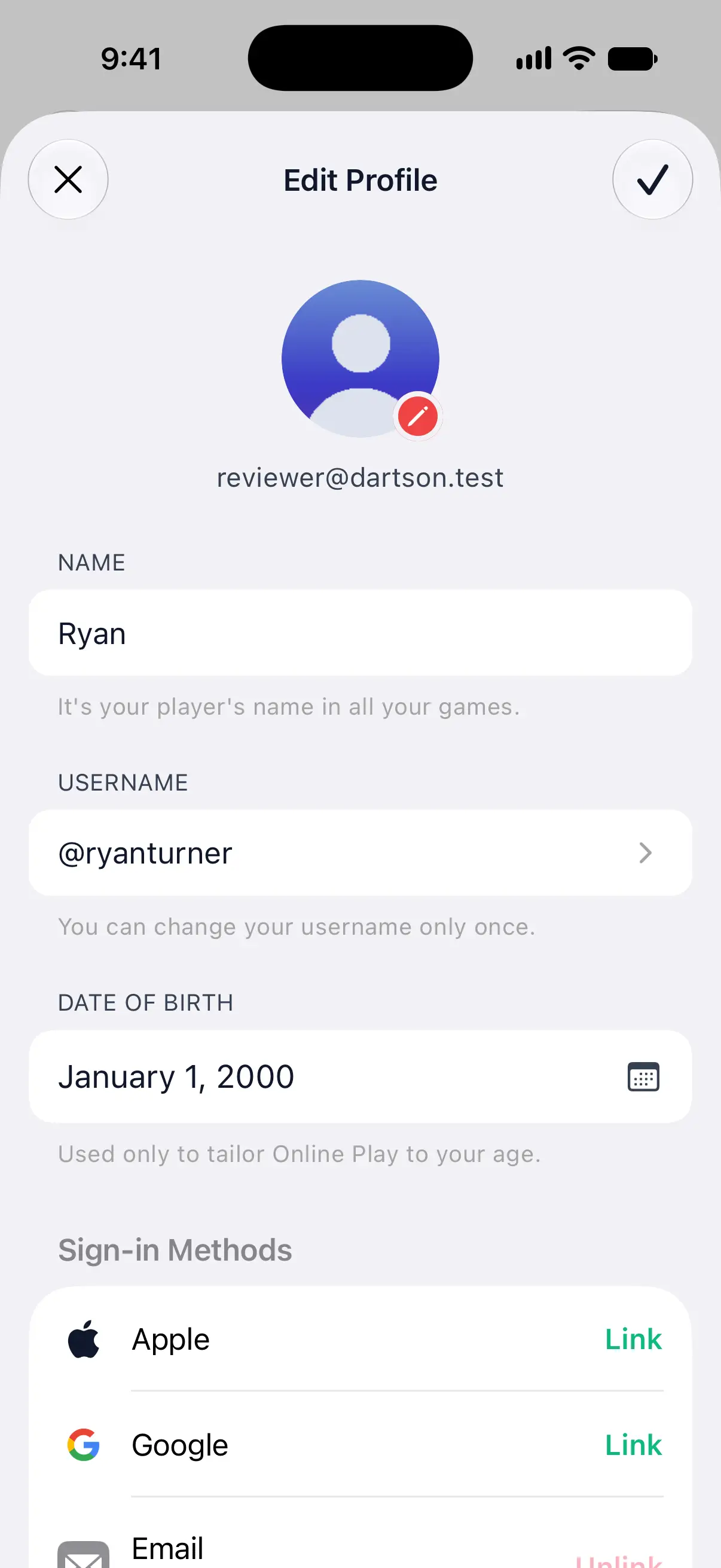
Tap the pencil button at the top of Profile to open Edit Profile. Your account’s email address is shown under your photo.
Change your name or date of birth, then tap the checkmark at the top right to save. The close button at the top left discards those changes. A new photo or username saves on its own, as described below.
Name
Your name is your player’s name in all your games, including the ones you’ve already played. DartsOn turns down a name that isn’t suitable with “That name can’t be used. Try another.”, and a name another player on your phone already has.
Photo
Tap your photo, then choose:
- Fill from Contact Card: uses the photo or Memoji from a contact card, such as your own. iPhone and iPad only.
- Pick from Photos: choose a photo from your library.
- Just Use My Initials: removes the photo and shows your initials.
On iPhone and iPad, Move and Scale opens next, so you can frame the photo in the circle, then tap Choose. Android lets you crop the photo as you pick it. A new photo is saved straight away, without the checkmark.
Your friends and the players you meet online see your photo. DartsOn checks every photo before others can see it, and one it can’t use shows “Couldn’t use this photo. Try a different one.” If you signed in with Google, your profile starts with your Google photo.
Username
Your username is how friends find you, and it’s shown under your name. DartsOn makes one from your first name when you create your account.
You can change it once:
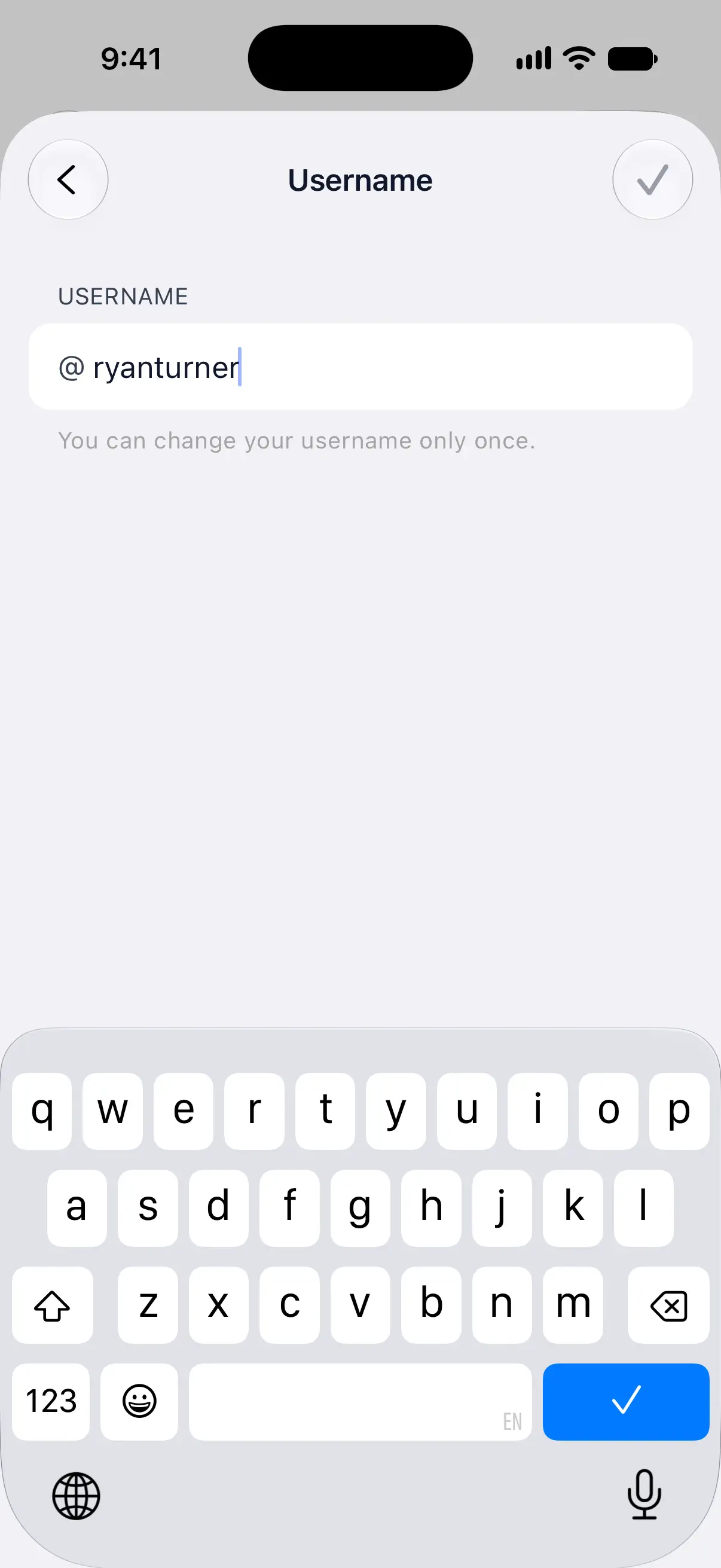
- In Edit Profile, tap Username.
- Type the new one, using 3 to 16 lowercase letters and digits.
- Tap the checkmark.
If someone already has it, DartsOn says so, such as “@ryan is already taken”. Once you’ve changed it, the field is locked.
Date of birth
Date of Birth appears in Edit Profile after you’ve agreed to play online. DartsOn uses it only to tailor Online Play to your age. You need to be at least 13 to play online, and 16 for the Global Lobby. A date under 13 can’t be saved.
Show your QR code
Tap the QR button at the top of Profile. The first person to scan a fresh code within 4 hours is added straight away. The code keeps working after that, sending you a friend request to accept. Share QR Code sends it as a link, and Scan QR Code scans a friend’s. See add friends.
Read the sync status
The line under your username says how your games are syncing with your account, such as Your account is up to date. or Syncing…. Last Synced below it shows when the last sync finished.
Opening your profile also starts a sync. For what each status means and what to do when syncing stops, see sync your games.
Questions and answers
How often can I change my DartsOn username?
Once. After that, the username in Edit Profile is locked and shows "You have already changed your username."
Who can see my profile photo?
Any DartsOn player who finds you by username search, along with your name and username, even before you're friends. Your friends and the players you meet in DartsOn Online see it too, and it appears on your QR code.
Why does DartsOn need my date of birth?
Only to tailor Online Play to your age. You need to be at least 13 to play online, and 16 for the Global Lobby. The field appears in Edit Profile once you've agreed to play online.
Does changing my name rename me in old games?
Yes. Your profile name is your player's name in all your games, past and future.
Related
- How to add or remove a sign-in method in DartsOn Link Apple, Google or an email and password to your DartsOn account in Edit Profile, so you can sign in on any device, or unlink one you no longer use.
- Sync your darts matches across devices Signed in, DartsOn syncs your matches, players, bots and badges between iPhone, iPad and Android. Check the sync status and fix sync problems.
- How to add friends in DartsOn Find friends by username or QR code, answer friend requests, see who's online or in a match, and remove a friend in DartsOn.
- Earn, track and share DartsOn badges How you earn DartsOn badges, what each category rewards, where to see locked badges and your progress, and how to share a badge as an image.