
Read your darts heat map and target accuracy
See where your darts land on a DartsOn heat map, switch between Heat map and Landings, inspect an area, and check your hit rate on each target.
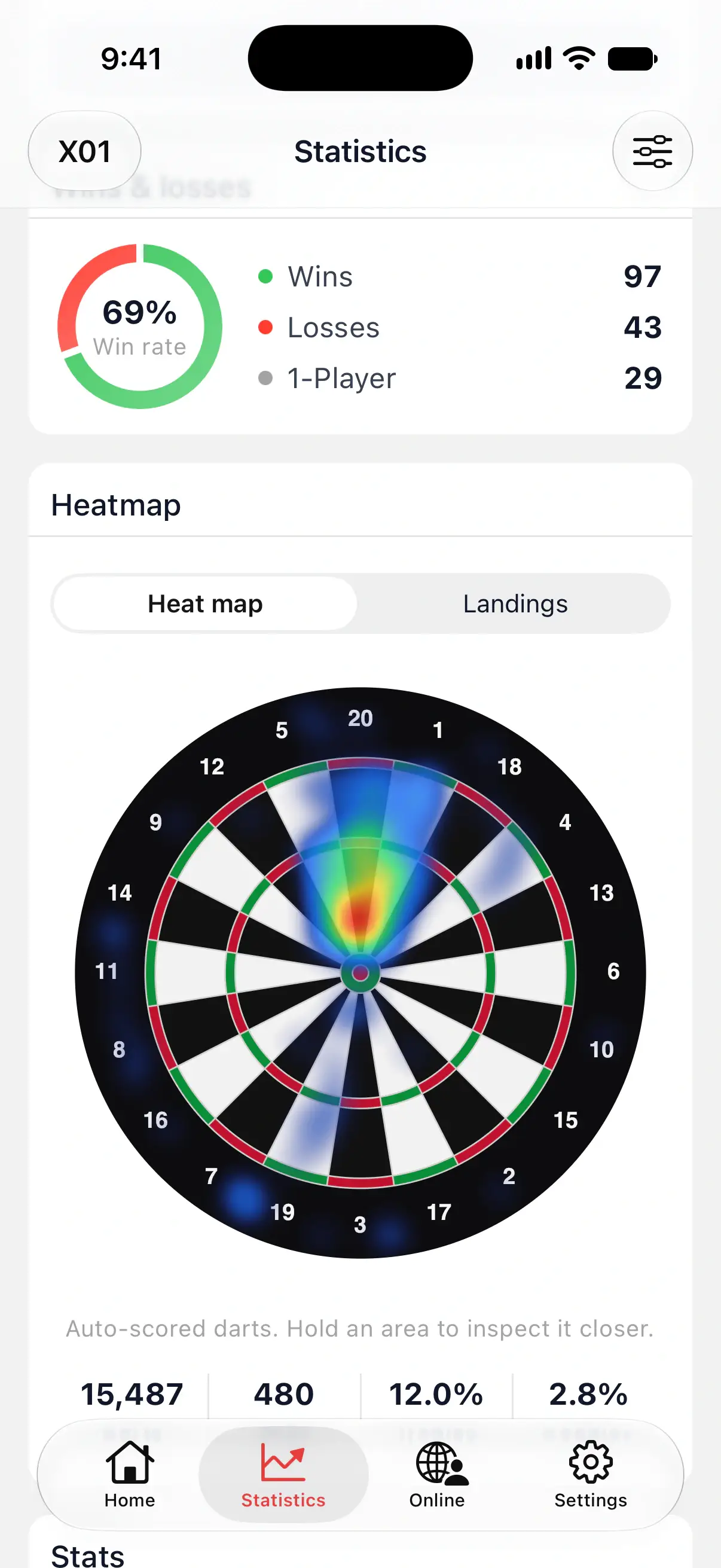
A heat map shows where your darts land on the board, so you can see how tightly you group and which way you miss. DartsOn draws one for all your games on the Statistics tab, and one for each player after a game.
Target accuracy is a different board. It colors each number by how often you hit it when it was your target.
Which darts have a position
The heat map plots darts that DartsOn knows the exact landing spot of:
- darts scored by camera auto-scoring, in any game mode;
- darts you enter by tapping the Dartboard in X01 and Cricket.
Darts you type on the keypad have a score but no position, so they don’t appear. If none of your darts have a position, the card shows a blurred sample board with Use camera auto-scoring to see exactly where your darts land.
To build a heat map quickly, score a few games with the camera. See set up camera auto-scoring.
Open your heat map on the Statistics tab
- Tap Statistics and choose a game mode at the top left.
- Scroll to the Heatmap card.
The card follows the player, time period and rule filters you’ve chosen, so you can compare your board in 501 with your board in 301, or this month with last year. See statistics.
The Heatmap card needs DartsOn Premium. Without it, the card is blurred behind an Unlock button.
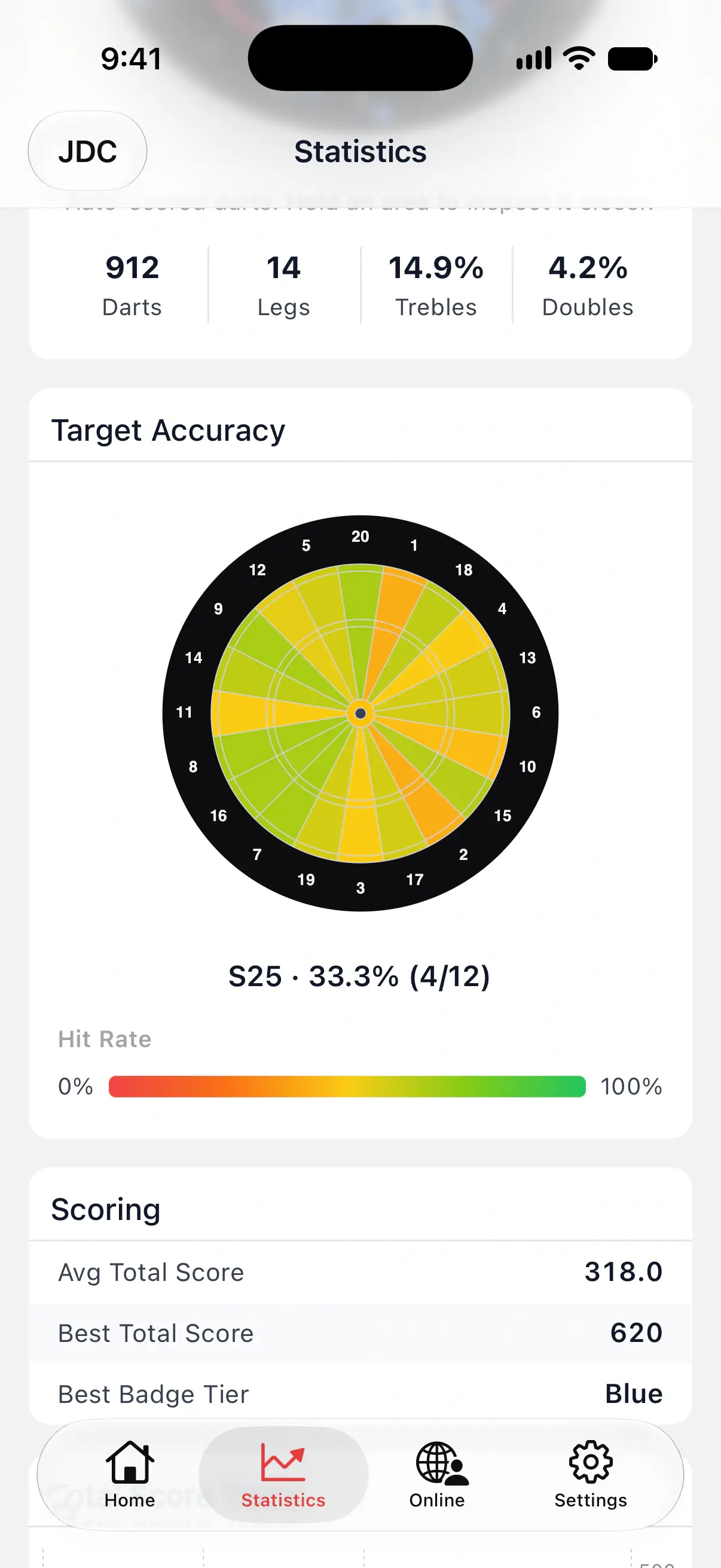
Under the board, 4 numbers sum it up:
| Number | What it counts |
|---|---|
| Darts | Darts with a position in the period |
| Legs | Legs those darts were thrown in |
| Trebles | The share of darts that landed in a treble |
| Doubles | The share of darts that landed in a double |
Darts that land in a bull are left out of Trebles and Doubles. Misses count, so a miss lowers both.
Over a long period, the board draws a random sample of up to 1,000 of your darts. The sample keeps the picture true to the whole period, and Darts still shows the full count.

Switch between Heat map and Landings
Above the board, choose how to draw your darts:
- Heat map shades the board by how many darts landed in each area, from blue for a few to red for the most. Use it to see where you group.
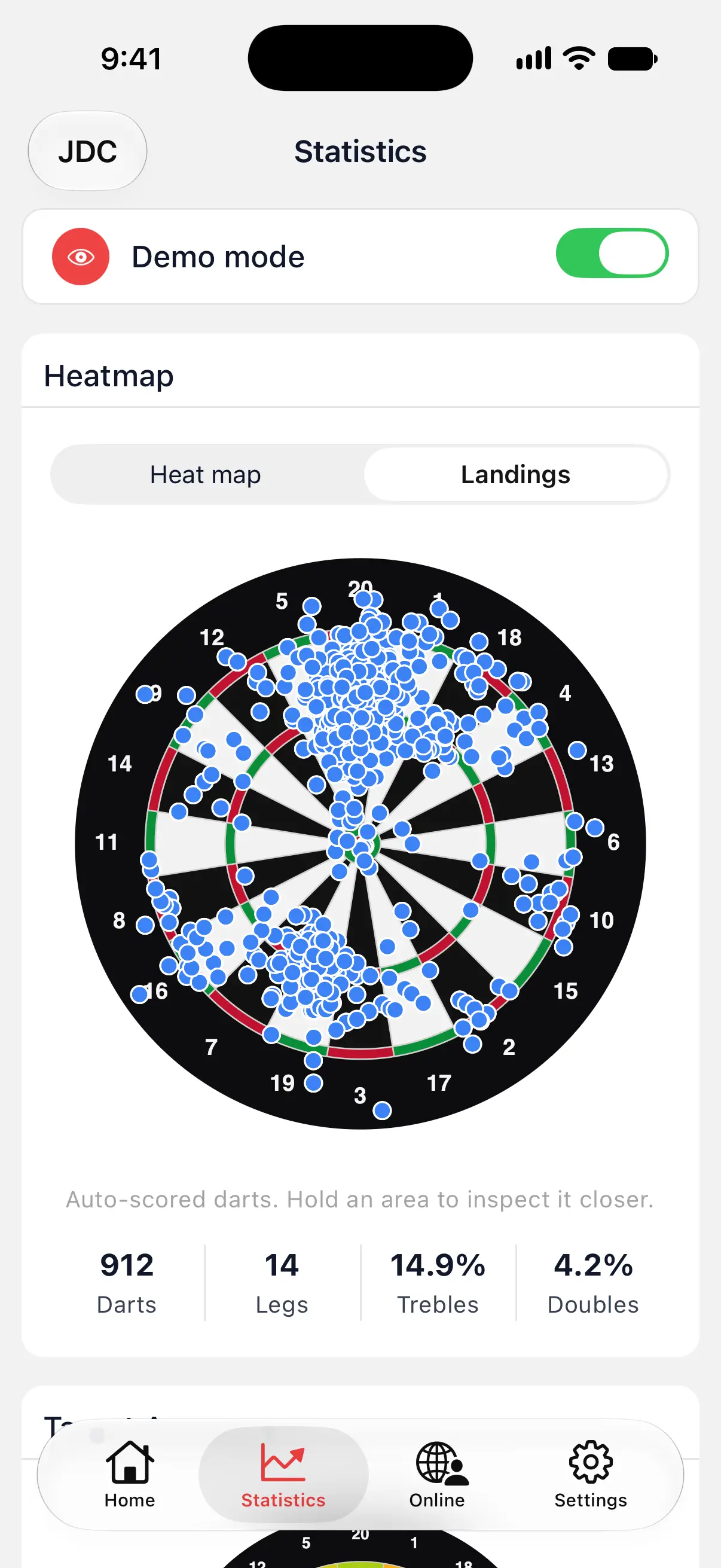
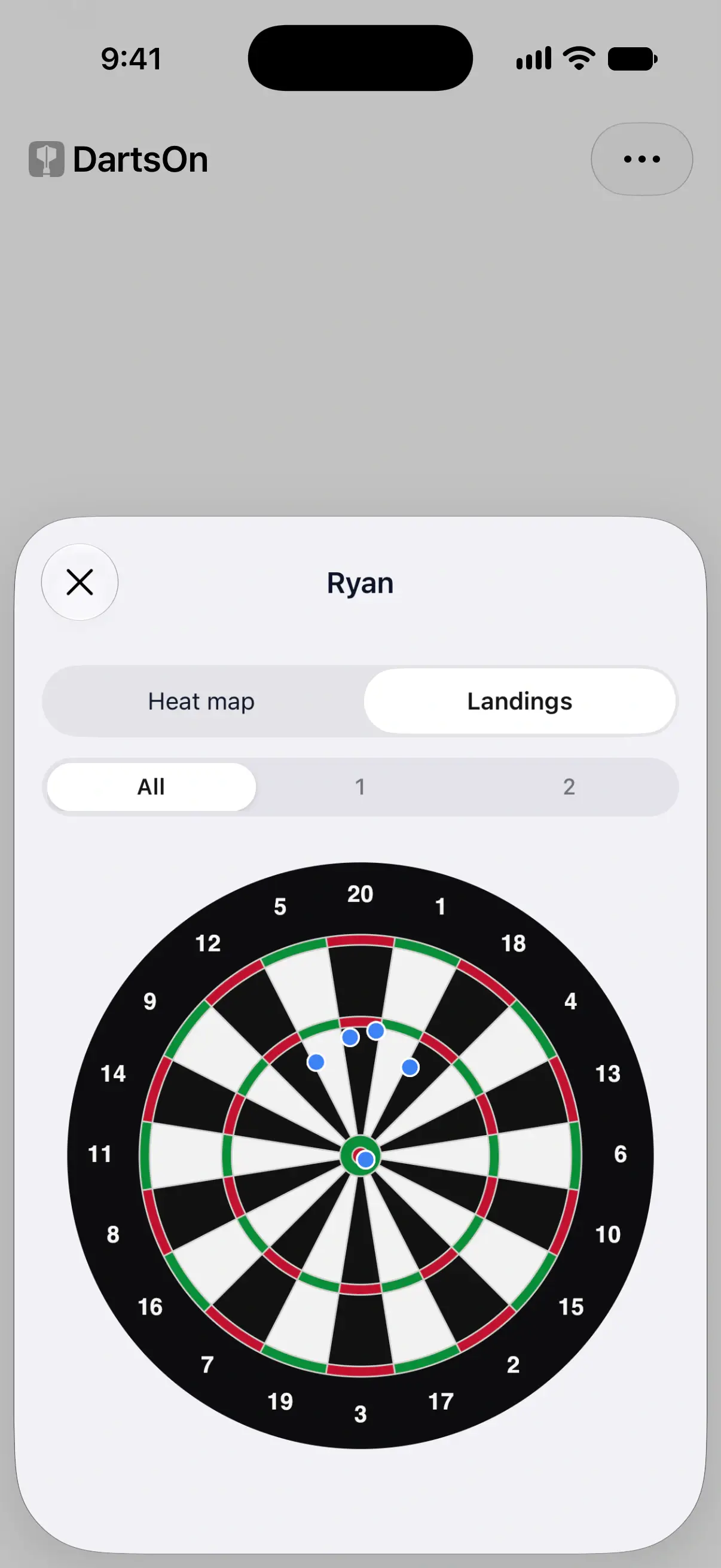
- Landings puts a dot on each dart’s exact spot. Use it to spot strays and single misses that the shading smooths over.
Start with Heat map to find your main group, then switch to Landings to see how far your worst darts drift from it.
Inspect an area
Touch and hold the board. DartsOn zooms in and names the area under your finger with its dart count, such as T20: 12. Slide your finger to check the next area.
See each player’s heat map after a game
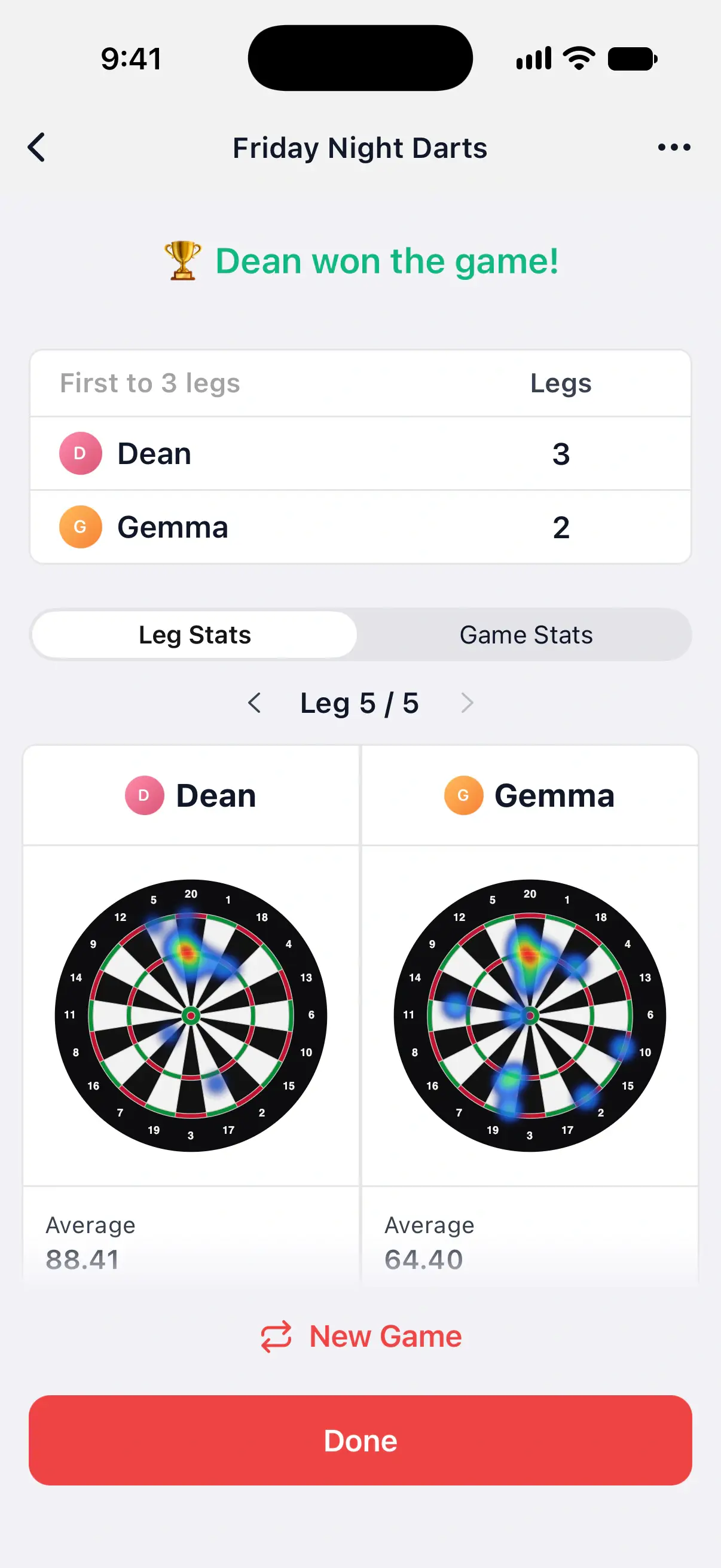
A game’s summary shows a heat map under each player who has darts with a position. It’s free, in every game mode except 121 Checkout and Checkout Trainer.
- Open a finished game from Home, or wait for the summary at the end of a leg or game.
- Tap a player’s board to open it full screen.
A player whose darts were all typed in gets a faint board with a keyboard icon instead, so the cards still line up.
In X01, the board on Leg Stats shows the leg you’re looking at, and the board on Game Stats shows the whole game. See match history.
Use the full-screen heat map
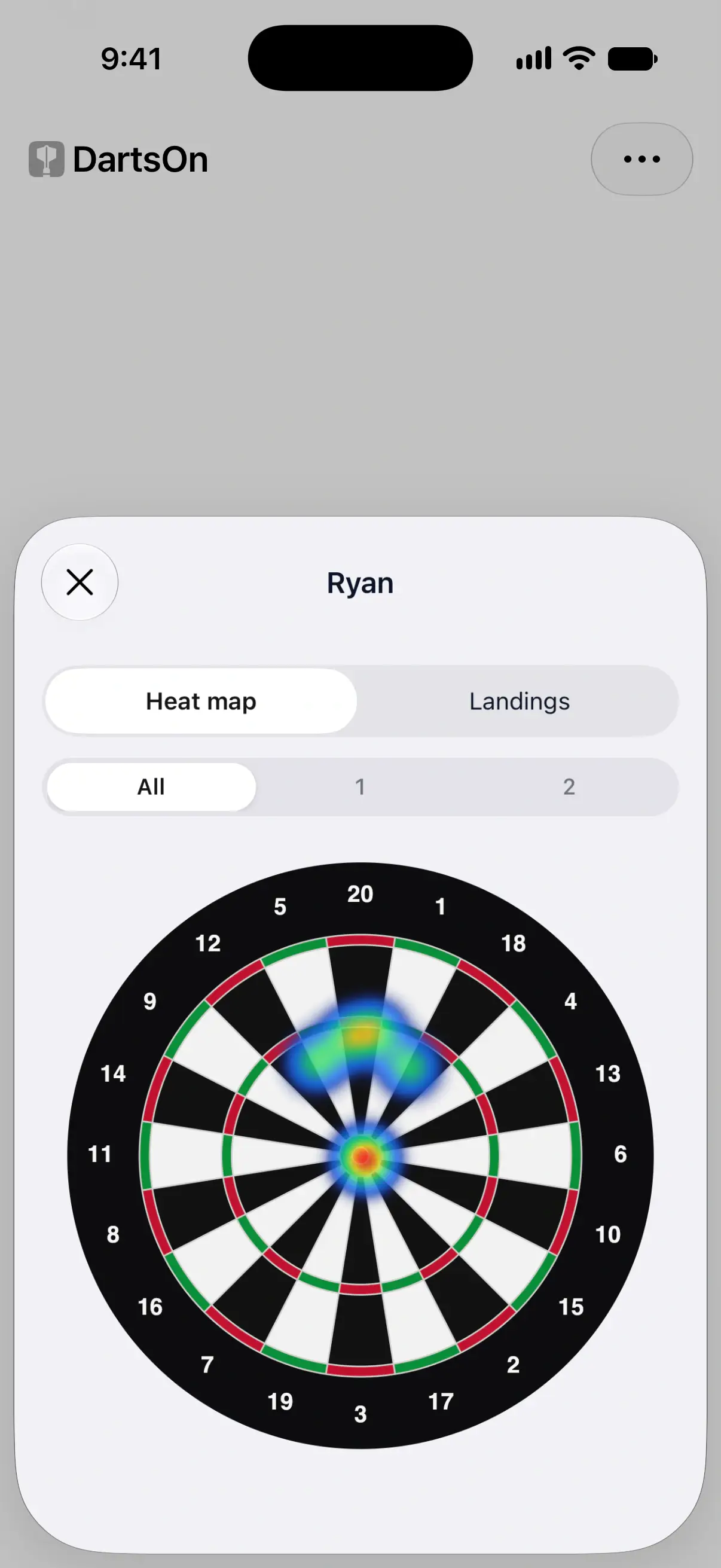
The full-screen view has the player’s name at the top, the Heat map and Landings switch, and the same touch and hold to inspect an area.
When the game had more than one leg with positioned darts, pick a leg under the switch, or All for the whole game. In a game with sets, legs are labeled by set and leg, such as S2 L1.
Check your target accuracy
Modes where you aim at set targets show a board of your hit rate on each one. It’s called Target Accuracy in Singles Training, Doubles Training, Bob’s 27 and JDC Challenge, and Target Breakdown in Around the Clock and Round the World.
Each target is colored on a scale from red at 0% to green at 100%. Tap a target to see its numbers, such as S25 · 33.3% (4/12), which is 4 hits from 12 darts at the outer bull. Tap it again to clear it.
Target accuracy counts every dart you enter, keypad included, so it works without camera auto-scoring. Like the other cards in these modes, it needs DartsOn Premium.
Other boards in DartsOn
- Turn by Turn in X01 can show a small board for each turn, with the darts where they landed. Turn on Boards at the top. See match history.
- Each bot level has a simulated heat map of where its darts land, on its profile in your record against bots. See your record against bots.
Questions and answers
Why is my DartsOn heat map empty?
The heat map only shows darts with a position on the board. Those come from camera auto-scoring, and from tapping the dartboard in X01 and Cricket. Darts typed on the keypad have no position, so a game scored only on the keypad adds nothing.
Is the heat map free?
The heat map under each player on a game's summary is free, and so are the boards in Turn by Turn. The Heatmap card on the Statistics tab, which covers all your games, needs DartsOn Premium.
Does target accuracy need camera auto-scoring?
No. Target accuracy counts hits and attempts from every dart you enter, however you enter it. Only the heat map needs darts with a position.
Related
- Track your darts statistics in DartsOn Pick a player, game mode and time period on the Statistics tab, filter by rules, and see your averages, checkouts, high scores and records.
- Review a finished darts game in DartsOn Find past games on Home, read their summaries leg by leg, continue an unfinished game and share any local game or online match as a PDF, text or CSV.
- How to set up camera auto-scoring in DartsOn Place your phone by the board, turn on Auto-Scoring and let the camera score each dart. What you need, where to put the phone and how each turn works.
- Darts auto-scoring with your phone camera | DartsOn Turn your phone into an automatic darts scorer. DartsOn's on-device AI reads every dart through your camera. No electronic board, no tapping, fully offline.