
Decide who throws first in a darts game
Set the throw order in DartsOn. Drag players into order, throw for the bull by tapping or with the camera, or spin the wheel, and change it in the first round.
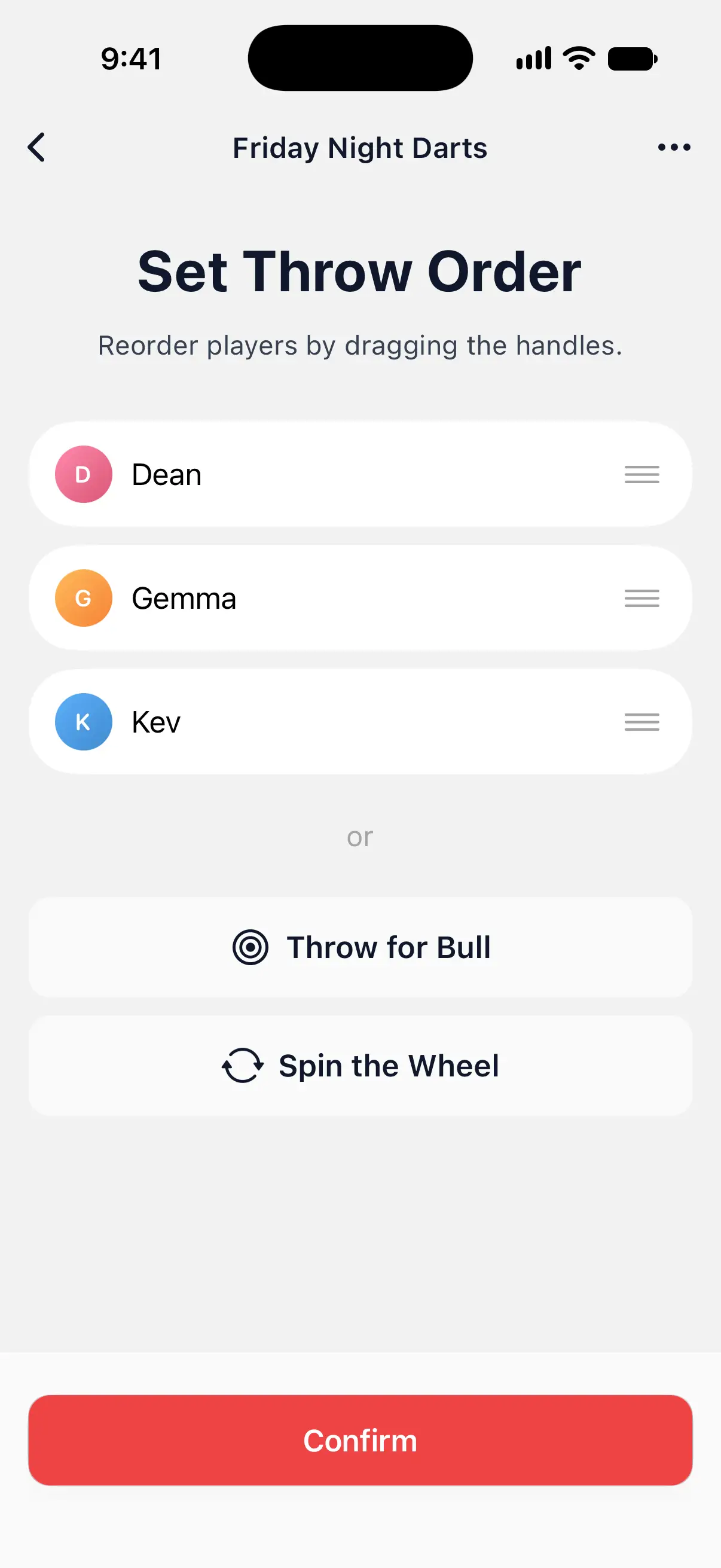
With 2 or more players, every game starts on Set Throw Order. Decide the order there before the first dart. Drag the players yourself, throw for the bull or let the wheel choose.
Set the order by hand
- On Set Throw Order, the players appear in the order you added them. The player at the top throws first.
- To move a player, drag the handle at the right of their row up or down.
- Tap Confirm.
The game starts with the first player’s turn.

Throw for the bull
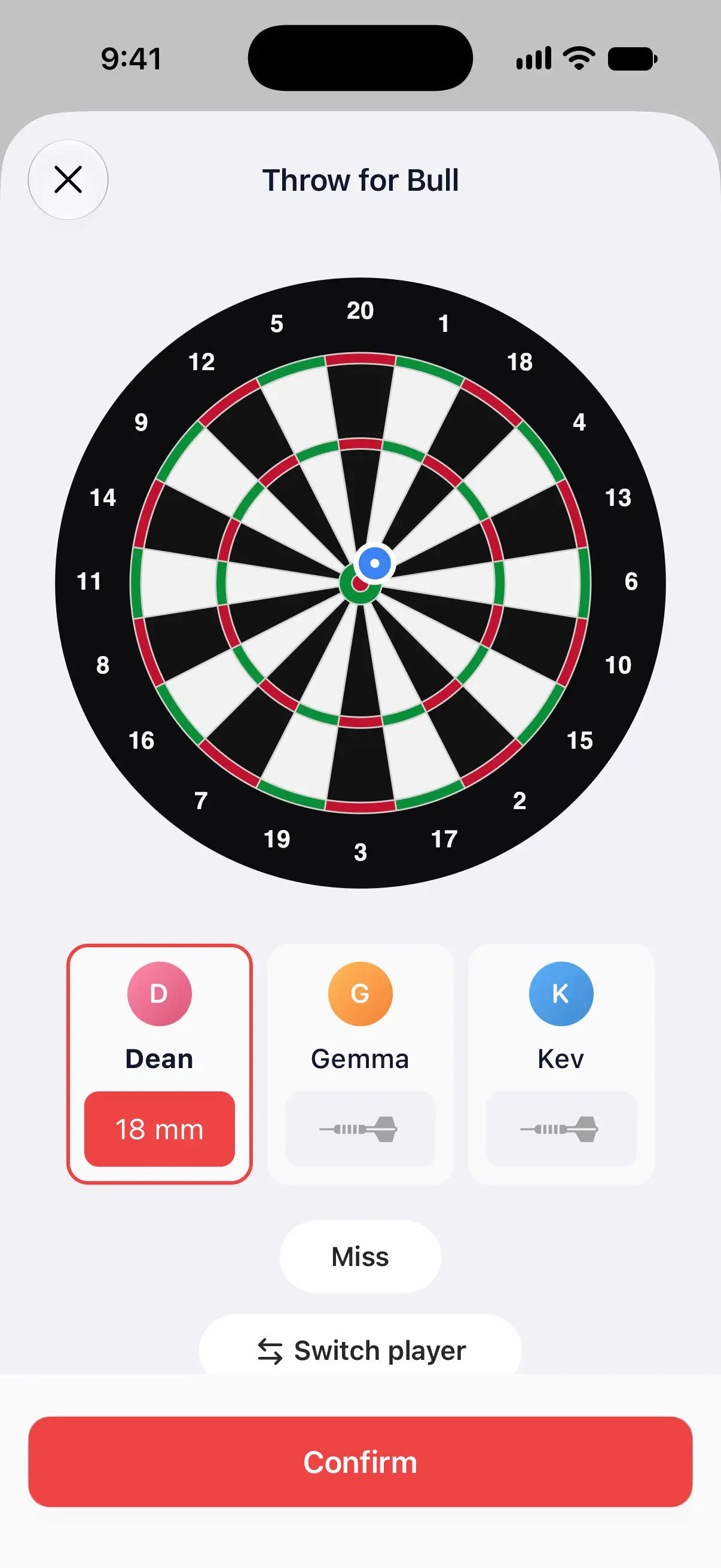
Each player throws one dart at the bull, and the closest dart throws first.
- On Set Throw Order, tap Throw for Bull.
- DartsOn shows whose throw it is, such as “Dean to throw for the bull”. After the dart lands, tap that spot on the board, check the distance on the player’s card and tap Confirm. For a precise spot, touch and hold the board instead, drag to where the dart is and lift your finger. That enters the dart without Confirm.
- If the dart missed the board, tap Miss. To let someone else throw next, tap Switch player and pick them.
- When everyone has thrown, Throw Order lists the players by how far their dart landed from the center. Tap Continue to use that order, or Throw Again to start over.
Throw for Bull isn’t offered when a bot is in the game. Drag the order or spin the wheel instead.
Throw for the bull with the camera
If the game uses camera auto-scoring, Throw for Bull uses the camera too. Each player throws, DartsOn finds the dart and measures its distance, and the next player throws once the board is clear.
- To tap the darts in yourself, tap Enter manually. Use camera switches back.
- If the camera read a dart wrongly, tap Throw Again before the board is cleared, and throw that dart again.
See set up camera auto-scoring.
Spin the wheel
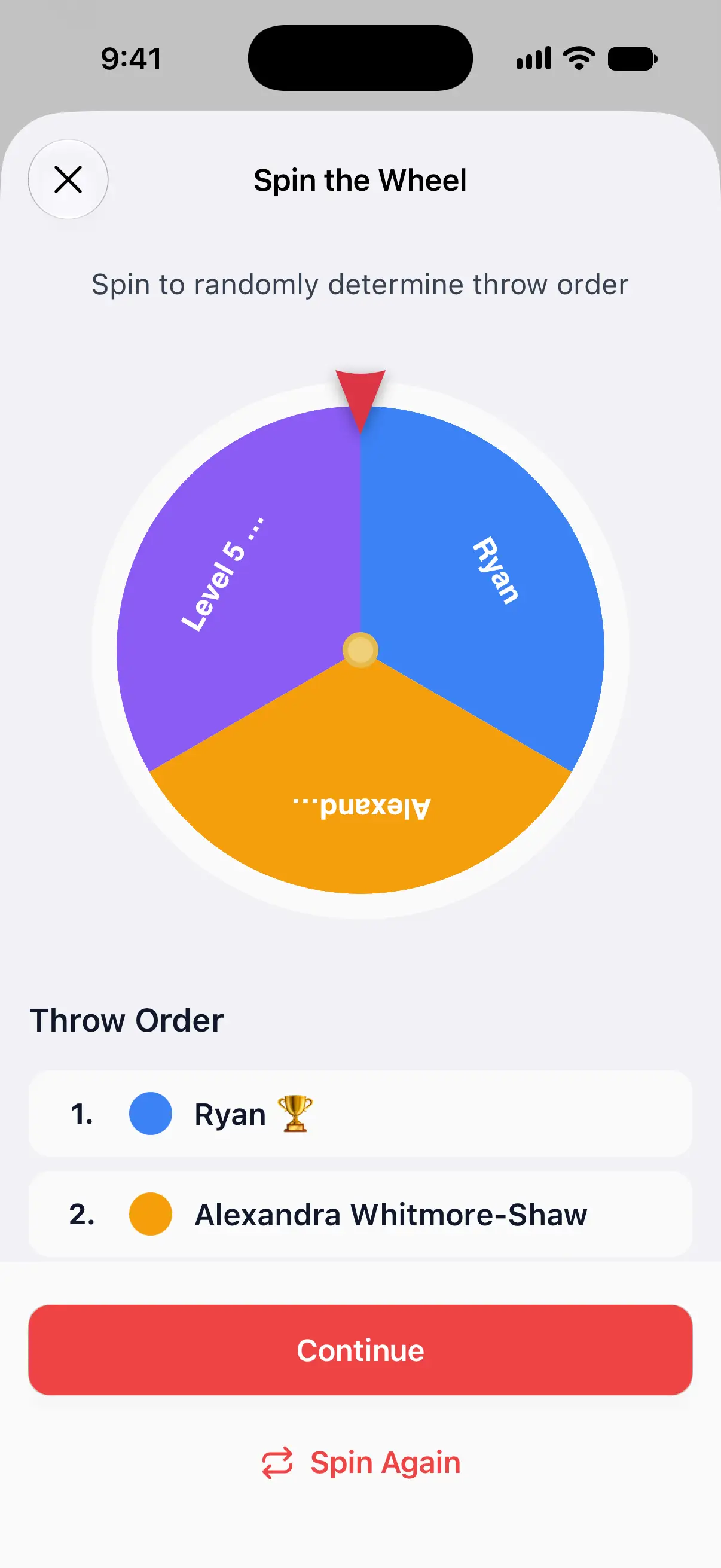
- On Set Throw Order, tap Spin the Wheel.
- Tap Spin the Wheel at the bottom. The wheel stops on the player who throws first, and the others follow in their order around the wheel.
- Tap Continue to use that order, or Spin Again.
The wheel works with bots in the game.
Change the order during the first round
Spotted a mistake after the first darts? During the first round of the first leg, you can still change the order:
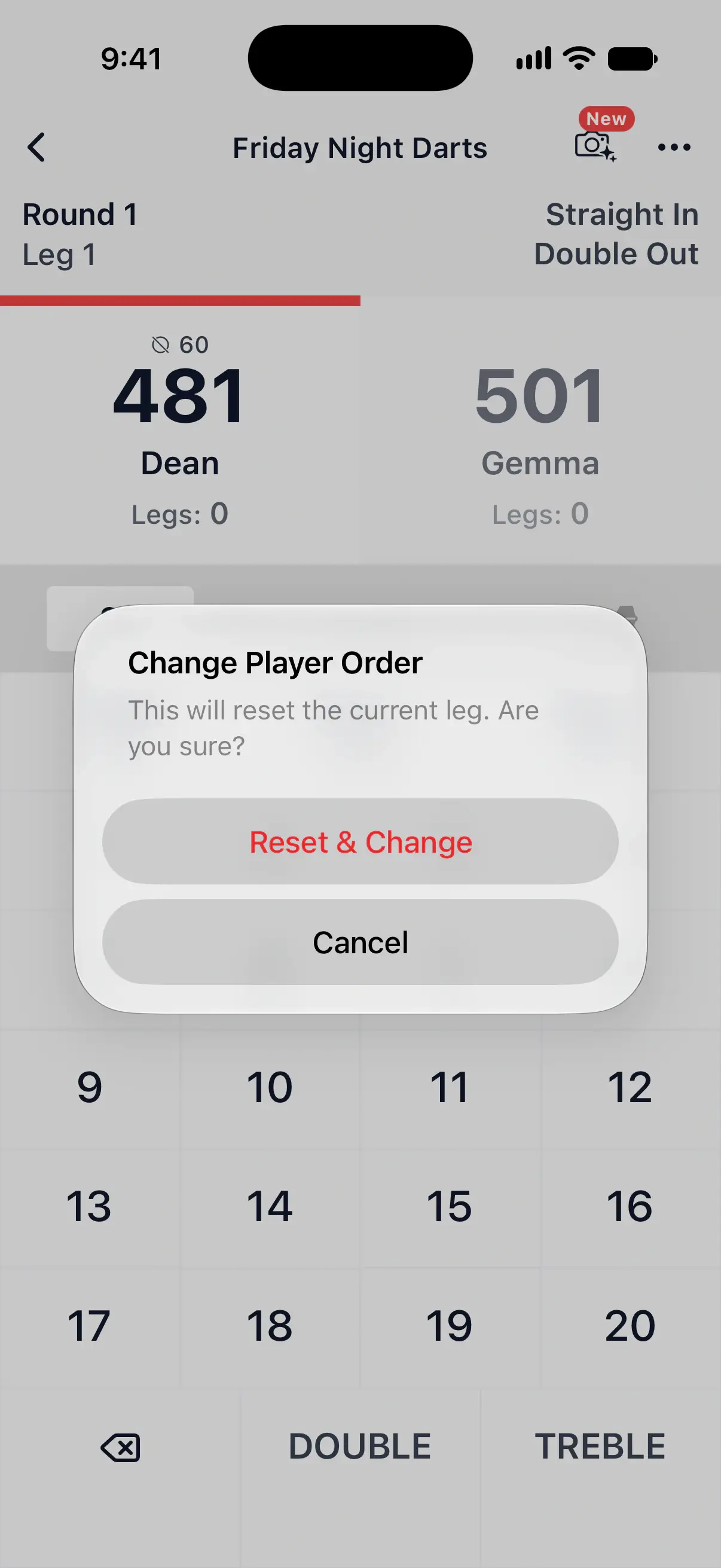
- Open the ••• menu at the top right and tap Change Player Order.
- If anyone has thrown already, DartsOn asks you to confirm. Tap Reset & Change.
- The darts of this leg are cleared, and Set Throw Order opens again.
Change Player Order is in the menu in X01, Cricket, Around the Clock, Round the World, Shanghai, Half It, Singles Training and Doubles Training. After the first round, the order is fixed for the rest of the game.
Who starts the next leg
In a game of several legs, the first throw moves to the next player in the order each leg, so everyone gets to start. Each new set also starts with the next player.
Questions and answers
Why can't I throw for the bull in DartsOn?
Throw for Bull isn't offered when a bot is in the game, since a bot can't throw a real dart at your board. Drag the players into order or use Spin the Wheel instead.
Can I change who throws first after the game has started?
Yes, during the first round of the first leg. Open the game's menu and tap Change Player Order. If anyone has thrown, DartsOn resets the leg first.
Who throws first in the second leg?
The first throw moves to the next player in the order each leg, so everyone gets a turn to start. Each new set also starts with the next player.
Related
- How to create a darts game in DartsOn Start a new darts game in DartsOn. Name it, pick one of 14 games, set the starting score, in and out rules and match length, then tap Create Game.
- Add players and bots to a darts game Add yourself, new or saved players, friends, phone contacts or bots to a DartsOn game. Pick a bot level, then rename or remove players before you start.
- How to set up camera auto-scoring in DartsOn Place your phone by the board, turn on Auto-Scoring and let the camera score each dart. What you need, where to put the phone and how each turn works.