
Get started with DartsOn
Set up DartsOn, start your first darts game, pick how to enter your darts and find your way around the Home, Statistics, Online and Settings tabs.
DartsOn keeps score for 14 darts games, from X01 and Cricket to practice routines such as Bob’s 27 and the JDC Challenge. It works offline and without an account. All you need is a dartboard and your phone.
Set up DartsOn
The first time you open DartsOn, a short setup gets the app ready for you:
- On Welcome to DartsOn, sign in to a DartsOn account, or tap Skip for Now to play without one and sign in later from Settings. Signing in to an account you already have skips the rest of the setup.
- Tap Continue through the tour of the game modes, the ways to enter your darts and the main features.
- On Pick Your Announcer, tap the play button to hear a caller, then tap the one you like. The caller announces your scores during games.
- On What’s your name?, type your name. DartsOn creates your player on the device to track your stats and badges. If you just created an account that has your name, DartsOn uses it and skips this step.
- On What’s your skill level?, pick the level closest to yours. Unless you choose Novice or Don’t know, DartsOn also asks for your 3-dart average, the points you score with 3 darts on average. You can tap Skip there.
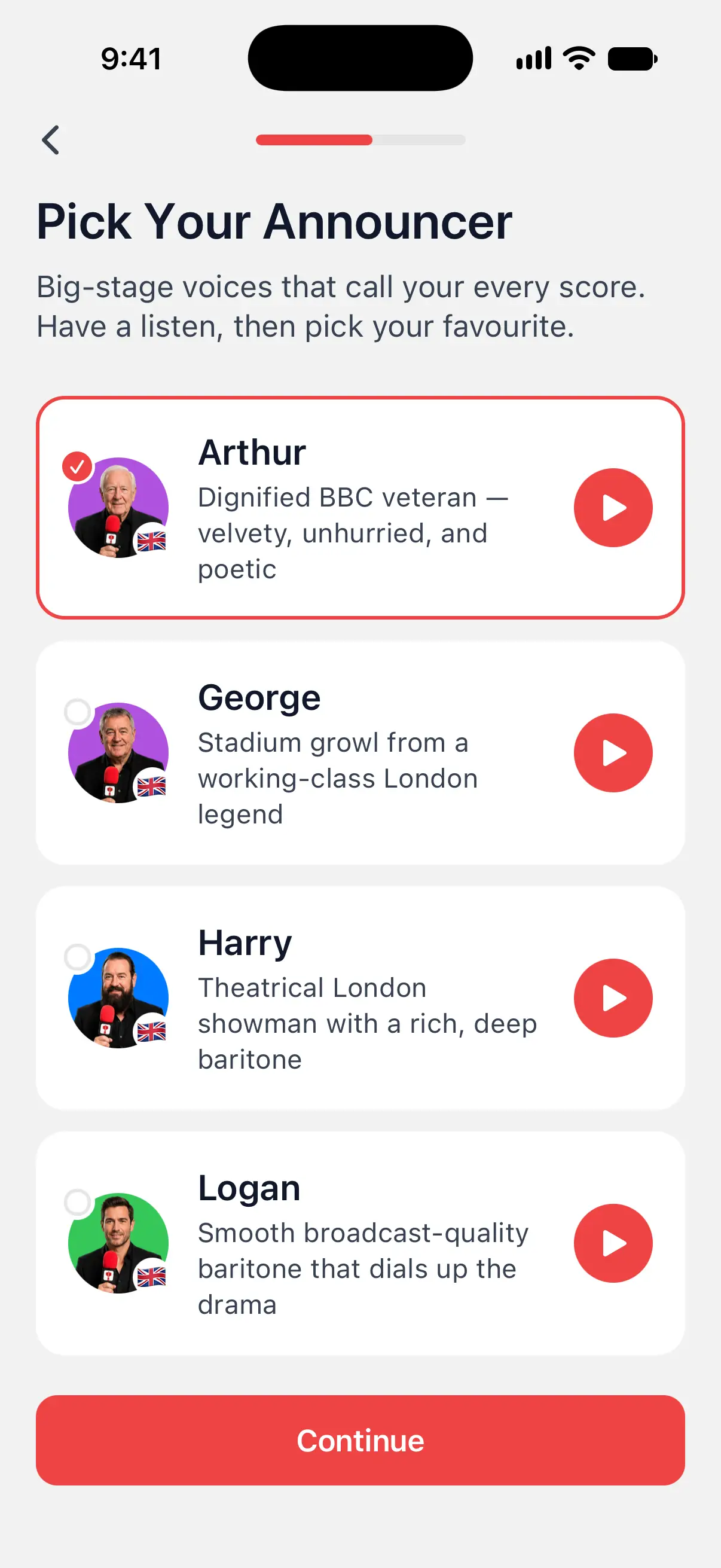

Without Premium, the caller you pick during setup is your free prerecorded voice. The voices built into your phone are free too. See caller voices.
Start your first game
- On the Home tab, tap New Game.
- Pick a game, such as X01 or Cricket.
- Under Players, tap + to add players. You can add yourself, a new player by name, a saved player or a bot.
- Check the Game Settings, such as the Starting Score in X01.
- Tap Create Game.
With 2 or more players, DartsOn first asks who throws first. Drag the players into order or spin the wheel. When no bot is playing, you can also throw for the bull.
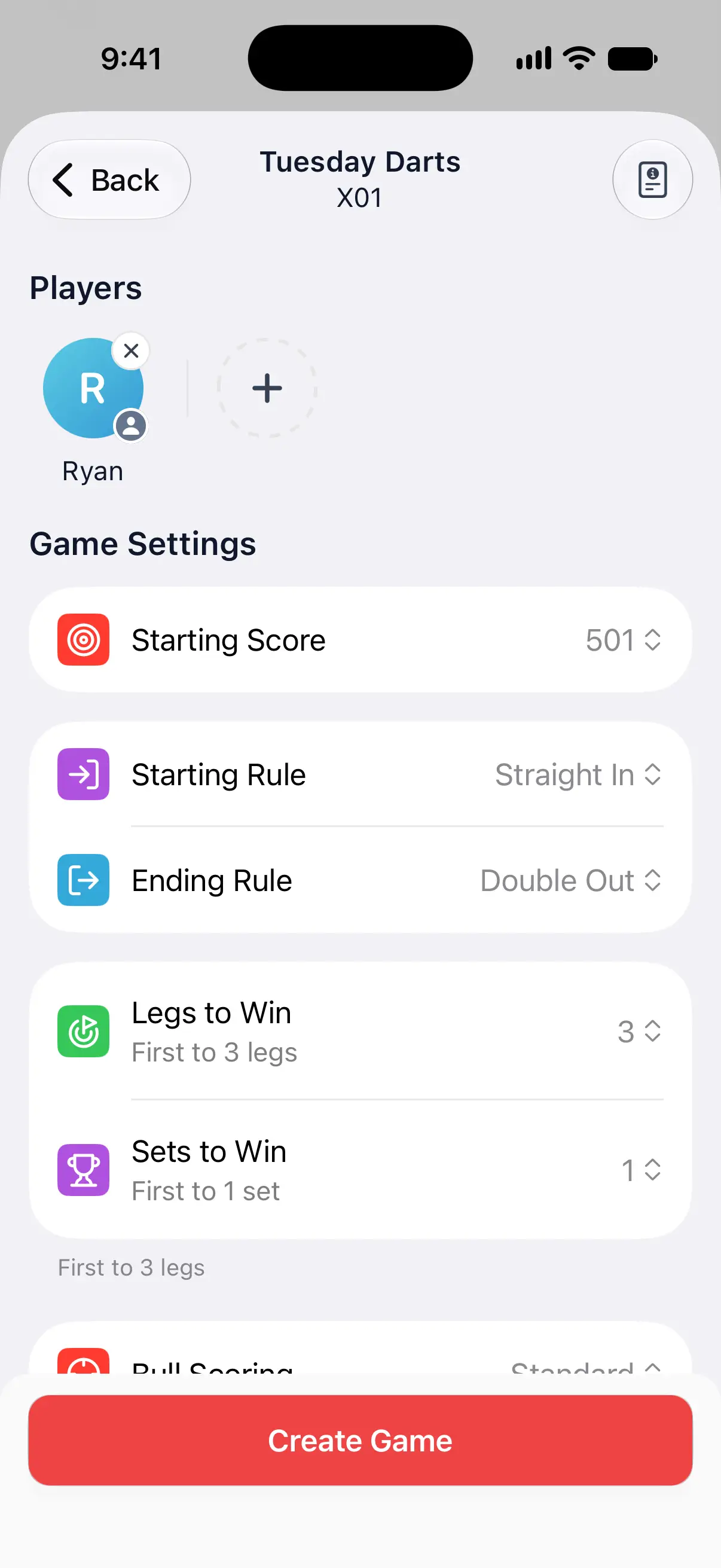
DartsOn saves the game after every dart, so you can leave at any time and continue later from the Home tab.
For every option on the setup screen, see create a game, players and bots and throw order.
Enter your darts
You can enter each dart in 4 ways:
| Input | How it works | Games |
|---|---|---|
| Auto-Scoring | Your phone’s camera watches the board and scores each dart as it lands. Free for a limited number of games, then DartsOn Premium. | All 14 |
| Numeric keypad | Tap the score of each dart. Games with one target per round, such as Around the Clock, show keys for that target only. | All 14 |
| Dartboard | Tap the spot where each dart landed on a board on the screen. | X01 and Cricket |
| Voice-Input | Turn it on in Settings → Voice-Input Settings, then hold the microphone and say each dart in English or German. On supported iPhones and iPads with iOS 26 or later. | X01 |
During a game, open the ••• menu at the top right and pick Numeric or Dartboard under Input Mode. The camera button next to the menu turns on camera auto-scoring. DartsOn remembers the keypad or dartboard choice separately for X01 and Cricket.
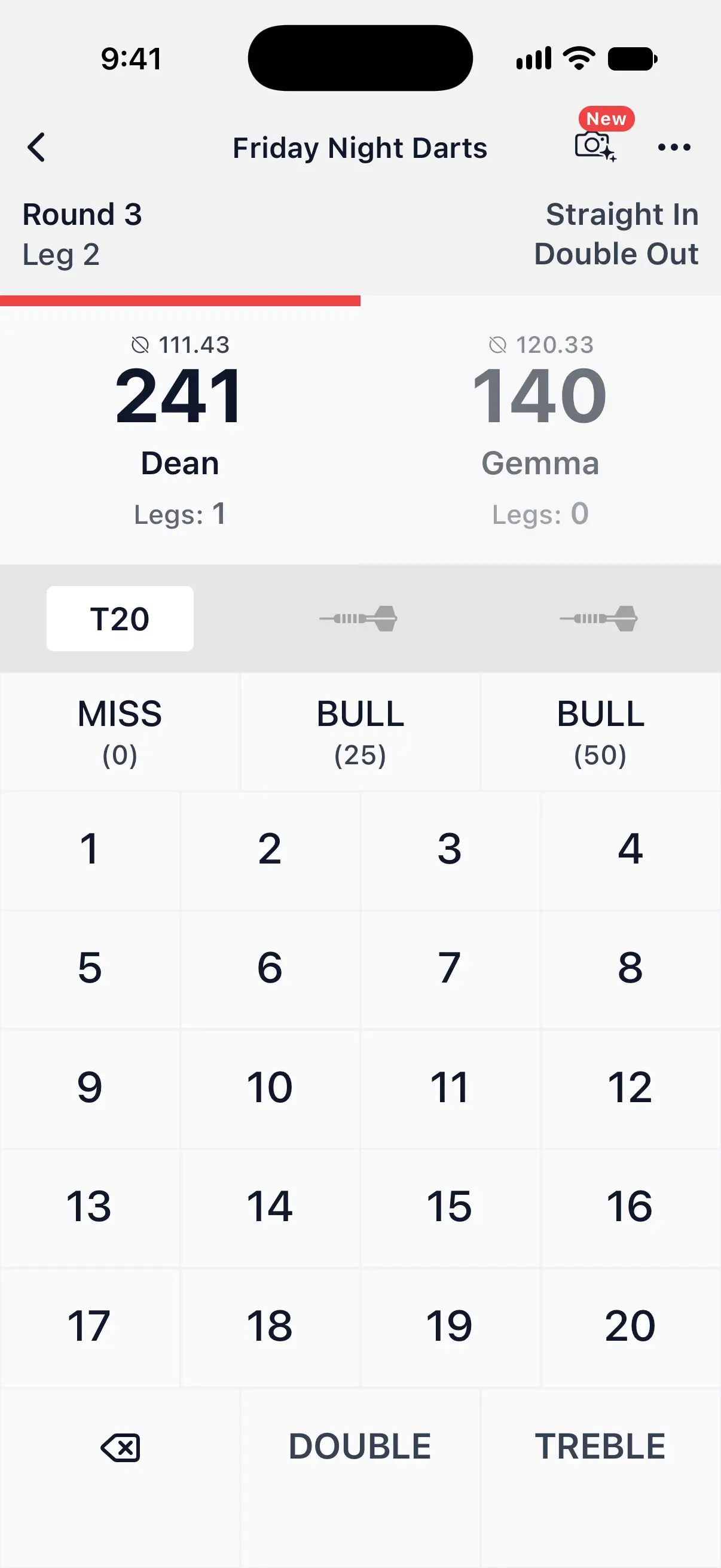
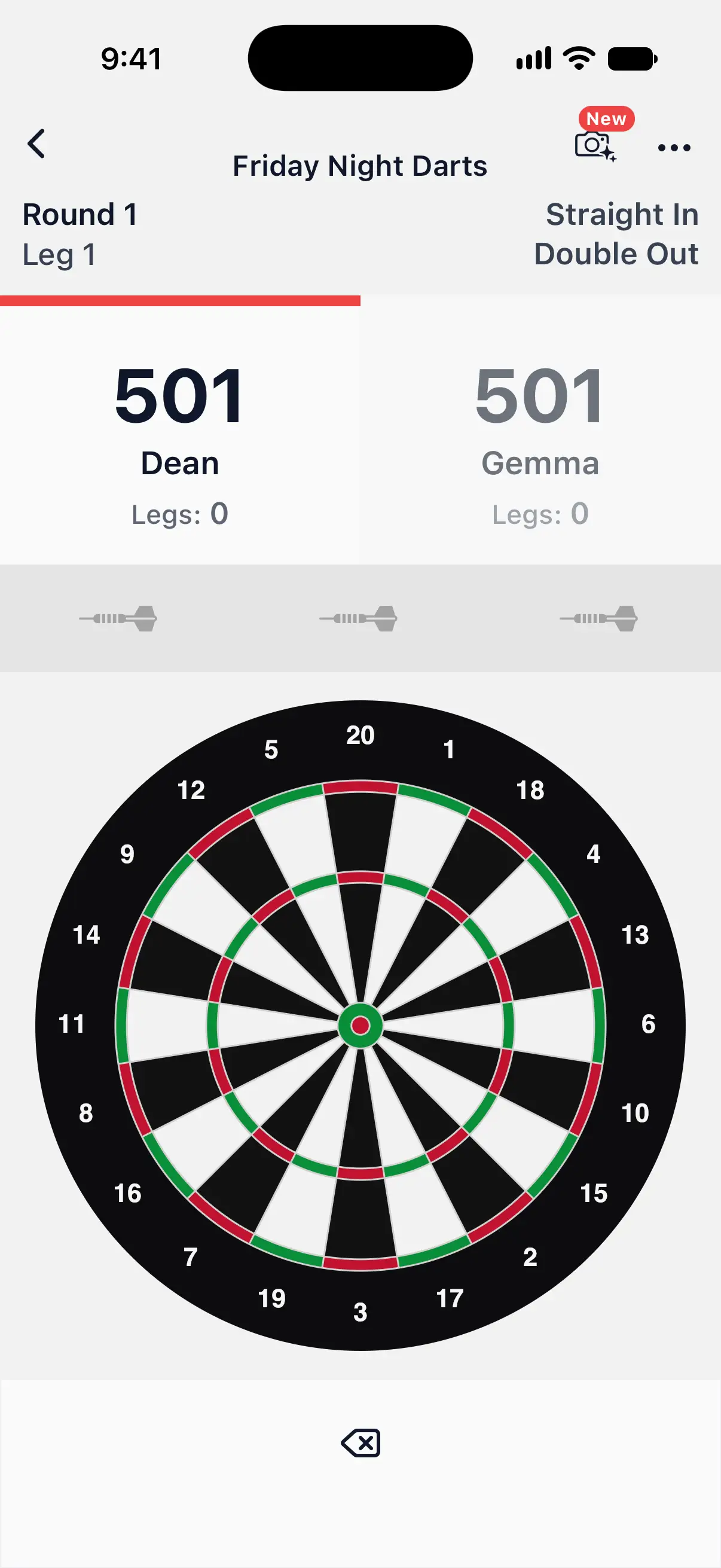
To learn the keypad, the dartboard and undo, see enter scores. To score with the camera, see set up camera auto-scoring.
Find your way around
The tab bar at the bottom has 4 tabs:
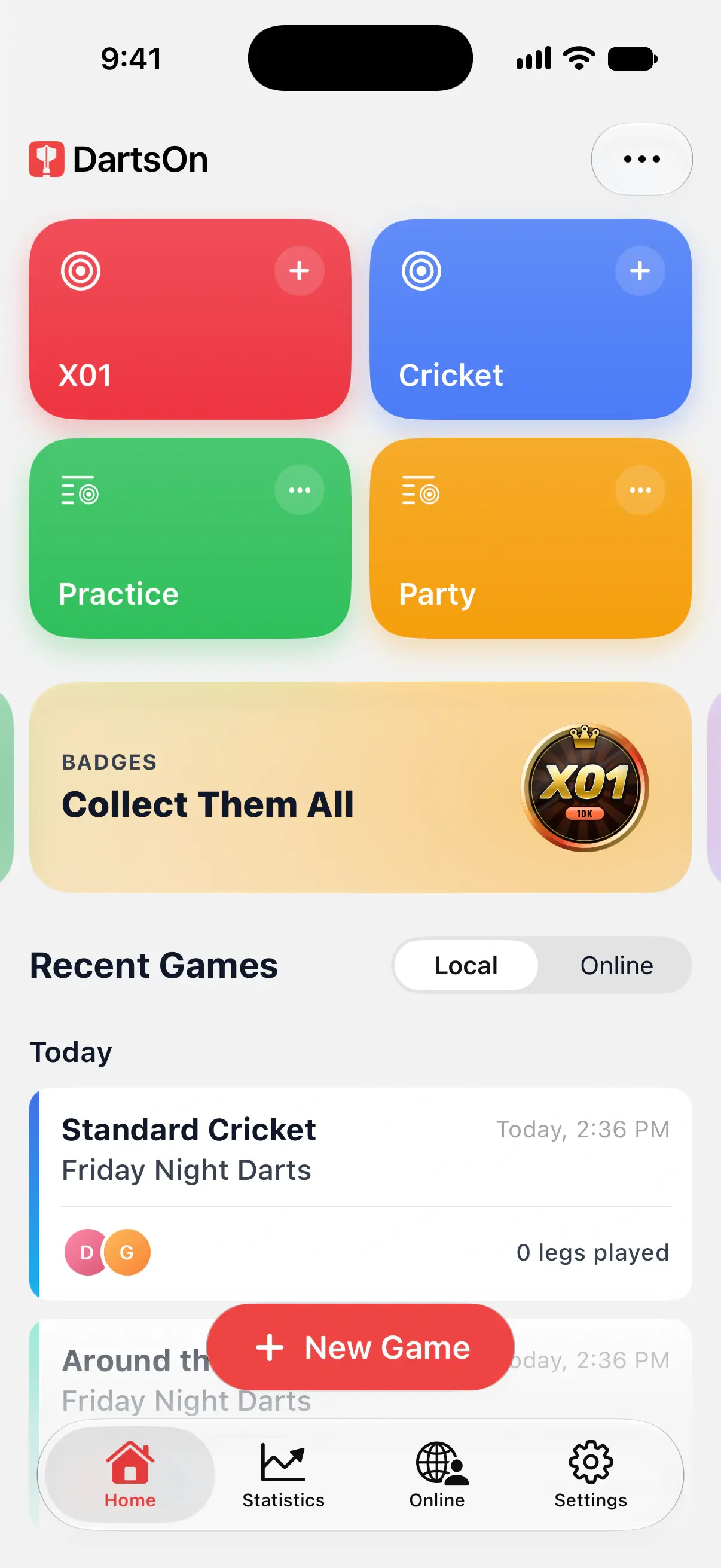
- Home: tiles for games and shortcuts, banners, and Recent Games. Pick Local or Online for your history. Hold a tile to change Home, or use Edit Home in the ••• menu. See customize Home and manage your games.
- Statistics: your averages, checkout % and more, game mode by game mode. Choose local games, online games or both, then a time period and rules. See statistics.
- Online: play other DartsOn players over the internet and keep up with your friends. It needs a DartsOn account. See get started online.
- Settings: your account, players, caller and sounds, appearance and gameplay options. See all settings.
Questions and answers
Do I need an account to use DartsOn?
No. You can score games offline and without an account, and your games, players and stats stay on your device. An account adds sync between devices, friends and online play.
Is DartsOn free?
Scoring local games is free, with no limit on the number of games and up to 8 players in each. DartsOn Premium removes the limits on camera auto-scoring and players, and adds features such as advanced statistics and more caller voices.
Can I change the caller I picked during setup?
Yes. Open Settings, tap Sound Settings and choose another voice. You can also open Sound Settings from the menu in any game.
How do I change the name I entered during setup?
Open Settings, tap Players, touch and hold your player and tap Rename. Your stats and badges stay with it. If you're signed in, change your name in your profile with Edit Profile instead.
Related
- How to create a darts game in DartsOn Start a new darts game in DartsOn. Name it, pick one of 14 games, set the starting score, in and out rules and match length, then tap Create Game.
- Customize Home and save your favourite darts games Rearrange DartsOn's Home tiles, save game presets with your players and rules, add shortcuts and hide banners.
- How to enter darts scores in DartsOn Enter each dart in DartsOn with the keypad or by tapping the dartboard, undo mistakes, use the turn summary and score in landscape or on a tablet.
- How to set up camera auto-scoring in DartsOn Place your phone by the board, turn on Auto-Scoring and let the camera score each dart. What you need, where to put the phone and how each turn works.
- Darts auto-scoring with your phone camera | DartsOn Turn your phone into an automatic darts scorer. DartsOn's on-device AI reads every dart through your camera. No electronic board, no tapping, fully offline.