
Play a private online darts match with a friend
Create a DartsOn match, challenge a friend or share its code or link, set the rules in the lobby and start. Also covers join errors and the weekly limit.
A private match stays out of the Global Lobby. Your friends see your lobby on their Online tab and can join it, and so can anyone you give the match code or link to. Every online match is one-on-one, with one host who sets the rules and starts it.
Create a match
- Open the Online tab and make sure Friends is selected under Lobby.
- Check the match shown above Create Match, such as 501 Best of 5 legs. Tap it to pick another of your presets.
- Tap Create Match.
Your lobby opens with Private Lobby at the top and you in the first seat as Host. Until you set up presets of your own, a match plays 501, best of 5 legs, straight in and double out, with a 5 minute turn timer.
Challenge a friend
- In your lobby, tap + on the empty seat, or Challenge under the match card.
- Tap Challenge next to a friend.
The button changes to Challenged, and the empty seat shows your friend with the time they have left to join. A challenge stands for 2 minutes. If it runs out, or your friend declines, tap Challenge Again.
Your friend gets the challenge wherever they are in DartsOn, or as a notification if the app is closed and they take challenges while away. When a friend can’t be challenged, their row says why in place of their username, such as In a match.
To set up the match and challenge a friend in one go, use Challenge on their row or profile. Challenges covers that.
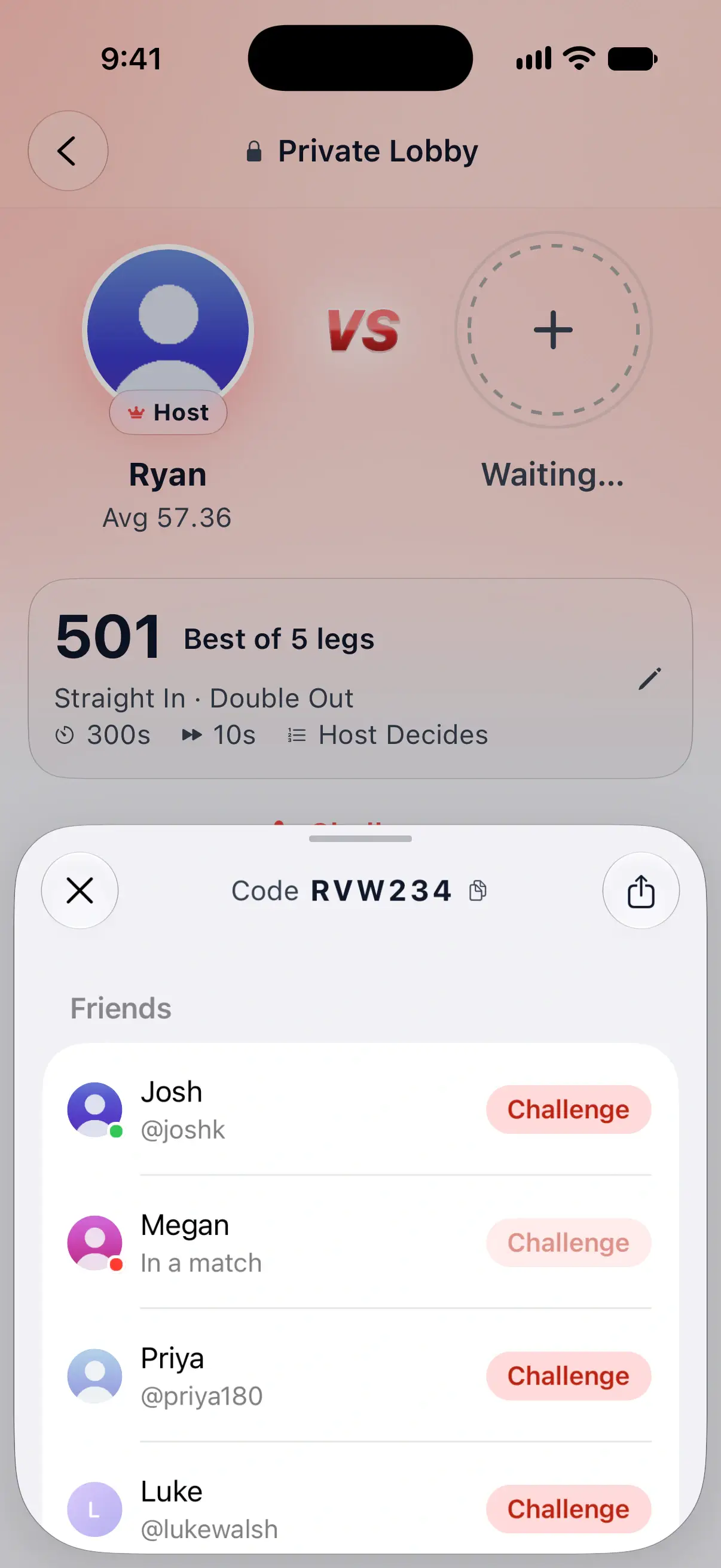

Share the match code or link
Anyone with DartsOn can join your lobby with its code, friends or not.
- The code. It’s the 6 characters at the top of the invite sheet. Tap it to copy it, then read it out or paste it into a message.
- The link. Tap the share button at the top right of the invite sheet, or Share Link if you have no friends yet. It sends “Join my DartsOn match:” with a link.
Opening the link on a phone with DartsOn takes the player to Join Match with your code filled in. Without the app, the link opens a web page with the code and a way to get DartsOn.
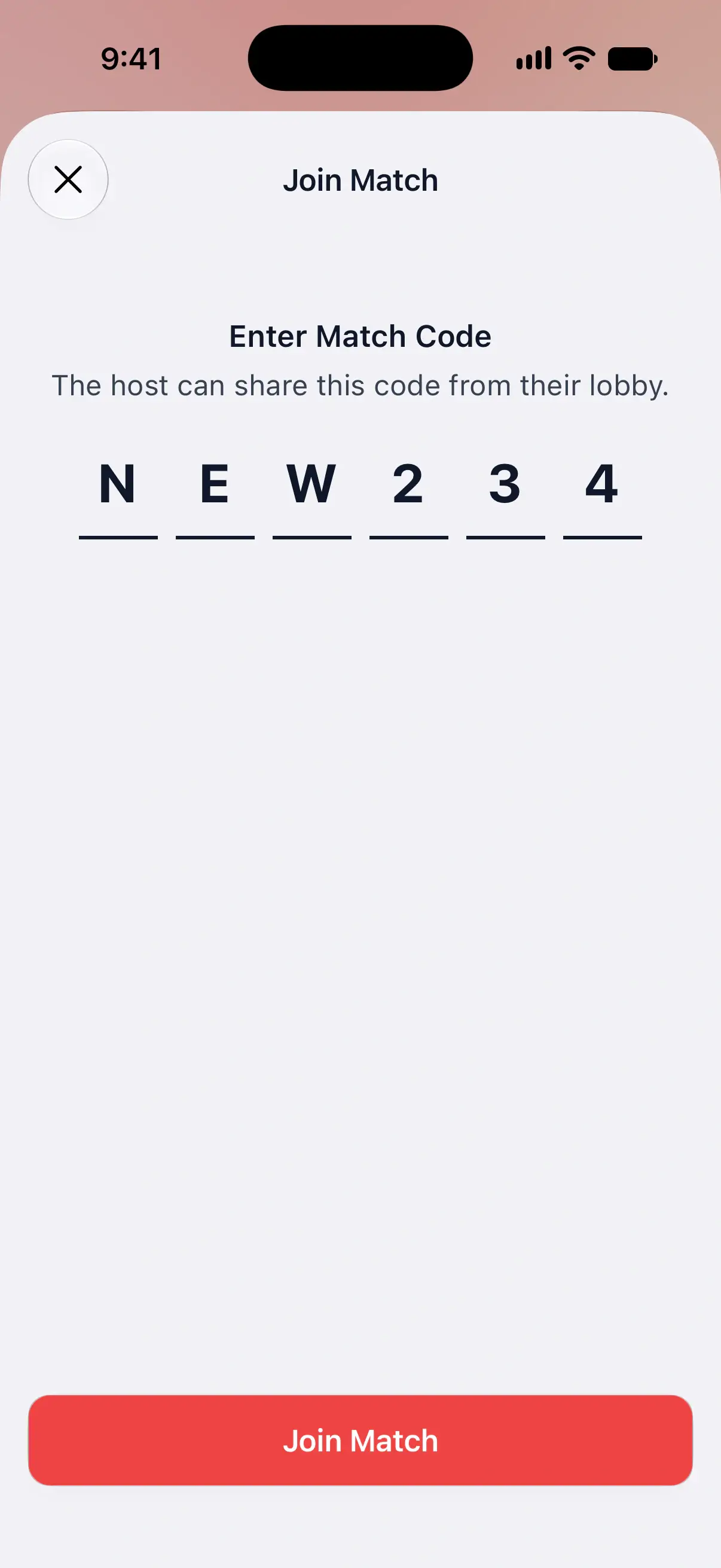
Join with a code or link
- On the Online tab, tap Join.
- Type the code under Enter Match Code. Capitals and lowercase both work.
- Tap Join Match.
A shared link skips the first two steps. Tap Join Match once the code is filled in.
You can also join from the Online tab directly. A friend’s lobby card shows Join above the friends list, and a challenge has its own Join button.
If you’re still in another lobby or match, DartsOn asks Leave your current match? first. Leave and Join takes you out of it.
Run the lobby as host
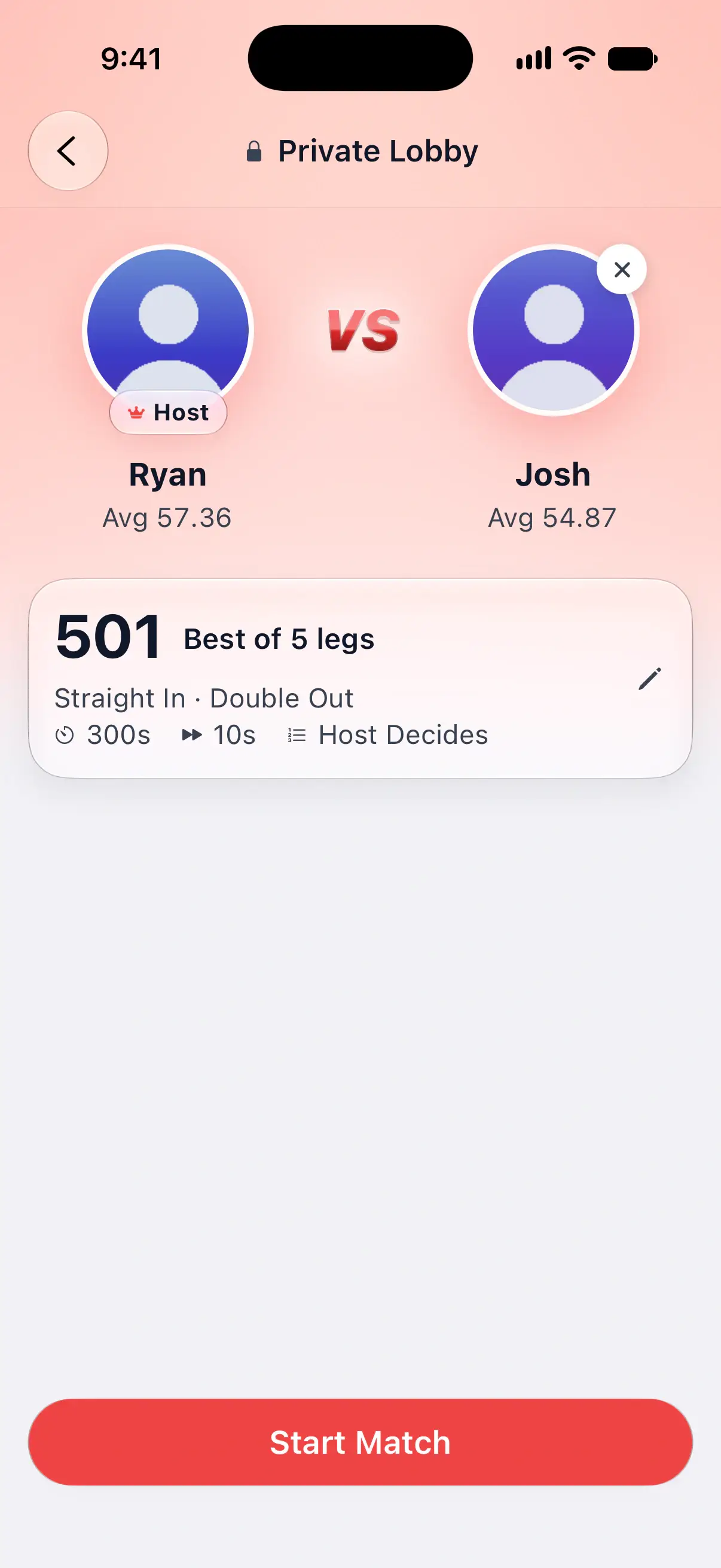
The lobby shows both players face to face, each with their 501 average, and a card with the match: the game, the format, the in and out rules, the turn timer, auto-advance and throw order.
- Change the rules. Tap the match card to open Match Settings, change what you like and tap Save. Your opponent sees the new settings as soon as you save.
- Load a preset. In Match Settings, tap the presets button at the top right and pick one, then Save.
- Remove a player. Tap the small × on their photo, then Remove. They’re told the host removed them, and they can’t rejoin this lobby.
- Unlock live video and audio. Tap the camera button at the top right to see whether the match will have them, and to unlock them with DartsOn Ultra or a Premium live match pass. See live video and audio.
- Choose what spectators get. Tap the eye button at the top right to allow or stop spectators, and to decide whether they see live cameras and hear microphones.
- Start the match. Start Match turns on once both seats are taken. Tap it and the match begins.
A lobby waits about 2 minutes for its match to start, longer while a challenge to it still stands. In the last 30 seconds it shows when it closes. If nobody starts in time, the lobby closes with The match did not start in time.
While waiting, tap Warm Up to open your scoring camera over the lobby and throw a few practice darts. These visits aren’t saved as a game or added to your stats. Close the camera when you’re ready. If Need more time appears, it gives the lobby another minute so you can finish getting ready.
The lobby’s quick-chat messages appear by the players’ seats and over the warm-up camera. See quick chat.
To leave, tap the back button. If nobody has joined yet, DartsOn warns that leaving closes the lobby.
Wait in the lobby as a guest
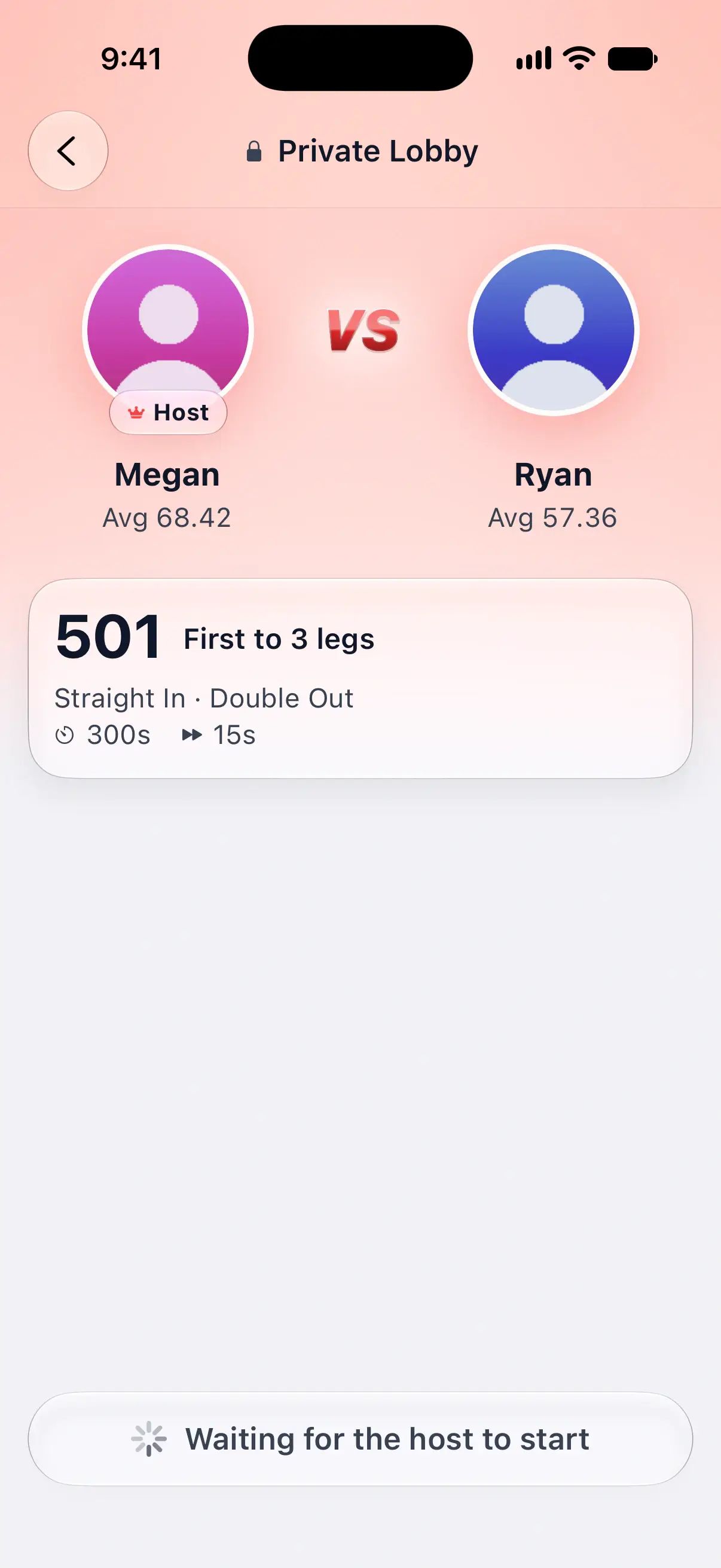
When you join someone else’s lobby, the bottom of the screen reads Waiting for the host to start.
- Tap the match card to see every setting. The sheet reads Only the host can change settings, and it updates when the host saves a change.
- When the host changes something, you see a message such as “Megan changed the match settings”.
- Tap a player to open their Online Profile.
If the host leaves before starting, you become the host.
If you can’t join
| Message | What it means |
|---|---|
| This match is full. | Both seats are taken. Every online match is one-on-one. |
| No match found with this code, or it has already started. | Check the code for typos. A lobby that closed or a match already under way can’t be joined. |
| This match is no longer available | The lobby you were challenged to filled up, started or closed before you got in. |
| Update DartsOn to play this game. | The match uses a game or option your version of DartsOn can’t play. Update the app from the App Store or Google Play. |
| This match is in the Global Lobby, which is for players aged 16 and over. | The code belongs to a public match. See Global Lobby. |
| Your account can’t join this match right now. | Your account is suspended from online matches. The Online tab says why and how long it lasts. See report and block. |
| Too many requests. Please wait a moment and try again. | You tried several times in quick succession. Wait a few seconds. |
The weekly limit on hosted matches
Without DartsOn Premium, you can host a limited number of online matches each week. The limit counts lobbies you host in which a match starts:
- Each lobby counts once, however many rematches you play in it.
- Joining someone else’s match never counts.
- The count starts over every Monday at midnight UTC.
When only a few are left, your lobby shows how many you have left this week and when the count resets. Tap that line to see Premium. Once you’ve used them all, Create Match opens the Premium offer instead of a lobby.
DartsOn Premium removes the limit, so you can host as many matches as you like.
Questions and answers
How many players can join a DartsOn online match?
Two. Every online match is one-on-one, so a lobby is full once a second player joins. A third player who tries the code sees This match is full.
Where do I find the match code to send my friend?
In your lobby, tap the plus on the empty seat or Challenge under the match card. The 6-character code is at the top of the sheet that opens. Tap it to copy it, or use the share button to send a link.
Does joining a friend's match use up my free matches?
No. Only matches you host count toward the weekly limit, and rematches in the same lobby don't count either. Joining someone else's match never counts.
When does the weekly limit on online matches reset?
Every Monday at midnight UTC. DartsOn Premium removes the limit entirely.
Related
- Online match presets and match settings Save the online darts matches you play most as presets, pick the one Create Match plays, and set the turn timer, auto-advance and throw order.
- How to play an online darts match in DartsOn Score an online darts match with the keypad, dartboard or camera, correct a dart, reconnect after a dropped connection, end a match or ask for a rematch.
- How to challenge a friend to a darts match Send a friend a challenge to an online darts match, accept or decline the ones you get, and choose how challenges reach you in DartsOn.
- Play darts online | DartsOn Online Play darts online with live scores, camera auto-scoring, live video and audio. Challenge anyone to 501, Cricket, Killer and more on your own dartboards.