
How to show your darts scoreboard on a TV
Put your DartsOn match on a TV, monitor or browser with Google Cast, AirPlay, a live link or a USB-C cable, and pick the way that suits your setup.
DartsOn can show your match on a second screen while you keep scoring on your phone. All the ways to do it are in one place, the External Screen sheet in a game’s menu.
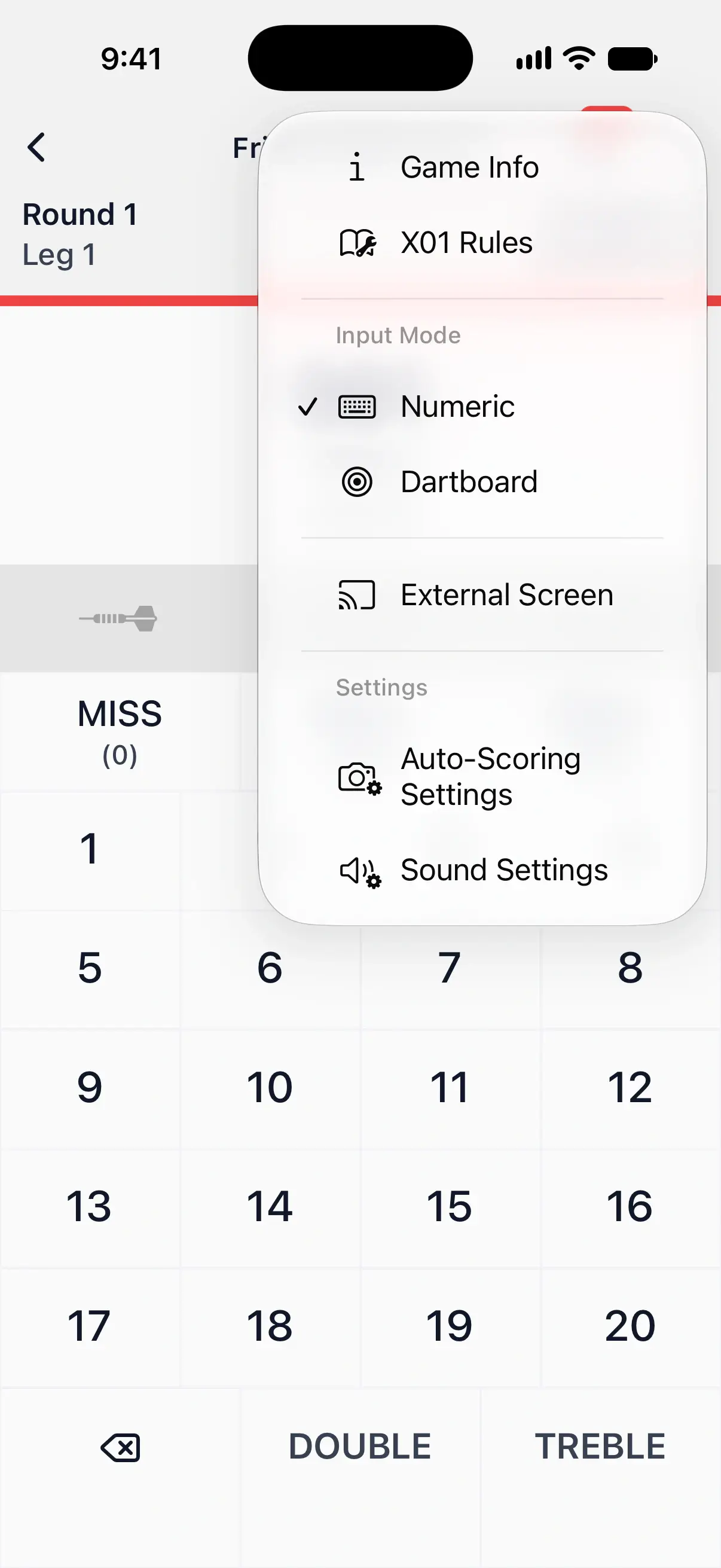
Open External Screen
- Start or continue a game.
- Tap the menu button at the top right of the game screen.
- Tap External Screen.
It’s in every game mode, in local and online matches, and while you watch a friend’s online match. It isn’t in the menu while a game’s summary is showing.
The sheet opens on the tab you used last.

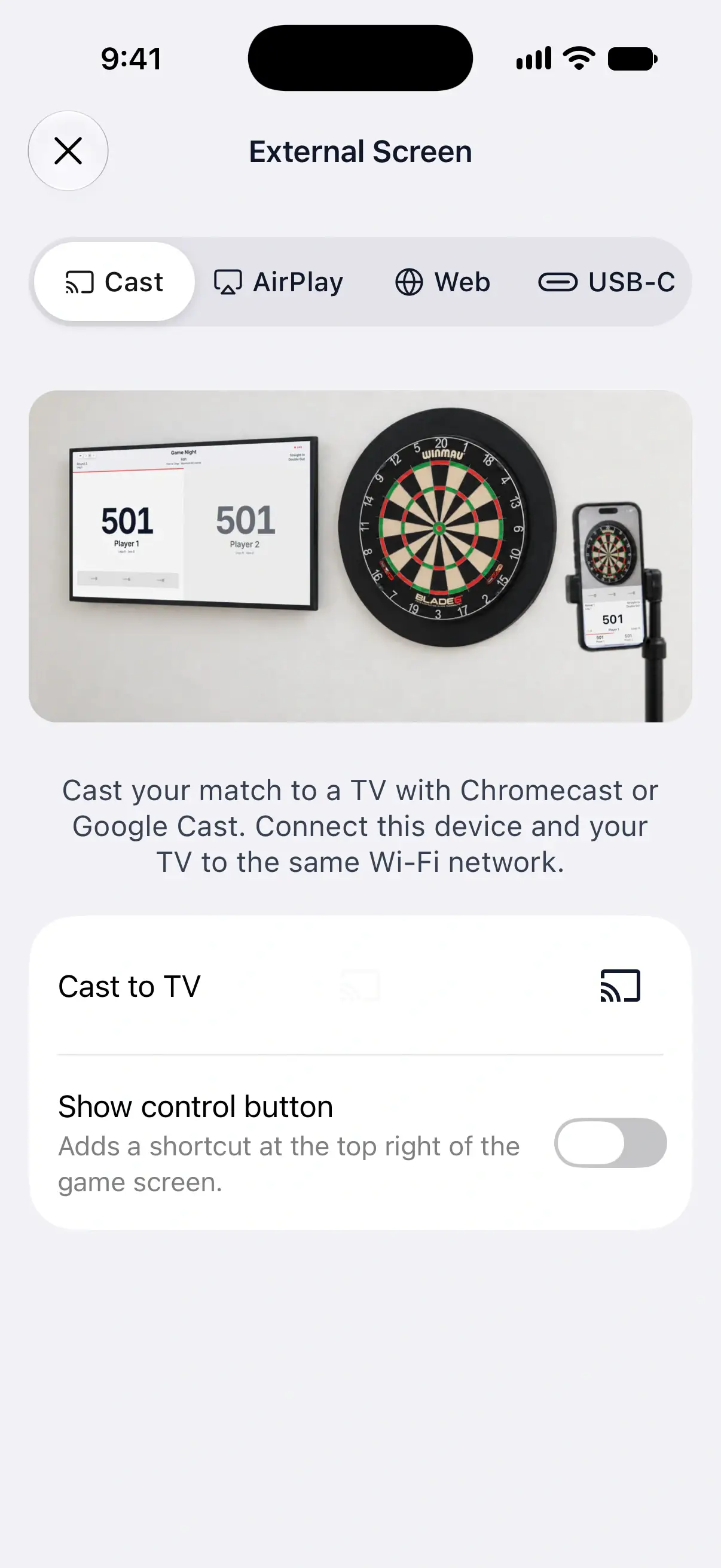
The four tabs
- Cast sends the scoreboard to a TV with Google Cast.
- AirPlay puts it on an Apple TV or an AirPlay TV. This tab is only on iPhone and iPad.
- Web creates a live link that any browser can open.
- USB-C is for a TV or monitor connected with a cable.
A tab your device can’t use doesn’t appear, so Android shows no AirPlay tab.
Compare the options
| Tab | What you need | Network | Cost and limits | What the screen shows |
|---|---|---|---|---|
| Cast | A Chromecast, a Google TV Streamer or a TV with Google Cast | Phone and TV on the same Wi-Fi, with internet | Free, no match limit | A scoreboard made for the TV |
| AirPlay | An iPhone or iPad, and an Apple TV or AirPlay TV | Same Wi-Fi. TV Layout also needs internet on the phone | Free, no match limit | TV Layout, the same scoreboard as Cast, or a mirror of your phone |
| Web | Any device with a web browser | Internet on both devices, on any network | Free for a limited number of matches, then Premium | The live scoreboard in a browser, in your app’s language |
| USB-C | A phone or tablet with video output over USB-C, and a display cable or adapter | None for the picture. TV Layout needs internet on the phone | Free, no match limit | On iPhone and iPad, TV Layout or a mirror. On Android, what your phone sends over the cable |
All four work however you score, with the keypad, the dartboard, voice input or camera auto-scoring, and they update as you enter each dart.
Cast to a Chromecast or Google TV
If your TV has Google Cast or a Chromecast plugged in, use Cast. Your phone sends each dart straight to the TV over your Wi-Fi, so there’s no link to share and no match limit. Cast your scoreboard to a TV.
Use AirPlay with an Apple TV
On iPhone and iPad, choose TV Layout in the AirPlay tab, then start Screen Mirroring from Control Center. The TV shows a full scoreboard while your phone keeps its own screen. Show the scoreboard with AirPlay.
Share a live link
The Web tab gives your match a link, a code and a QR code. Open it on a tablet by the board, in a TV’s browser, or send it to friends who aren’t in the room. They don’t need the same Wi-Fi or the app. Share a live scoreboard link.
Connect with a USB-C cable
A USB-C display cable or a USB-C to HDMI adapter connects your phone or tablet straight to a TV or monitor, with no Wi-Fi to set up. Your phone and cable must support video output. Connect a screen with a cable.
Questions and answers
Which way of showing the score on a TV is free?
Cast, AirPlay and a USB-C cable are free with no match limit. The live link in the Web tab is free for a limited number of matches, then needs DartsOn Premium.
Can I use two of them at once?
Yes. You can cast to the TV in the room and turn on the live link so friends can follow from home. Each tab works on its own.
Why don't I see the AirPlay tab?
AirPlay is only on iPhone and iPad. On Android, use Cast, the Web tab or a USB-C cable.
Can I put a friend's online match on my TV?
Yes. While you watch a friend's online match, open the menu at the top right and tap External Screen.
Related
- External Screen Streaming for Darts | DartsOn Show your darts match on a big screen with Google Cast, Apple AirPlay, a Web Link, or USB-C.
- How to cast your darts scoreboard to a TV with Chromecast Cast your DartsOn match to a Chromecast, Google TV Streamer or TV with Google Cast. It's free with no match limit and uses your phone's Wi-Fi.
- How to share a live darts scoreboard with a link Stream your DartsOn match to any browser with a link, code or QR code. Keep one permanent link for every game, or generate a new one.
- How to show the DartsOn scoreboard on an Apple TV with AirPlay Use TV Layout to put a full darts scoreboard on your Apple TV or AirPlay TV, or mirror your iPhone or iPad. Free with no match limit.