
Change the language in DartsOn
DartsOn comes in 11 languages and follows your phone's language. Set a different language for DartsOn alone on iPhone or Android.
DartsOn is available in English, Czech, Dutch, Estonian, Finnish, French, German, Hungarian, Italian, Japanese and Polish. It doesn’t have its own language menu. Instead it follows the language your phone uses for DartsOn, which you can set for DartsOn alone.
How DartsOn picks its language
When you open DartsOn, it uses your phone’s language if it’s one of the 11. Otherwise, it uses English.
To check the current language, open Settings. The Language row shows it, such as English.
Change the language on iPhone or iPad
- In DartsOn, open Settings and tap Language.
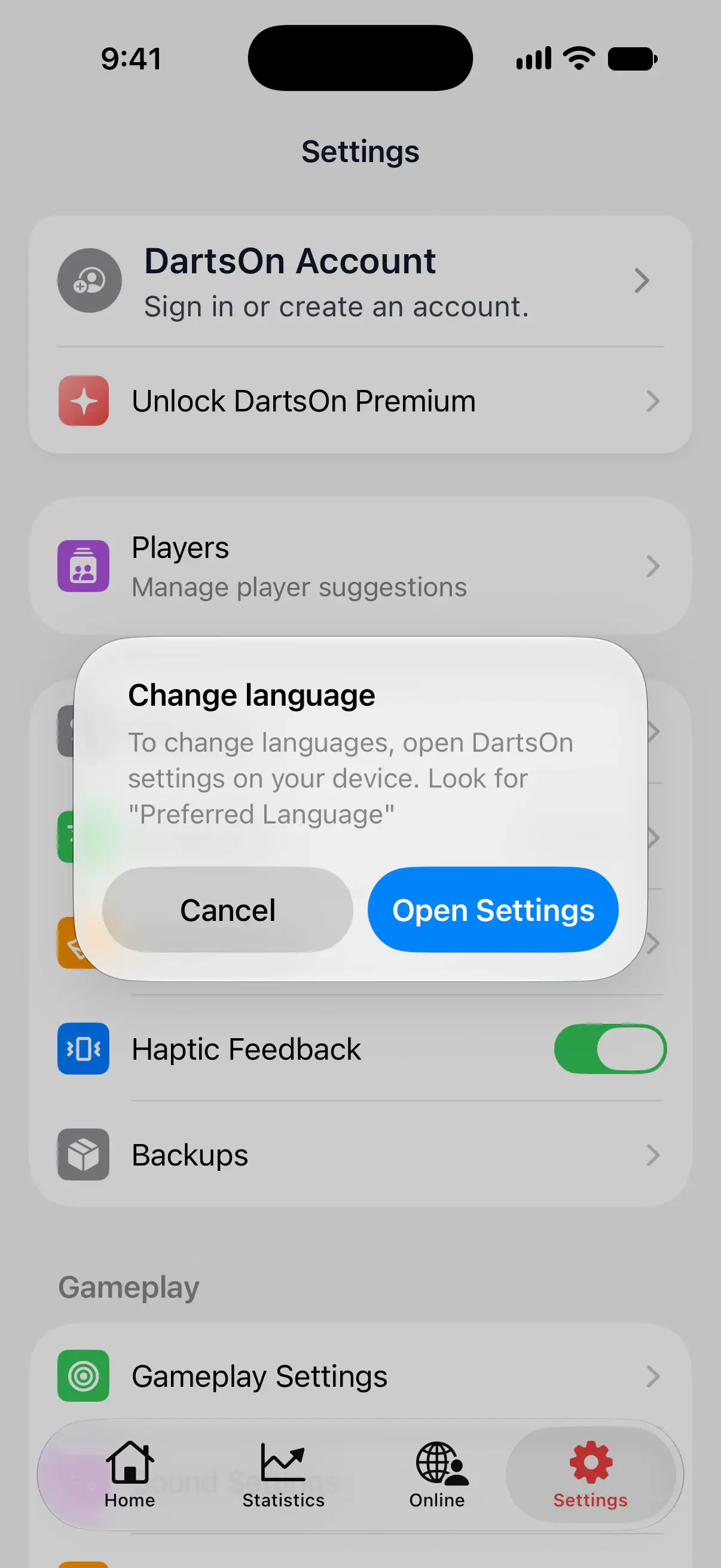
- In the Change language message, tap Open Settings. Your device’s settings for DartsOn open.
- Under Preferred Language, tap Language and choose one.
- Go back to DartsOn. It shows the new language.
The rest of your iPhone keeps its own language.

Change the language on Android
On Android 13 and later, each app can have its own language:
- In DartsOn, open Settings and tap Language.
- In the Change language message, tap Open Settings. Android opens the app info page for DartsOn.
- Tap Language and choose one. If the page has no Language row, look for App languages in your phone’s language settings and pick DartsOn there.
- Close DartsOn and open it again to see the change.
On earlier Android versions, DartsOn follows the phone’s own language. Change it in your phone’s language settings.
What the language changes
The language applies to DartsOn’s menus, buttons and messages, and to the Rule Book. The Rule Book loads each game’s rules from the DartsOn website in the app’s language, so it needs an internet connection.
The caller is a separate choice. Prerecorded voices speak a set language, so changing the app’s language doesn’t change the voice. To hear scores in another language, pick a voice in Settings → Sound Settings. See caller voices.
Questions and answers
What languages is DartsOn available in?
English, Czech, Dutch, Estonian, Finnish, French, German, Hungarian, Italian, Japanese and Polish.
Why is DartsOn in English when my phone uses another language?
DartsOn uses English when your phone's language isn't one of its 11 languages. You can pick one of them for DartsOn alone in your phone's settings for the app.
Can DartsOn use a different language from the rest of my phone?
Yes. On iPhone and iPad, and on Android 13 or later, each app can have its own language. Open Settings → Language in DartsOn and tap Open Settings to choose it.
Does the caller change language with the app?
No. The caller keeps the voice you picked. To hear scores in another language, choose a voice for that language in Sound Settings.
Related
- Every DartsOn setting explained A guide to each row in the DartsOn Settings tab, in the app's order, with what it changes and where to read more.
- Read darts rules in the DartsOn Rule Book Open the DartsOn Rule Book from the Home tab, game setup or a game's menu to read the rules of every game, and share a rule with a link.
- How to choose a caller voice in DartsOn Pick a prerecorded darts caller or a system voice, preview and download voices, and add more text-to-speech voices on iPhone and iPad.