
Online match presets and match settings
Save the online darts matches you play most as presets, pick the one Create Match plays, and set the turn timer, auto-advance and throw order.
A preset is a match setup you save once and play in one tap, such as 501 best of 5 legs double out, or Cricket first to 3 legs. The selected preset is what Create Match plays, and the host can still change any setting in the lobby before the match starts.
Open your presets
- Open the Online tab.
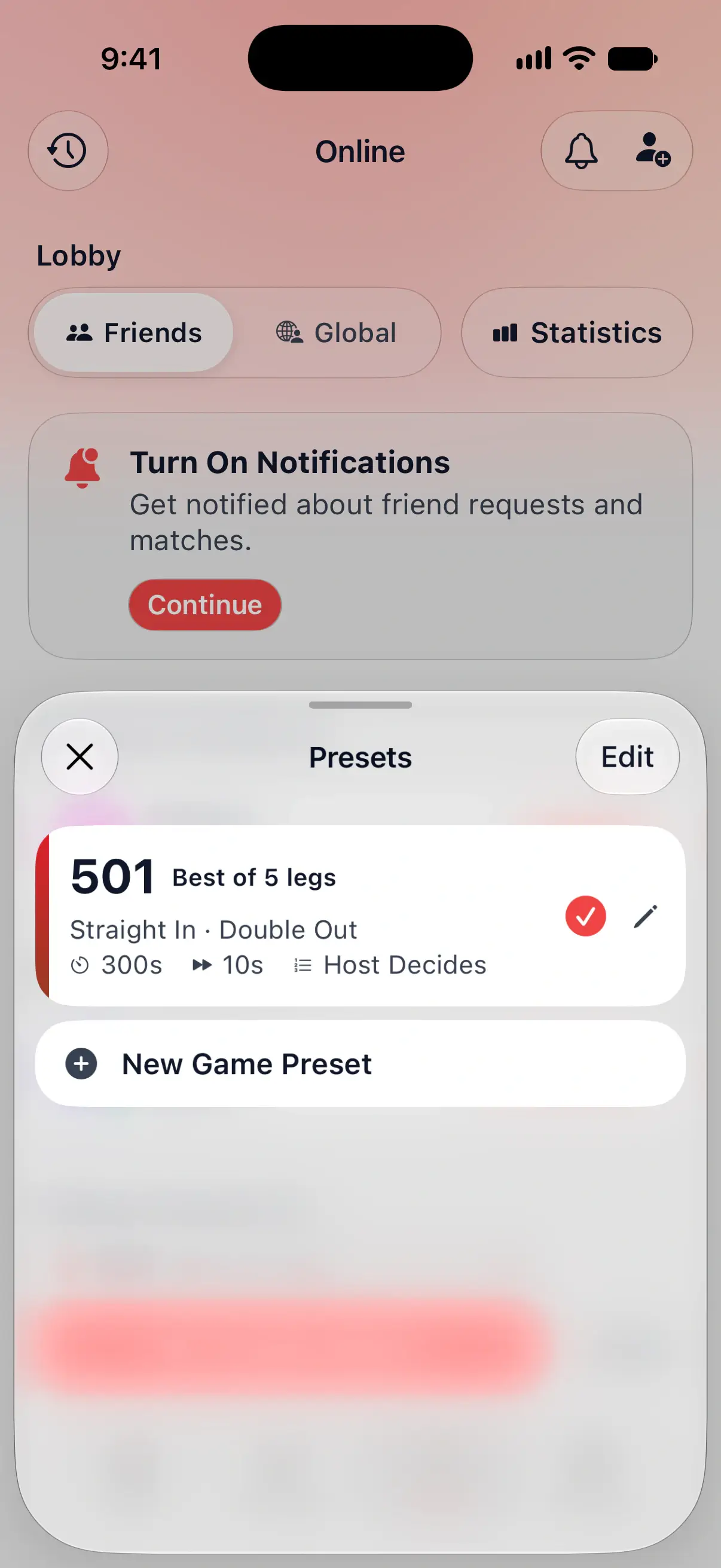
- Tap the match shown above Create Match, such as 501 Best of 5 legs.
The Presets sheet opens. The preset with the check is the one Create Match plays. Tap another preset to select it, and the sheet closes.
The first time, you have a single preset: 501, best of 5 legs, straight in and double out, with a 5 minute turn timer, 10 seconds of auto-advance and Host Decides for the throw order.
The selected preset is also the match a challenge starts with, so pick it before you challenge a friend.

Create a preset
- In Presets, tap New Game Preset.
- Tap Game and choose the game.
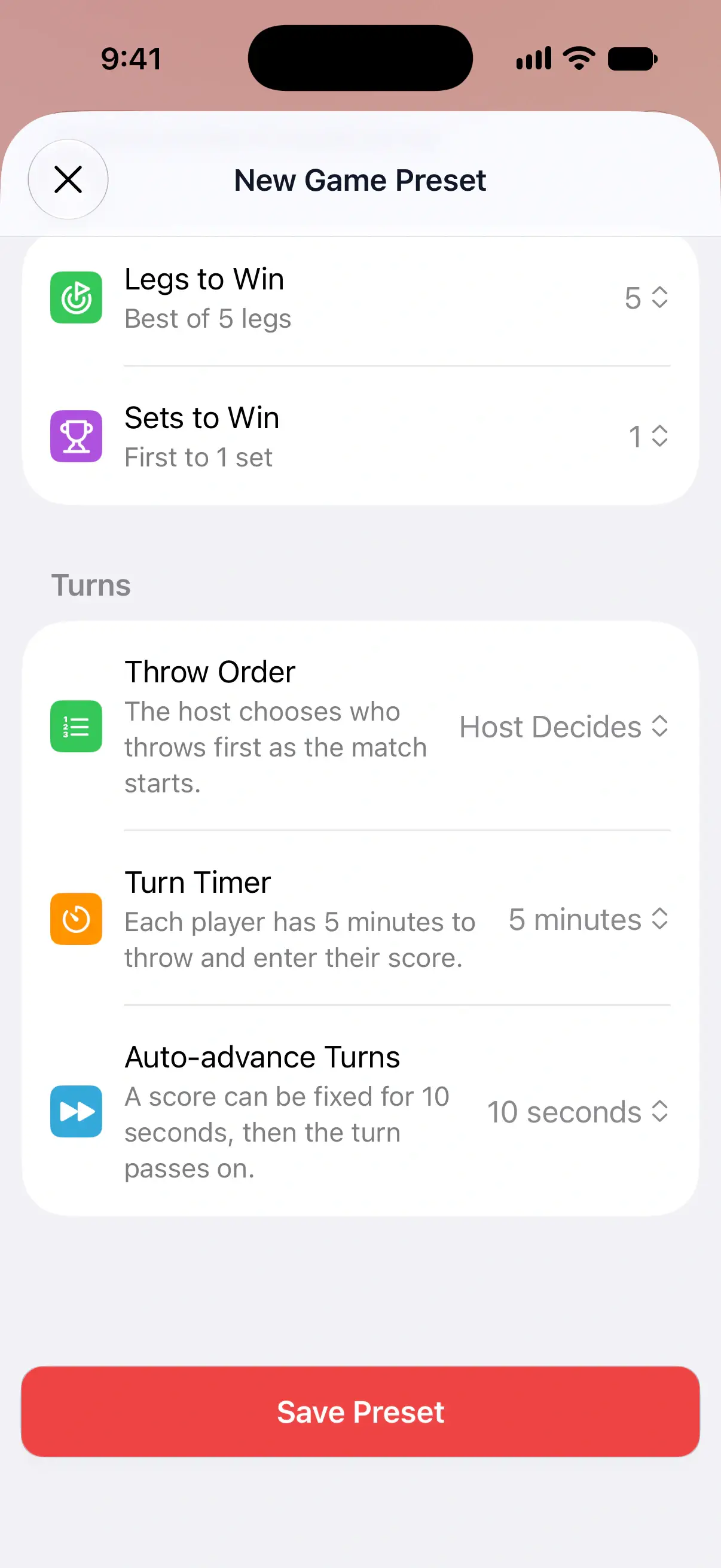
- Set the game’s options, the match length and the settings under Turns.
- Tap Save Preset.
The preset goes to the top of the list and is selected. If you already have a preset with exactly the same settings, DartsOn selects that one instead of saving a second copy.
Edit, duplicate or delete a preset
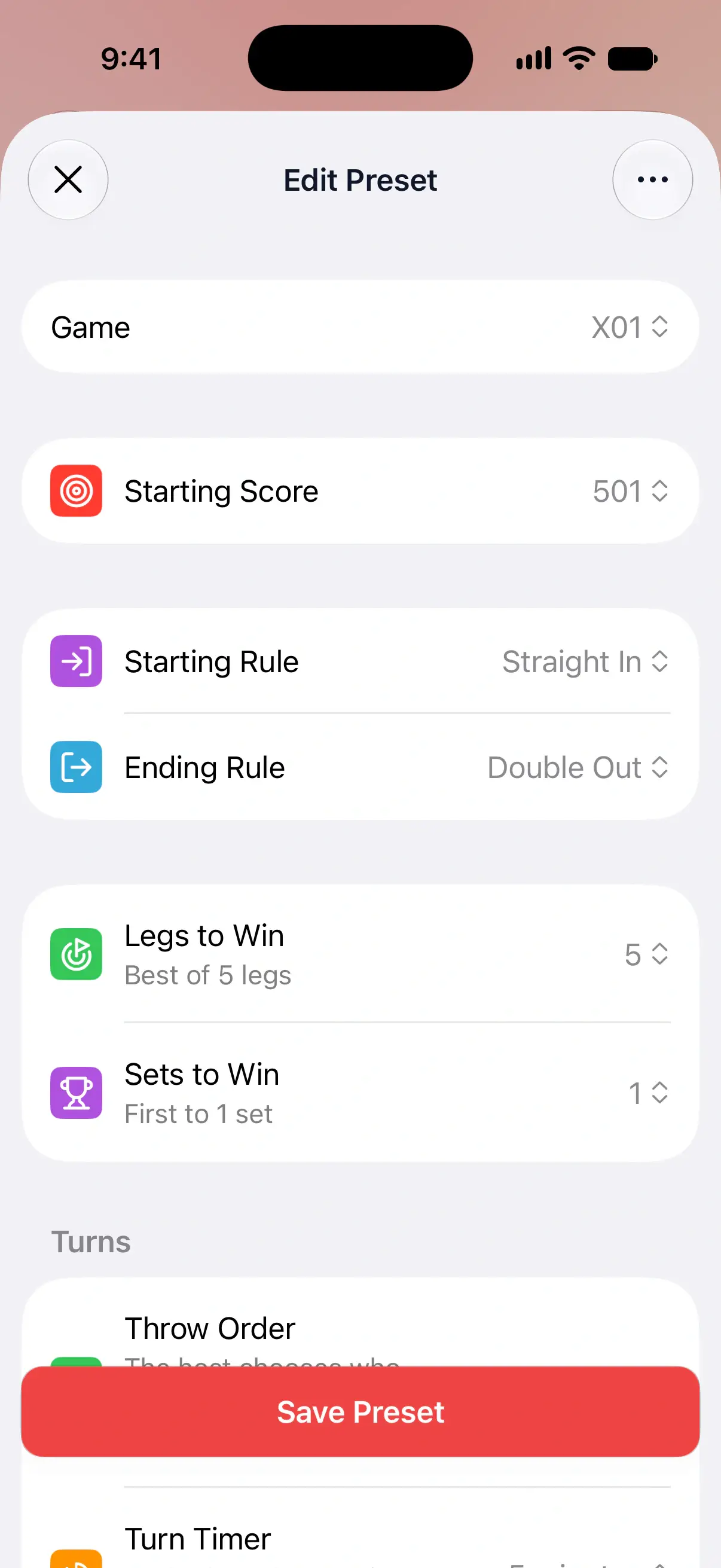
- Edit. Tap the pencil next to a preset, change what you like and tap Save Preset.
- Duplicate. In Edit Preset, tap the … button and choose Duplicate. A copy opens for you to change and save, handy for a 701 version of your 501 preset.
- Delete. In the same menu, choose Delete.
Reorder presets
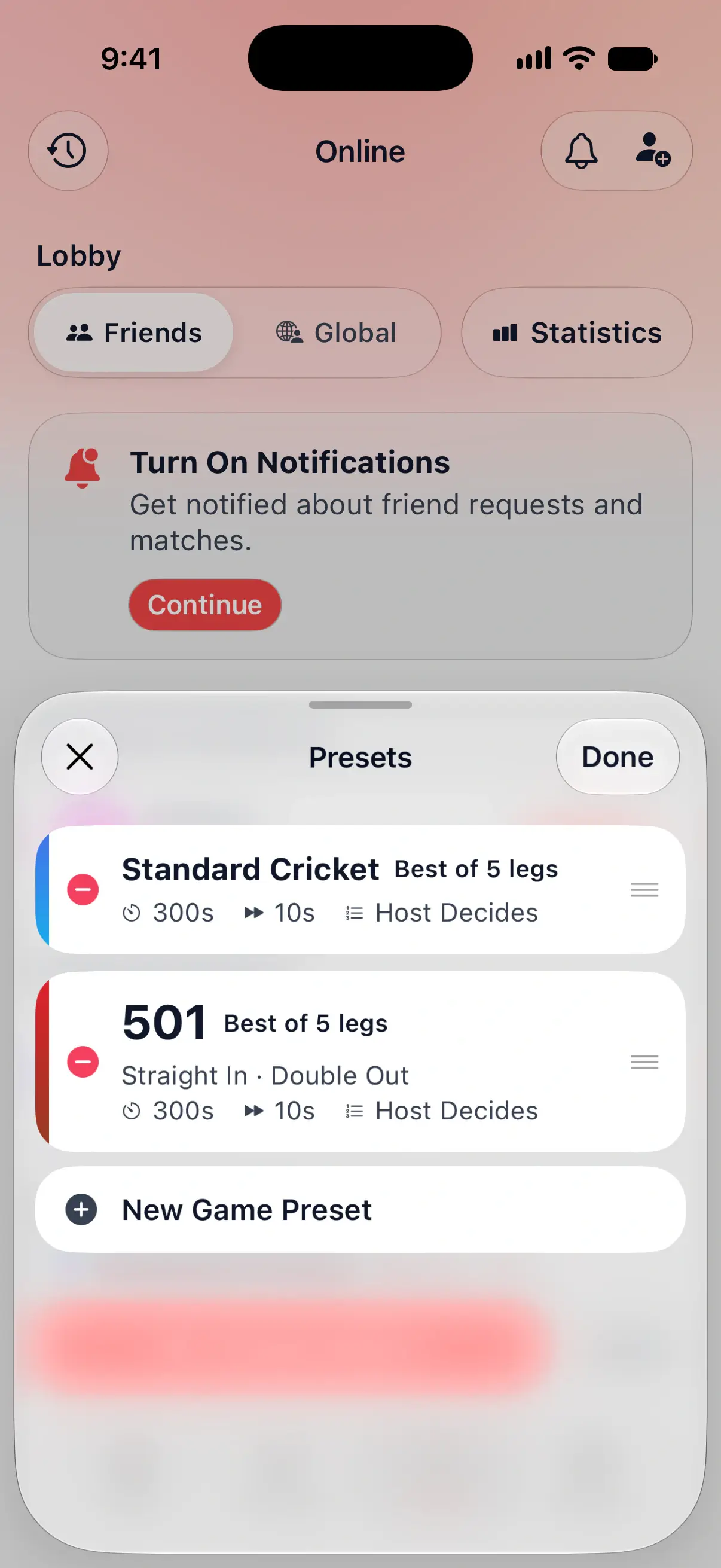
- In Presets, tap Edit.
- Touch and hold a preset, then drag it up or down.
- Tap Done.
In edit mode, the red button next to a preset deletes it. You always keep at least one preset, so the last one can’t be deleted.
Presets are saved on this device. They don’t move to your other phones or tablets.
Change the settings in the lobby
A preset only sets up the match. Once your lobby is open, tap its match card to open Match Settings. As host you can change the settings there, or tap the presets button at the top right to load one of your presets, then tap Save. A public lobby keeps its 70 second Turn Timer and can’t use Host Decides. Your opponent sees the new settings straight away. Changes in the lobby don’t change your saved presets.
Game options
Each game has the options you know from setting up a game on the Home tab. A few examples:
- X01 has Starting Score, Starting Rule, Ending Rule, Bull Scoring and Max Rounds.
- Cricket has Cricket Variant, with Standard, Cut Throat, No Score, Random, Hidden, Tactics and Crazy, plus Max Rounds. Crazy swaps the numbers nobody has hit for new ones after every turn. Hidden adds Discovery Bonus, and Random and Hidden add Random Bull to include or leave out the bull. A tied leg at the round limit goes to overtime until one player leads.
- Shanghai offers Halve on Miss, and X01 and Count Up offer Fat Bull under Bull Scoring.
- 121 Checkout always plays a set number of rounds online, since there’s no End Session button in an online match.
Handicaps and options that only work with three or more players aren’t offered online, since every online match is one-on-one.
The darts rules pages explain each game and its options, such as X01 and Standard Cricket.
Match length
Legs to Win sets the length in legs, as First to a number or Best of a number. First to 3 ends when a player has won 3 legs. Best of 5 needs 3 leg wins too, and plays 5 legs at most.
X01, Cricket, Around the Clock, Round the World, Shanghai and Half It also have Sets to Win, so you can play sets of legs. Count Up, Singles Training and Doubles Training play legs without sets. Bob’s 27, Killer, JDC Challenge and 121 Checkout play one game.
Turn timer
Turn Timer sets how long each player has to throw and enter their score. Choose 30, 45, 60, 70 or 90 seconds, or 2, 3 or 5 minutes. With friends the default is 5 minutes, which leaves time to pull your darts and check a score. Matches in the Global Lobby always use 70 seconds.
While you throw, the top of the screen shows Time left. Your clock stops while your opponent is reconnecting and carries on where it was.
Time Running Out Sound plays a warning when 10 seconds are left in your turn. It’s on by default. Turn it off in Settings → General.
When time runs out
If a player runs out of time, their opponent gets 10 seconds to decide:
- Give Extra Time gives them one more minute.
- Leave Match ends the match. Leaving this way doesn’t count against you, because your opponent ran out of time.
The player whose time ran out sees Your time is up. If nobody chooses within the 10 seconds, the match ends and its summary says a player ran out of time.
Auto-advance turns
Auto-advance Turns decides how long a finished turn waits before it passes to the other player: 5, 10, 15 or 30 seconds, or Off. The default is 10 seconds.
During that wait the thrower can go back and fix a dart, or tap Next to pass the turn straight away. With Off, the turn waits until the thrower taps Next. Pick 15 or 30 seconds if you score with the keypad and like to double-check each turn. Pick 5 seconds for a quick game with camera auto-scoring.
Throw order
Throw Order decides who throws first when the match starts.
| Option | How it works |
|---|---|
| Host Decides | The host picks who throws first as the match starts. Your opponent sees that the host is choosing. Private Lobbies only. |
| Throw for Bull | Each player throws one dart at the bull, and the closest starts. A tie throws again. |
| Spin the Wheel | A wheel picks who throws first. It spins once both players are there. |
In a throw for the bull, the camera scores your dart if it’s on. Without it, tap where your dart landed on the board and tap Confirm, or tap Miss. Undo My Dart takes back your own dart while it’s still the last one thrown, once per round. Your opponent is told when you do.
Questions and answers
What happens when the turn timer runs out in an online match?
Your opponent gets 10 seconds to choose Give Extra Time, which adds one minute, or Leave Match. If neither of you acts in time, the match ends.
Can I play an online match with no time limit?
No. Every online match has a turn timer. The longest is 5 minutes, which is the default with friends, and the timer pauses while the other player is reconnecting.
Do my online presets sync to my other devices?
No. Presets are saved on the phone or tablet where you made them. Set them up again on another device if you need them there.
Can I change the match settings after creating a match?
Yes, until the match starts. In the lobby, the host taps the match card, changes the settings and taps Save, or loads a preset from there.
Related
- Play a private online darts match with a friend Create a DartsOn match, challenge a friend or share its code or link, set the rules in the lobby and start. Also covers join errors and the weekly limit.
- How to play an online darts match in DartsOn Score an online darts match with the keypad, dartboard or camera, correct a dart, reconnect after a dropped connection, end a match or ask for a rematch.
- Decide who throws first in a darts game Set the throw order in DartsOn. Drag players into order, throw for the bull by tapping or with the camera, or spin the wheel, and change it in the first round.
- Play darts online | DartsOn Online Play darts online with live scores, camera auto-scoring, live video and audio. Challenge anyone to 501, Cricket, Killer and more on your own dartboards.