
Find an opponent in the DartsOn Global Lobby
Play darts online against players you don't know yet. Join a public lobby, create a Global match or watch public matches. For players 16 and over.
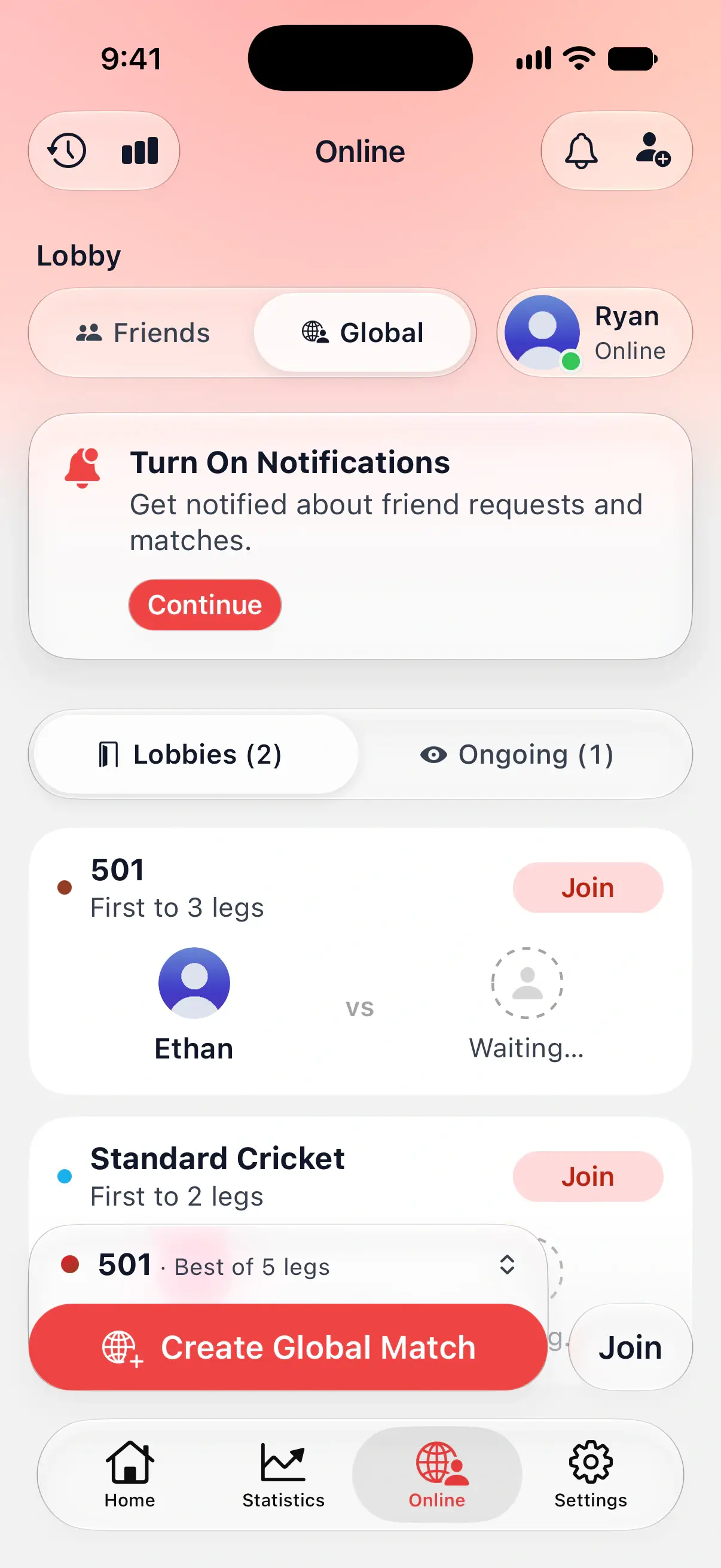
The Global Lobby is where you find an opponent among DartsOn players around the world, without adding them as a friend first. Public lobbies wait here for a second player, and public matches can be watched by anyone in the Global Lobby.
Join a public lobby
- Open the Online tab.
- Under Lobby, tap Global.
- Choose Lobbies. The number beside it shows how many are open.
- Find a match you’d like to play and tap Join.
Each card shows the game, the format and the host waiting for an opponent. The list updates by itself while it’s on screen, and lobbies that have waited longest come first. If someone else got there first, DartsOn tells you This lobby is no longer available.
Once you’re in, wait for the host to tap Start Match. From there the lobby works like a private one. See wait in the lobby as a guest.

Create a Global match
- On the Online tab, tap Global.
- Check the match above the button. Tap it to pick another preset.
- Tap Create Global Match.
Your lobby opens as Public Lobby and shows in other players’ Lobbies list while its second seat is free. When someone joins, tap Start Match. Like a private lobby, it closes if the match doesn’t start within about 2 minutes.
A few settings are fixed in a public lobby, so everyone plays a public match the same way:
- Turn Timer is always 70 seconds.
- Throw Order is Throw for Bull or Spin the Wheel. Host Decides is available only in Private Lobbies, so a preset set to it plays Spin the Wheel.
You can offer one public lobby at a time. Creating another makes your earlier one private.
Global matches you host count toward the weekly limit for free users, like private ones. See the weekly limit.
Watch a public match
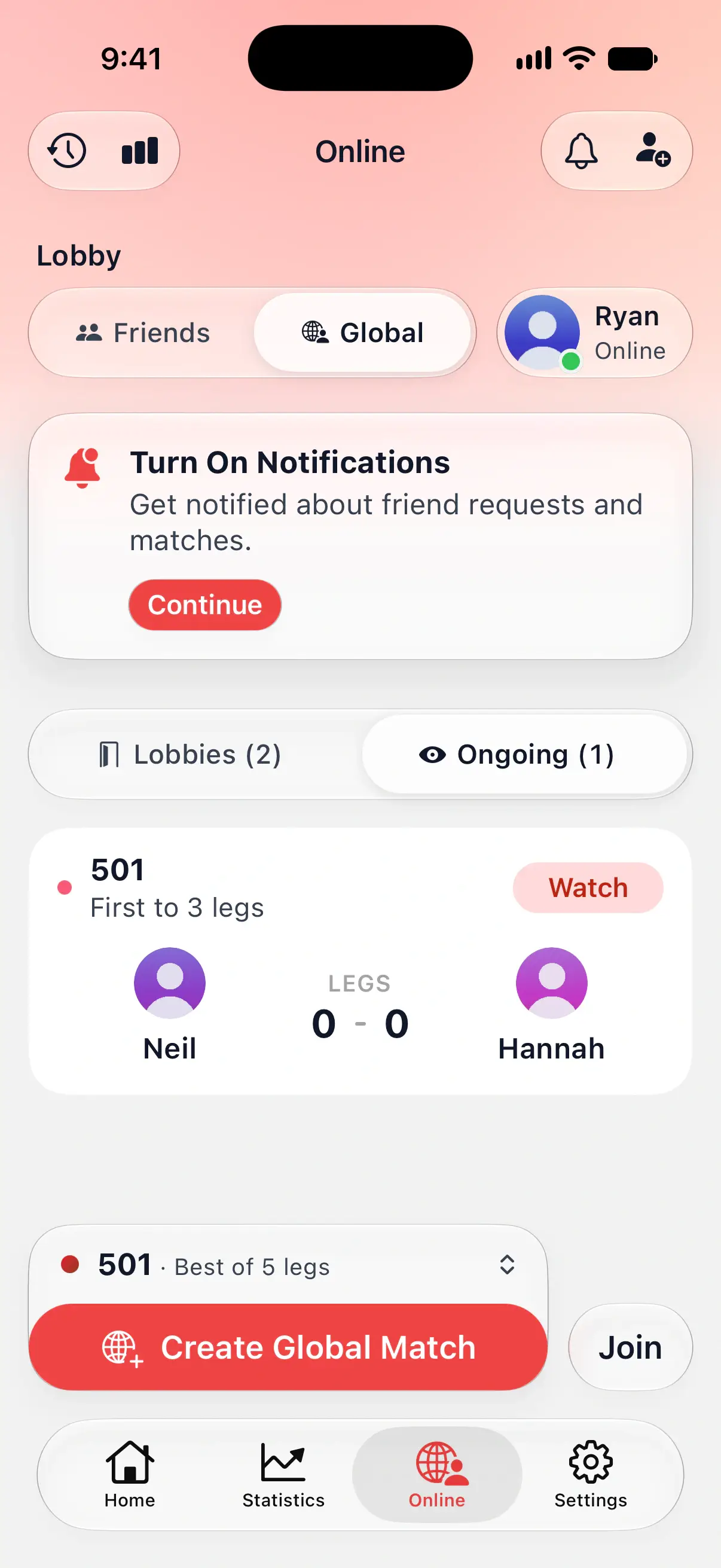
- In Global, choose Ongoing.
- Tap Watch on a match.
You follow every dart live, and the players see that you’re watching. Watch matches explains what a spectator sees.
Why DartsOn needs your date of birth
The Global Lobby is for players 16 and over. DartsOn reads your age from the date of birth you set when you got started online. The date is used only for these age rules, and other players never see it.
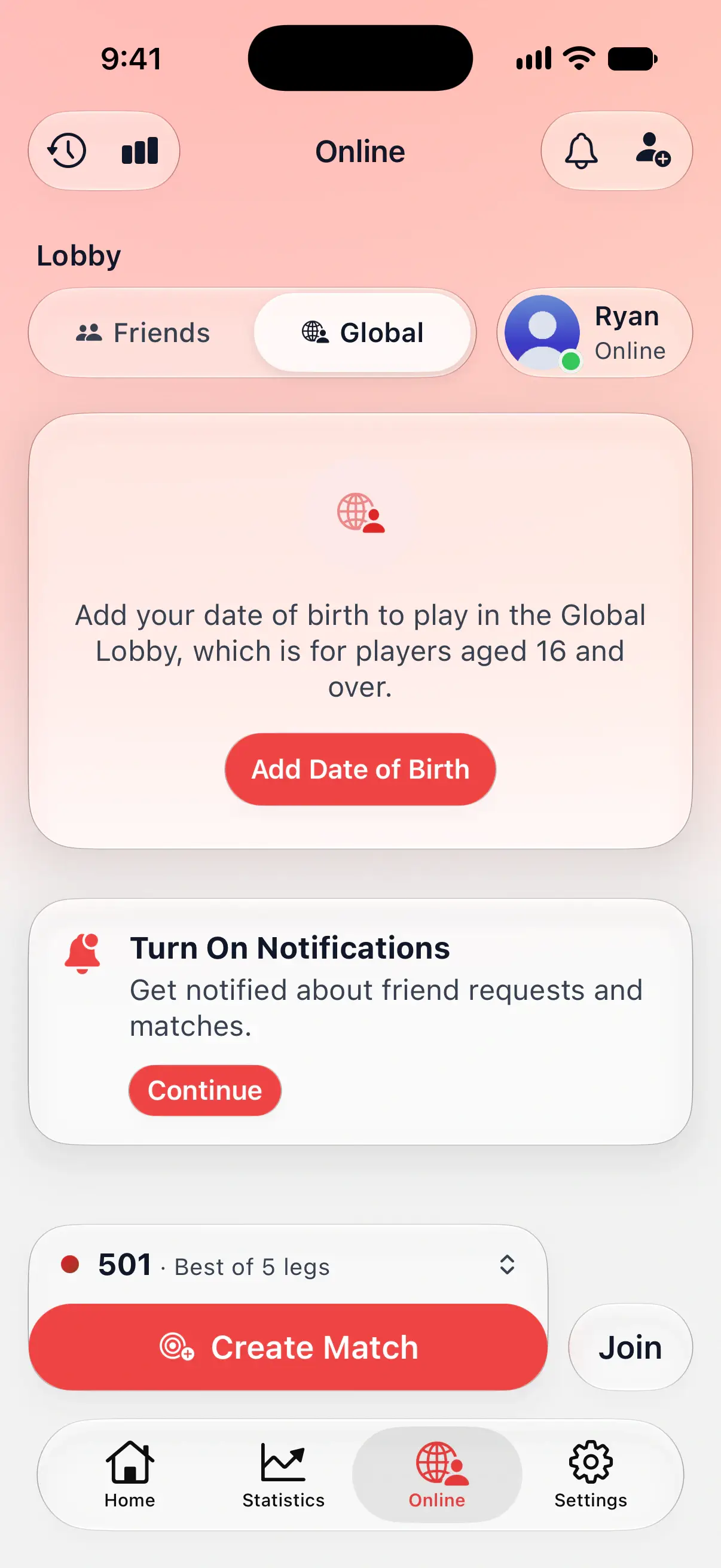
If your account has no date of birth, the Global Lobby asks for one:
- Tap Add Date of Birth.
- Set Date of Birth in Edit Profile.
- Tap the checkmark to save.
You can change the date the same way from Settings by tapping your name, then the pencil button. DartsOn won’t accept a date that makes you younger than 13, the minimum age for Online Play.
If you’re under 16
The Online tab doesn’t show Global at all. You can still play friends, and anyone who gives you a match code.
Some matches stay closed to you too:
- Joining a public match by its code shows This match is in the Global Lobby, which is for players aged 16 and over.
- A friend’s match that started from a public lobby has no Watch button.
Playing people you don’t know
Meeting strangers works differently from playing friends in a few ways:
- They see your name, username and photo, and your online stats unless you’ve made your profile private. See Private Profile.
- Challenges and your online status stay between friends. A stranger can’t challenge you or see when you’re online. They do see your public lobbies, and the public matches you play.
- Chat is Quick Chat only. It has preset phrases and reactions, with no free text. You can mute your opponent.
- Leaving early counts. If you leave a public match before it ends, it counts as quitting. Players who keep leaving matches early can be suspended from the Global Lobby.
- You can report or block anyone from their profile. You won’t see lobbies or matches of players you’ve blocked. See report and block.
If the host removes you from a lobby, you can’t rejoin it.
Everyone in the Global Lobby plays by the DartsOn Online Code of Conduct. A suspension from the Global Lobby still lets you play your friends. Until it ends, you can’t join the Global Lobby or play anyone who isn’t your friend.
Questions and answers
How old do you have to be to play in the DartsOn Global Lobby?
16 or older. DartsOn works out your age from the date of birth you gave when you set up Online Play. Players from 13 to 15 can still play friends and anyone who shares a match code with them.
Why don't I see the Global option on the Online tab?
The Global Lobby only shows for players 16 and over. If your date of birth says you're younger, the Online tab keeps to your friends and match codes.
How long do I have for each turn in a Global match?
70 seconds. Public matches always use a 70 second turn timer, whatever your preset says, so every player in the Global Lobby gets the same time.
Can strangers send me messages in DartsOn?
Only Quick Chat, the preset phrases and emoji reactions, during a match. There's no free text, and you can mute your opponent at any time.
Related
- Get started with DartsOn Online What you need to play darts online in DartsOn, how to set up the Online tab, what each part of it does, and how to hide it if you only play locally.
- Play a private online darts match with a friend Create a DartsOn match, challenge a friend or share its code or link, set the rules in the lobby and start. Also covers join errors and the weekly limit.
- How to report or block a player in DartsOn Report a DartsOn player for cheating, an offensive profile or quitting, block or unblock someone, and see what an Online Play suspension means.
- Play darts online | DartsOn Online Play darts online with live scores, camera auto-scoring, live video and audio. Challenge anyone to 501, Cricket, Killer and more on your own dartboards.