
How to add or remove a sign-in method in DartsOn
Link Apple, Google or an email and password to your DartsOn account in Edit Profile, so you can sign in on any device, or unlink one you no longer use.
You can sign in to the same DartsOn account with Apple, Google and an email and password. Linking a second method keeps you in your account when you switch phones, or move between iPhone and Android.
Open Sign-in Methods
- In Settings, tap your name to open Profile.
- Tap the pencil button at the top to open Edit Profile.
- Scroll to Sign-in Methods.
Each method shows Link or Unlink, and the address it uses when there is one. Apple appears on iPhone and iPad, and on Android only once it’s linked.
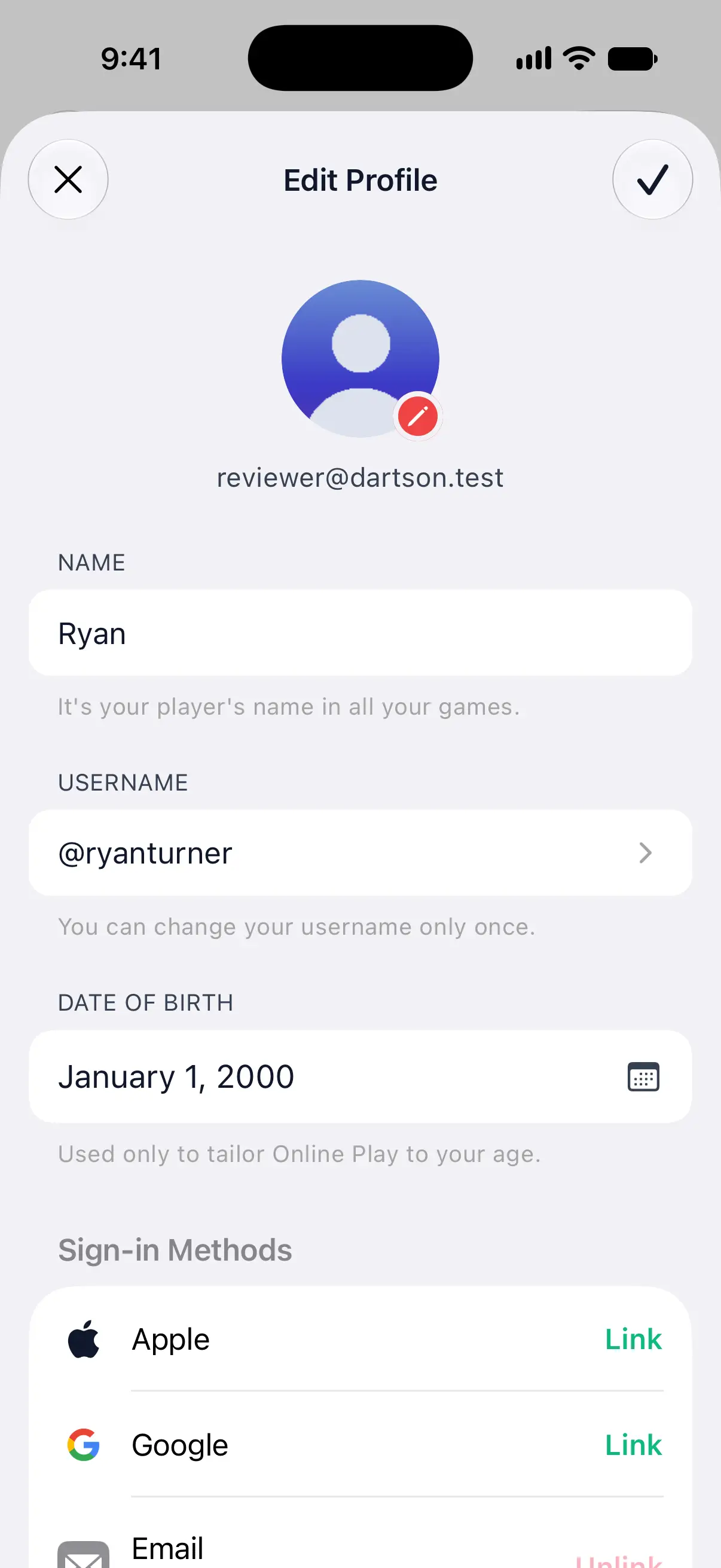

Link Apple or Google
- Next to Apple or Google, tap Link.
- Confirm with your Apple Account or choose your Google account.
From then on, either method signs you in to this account.
Link an email and password
- Next to Email, tap Link.
- Type the address and a password with at least 6 characters.
- Tap the checkmark at the top right.
If the address needs verifying, DartsOn sends a link to it and says Check your inbox. Until you open the link, the row shows the address with Not verified. Once it’s verified, you can sign in with that email and password on any device.
Unlink a method
- Tap Unlink next to the method.
- DartsOn asks Unlink Google? and warns that you won’t be able to sign in with it anymore. Tap Unlink.
Your account always keeps one way to sign in, so the last method’s Unlink is greyed out, with “Link another way to sign in before removing this one.” An email that isn’t verified yet doesn’t count as a way to sign in.
If linking doesn’t work
| Message | What to do |
|---|---|
| Used by another account | That Apple, Google or email sign-in already belongs to a different DartsOn account. Accounts can’t be merged, so use a different sign-in, or sign in to the other account instead. |
| ”For your security, sign out and sign in again, then try once more.” | Your sign-in is too old for this change. Log out from Profile with Keep Local Copy turned on, sign in to the same account again and repeat the step. |
| ”Please choose a stronger password with at least 6 characters.” | Pick a longer password for the email. |
Questions and answers
Can I merge two DartsOn accounts?
No. If an Apple, Google or email sign-in already belongs to another DartsOn account, it can't be linked to this one. Sign in to the account with the games you want to keep.
How do I sign in on Android if I created my account with Apple?
On your iPhone or iPad, open Edit Profile and link Google or an email under Sign-in Methods. Then sign in on Android with that method.
Why can't I unlink a sign-in method?
Every account keeps at least one way to sign in. Link another method first. An email that isn't verified yet doesn't count, so verify it before unlinking the last other method.
Related
- How to create a DartsOn account and sign in Create a free DartsOn account with Apple, Google or email to sync your games, add friends and play online. The app works fully without one.
- How to edit your DartsOn profile Change your name, photo, username and date of birth in DartsOn, find your QR code, and read the sync status on your profile.
- Sync your darts matches across devices Signed in, DartsOn syncs your matches, players, bots and badges between iPhone, iPad and Android. Check the sync status and fix sync problems.