
Online darts stats, match history and Online Profiles
See your stats and history from online matches in DartsOn, open any player's Online Profile, and make your profile private so only friends see your stats.
Every online match you play is saved to your DartsOn account, with its full summary. Your online stats are worked out from those matches alone, and each player has an Online Profile that other players can open.
Open Online Statistics
- Open the Online tab.
- Tap the chart button at the top left.
Online Statistics opens on the game you looked at last, X01 the first time. Tap the game at the top left to switch to any other online game.
Only online matches count here and on your Online Profile. The Statistics tab separately lets you choose Local, Online or Local & Online. Combining games there doesn’t change the online stats other players see. See statistics.
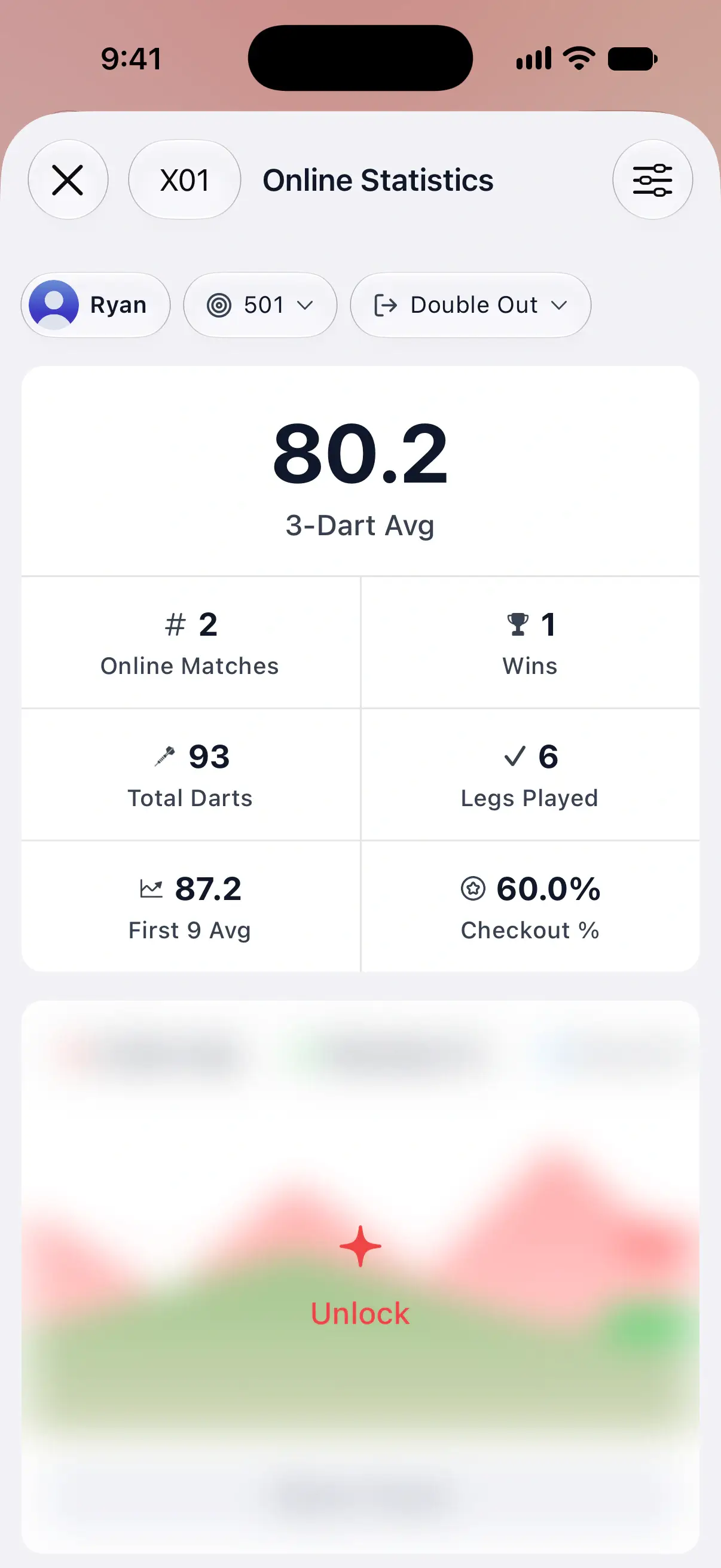
The X01 headline card is free: your 3-Dart Avg, the average score per 3 darts, plus Online Matches, Wins, Total Darts, Legs Played, First 9 Avg and Checkout %. Tap Online Matches or Wins to see those matches in Match History.
The detailed cards below, such as trend charts, wins and losses and the heat map, are blurred with Unlock for free users. They need DartsOn Premium, which is also included in Ultra. X01 stats explained describes each number.

Filter your online stats
- Tap the filter button at the top right.
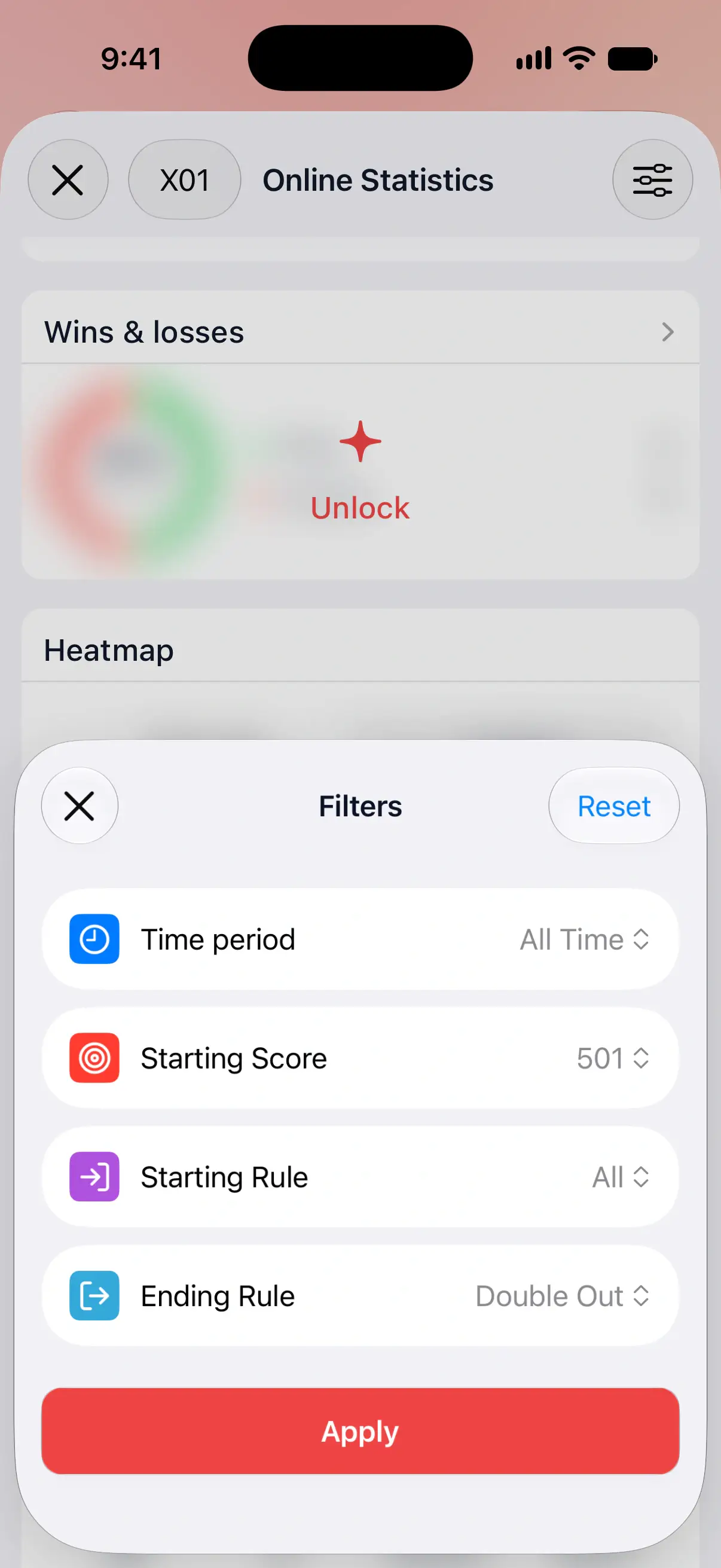
- In Filters, set Time period and any rules, such as Starting Score or Ending Rule.
- Tap Apply.
The filters you’ve set show as chips under the title. Tap a chip to change just that filter. Reset sets everything back to All.
X01 starts with 501 and Double Out selected, so your headline average compares like with like. For Cricket, Cricket Variant lets you look at Standard, Cut Throat or any other variant on its own. Each game keeps its own filters, separate from the ones on the Statistics tab.
Time period offers All Time, This Year, 3 Months, 30 Days, 7 Days and Last 24h, or your last 10, 20, 50, 100 or 500 legs.
See your online match history
- Open the Online tab.
- Tap the clock button at the top left.
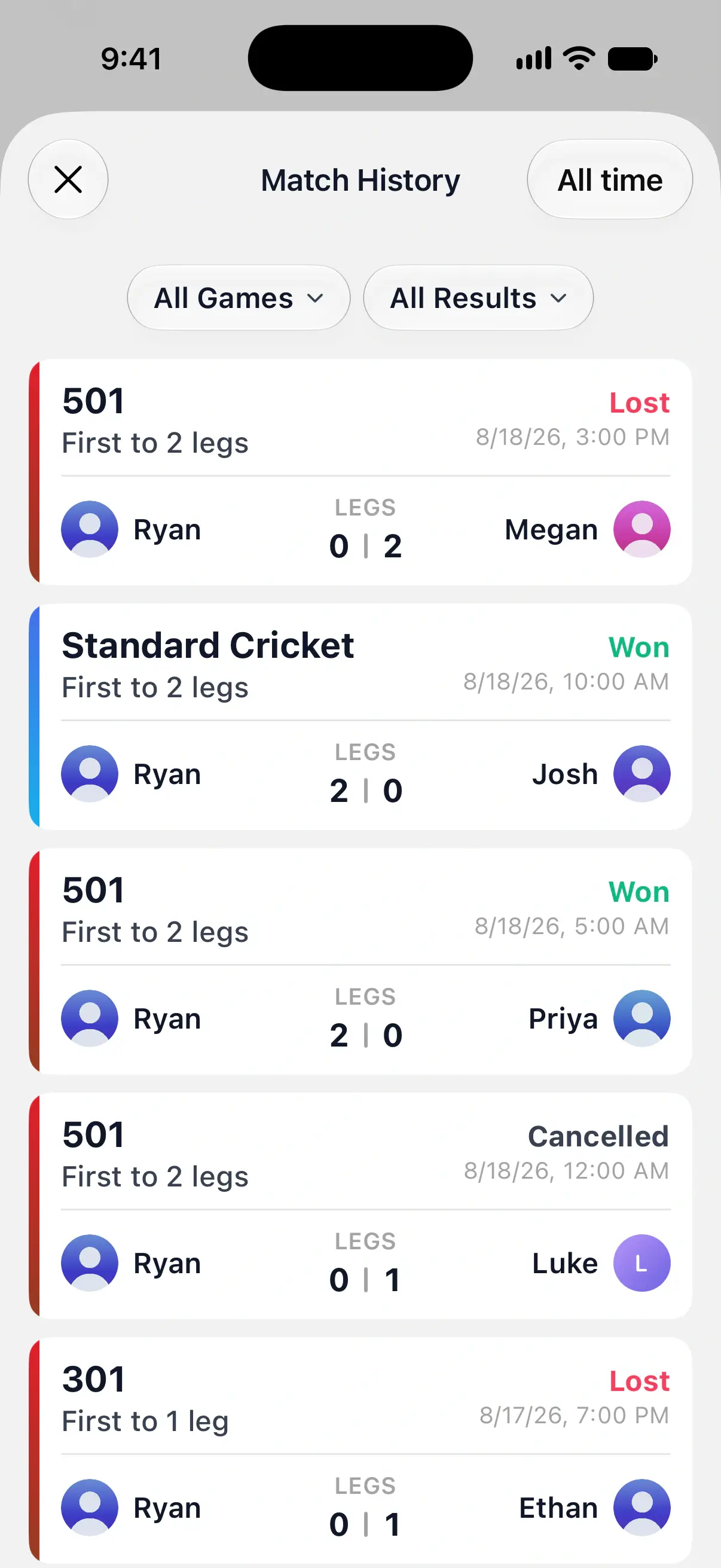
Match History lists every online match you’ve played, newest first. Each card shows the game, the format, your opponent, the legs or sets each of you won, the date and the result: Won, Lost, Draw or Cancelled.
Narrow the list with All Games and All Results, which offers Won, Lost and Cancelled. The button at the top right sets the time period, such as All time. Older matches load as you scroll.
You can also find these matches on Home, under Recent Games → Online. The Local choice beside it keeps local games in their own list.
Open a match summary
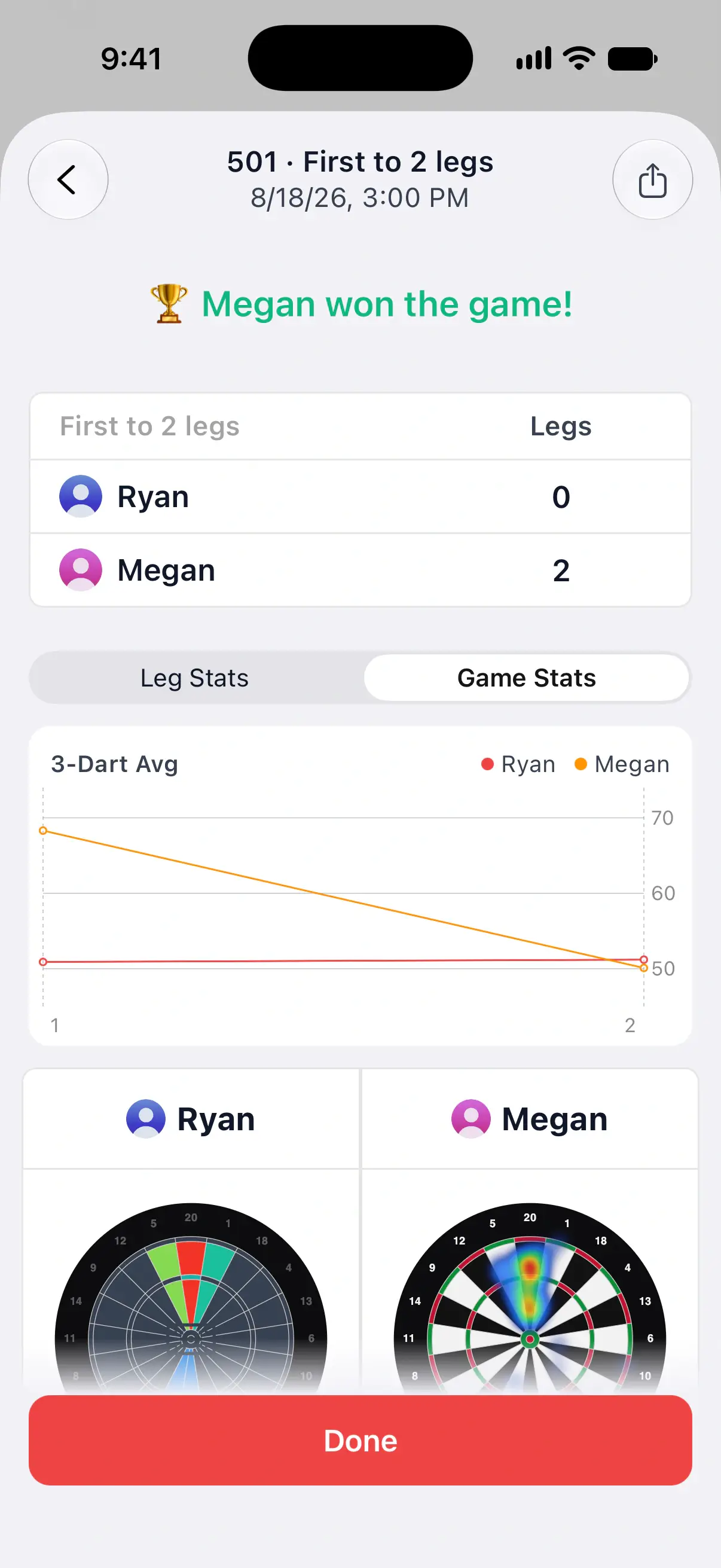
Tap a match in Match History to open the summary it ended on:
- The winner and the legs or sets each player won.
- The game’s stats, such as Leg Stats and Game Stats in X01, with averages, charts and each player’s figures. Step back through each leg with the arrows.
- A dartboard for each player showing where their darts went.
- In X01, Turn by Turn, with every turn of the match and corrected darts marked.
Tap the share button at the top right to send the match as a PDF, Text or CSV file. A cancelled match keeps its Match Cancelled banner with the reason. Tap a player’s name to open their Online Profile.
Online Profiles
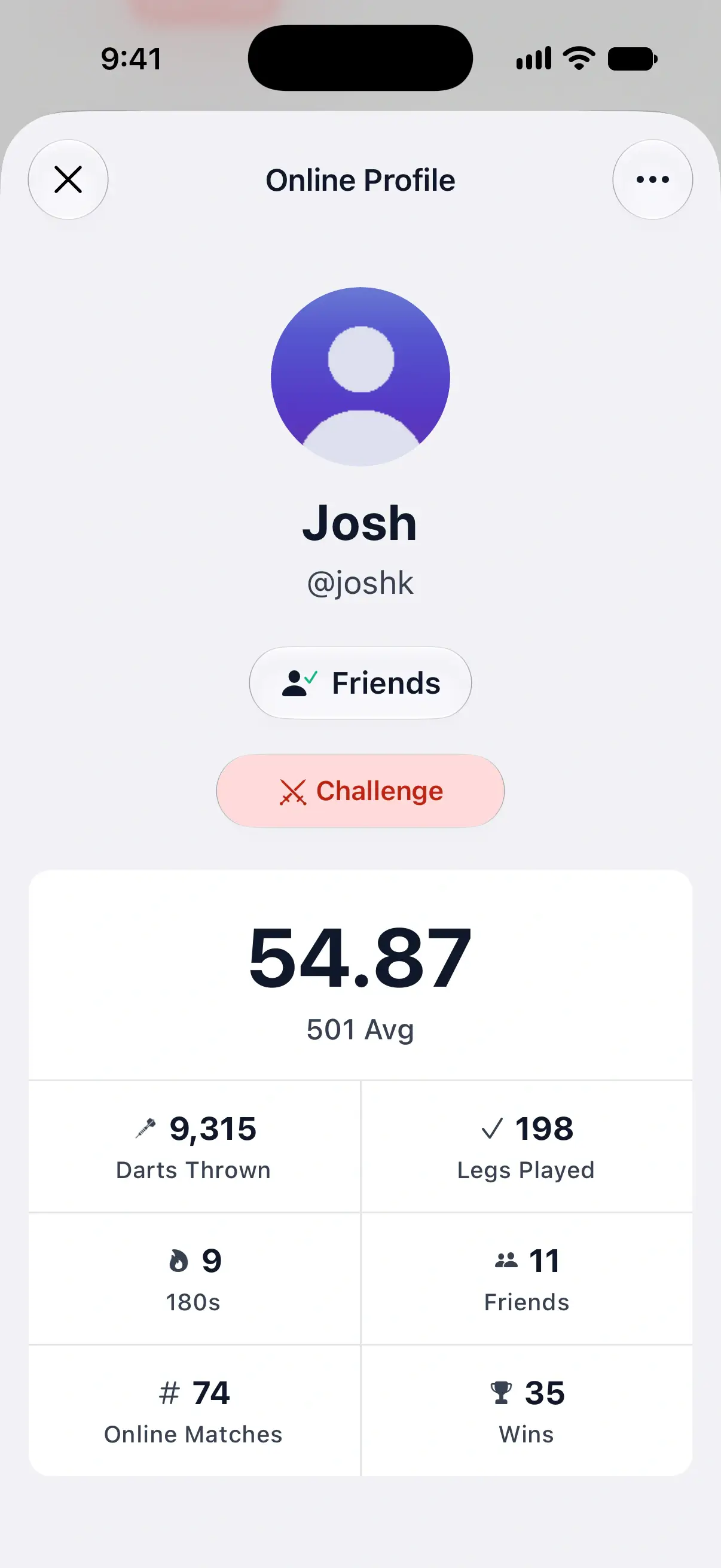
Every DartsOn player with Online Play turned on has an Online Profile. Open one by tapping a player in a lobby, on a match summary, in the Watching list or on your friends list. During an X01 or Cricket match, touch and hold a player’s score panel.
To open your own, tap your name and photo next to Friends and Global on the Online tab, then View Profile.
A profile shows:
| Stat | What it counts |
|---|---|
| 501 Avg | The 3-dart average over every turn in their online 501 matches. |
| Darts Thrown | Darts thrown in online matches, in every game. |
| Legs Played | Online legs played to a finish. |
| 180s | Turns scoring 180 in online X01, at any starting score. |
| Friends | How many friends they have. |
| Online Matches | Online matches played to the end. |
| Wins | Online matches won. |
Only online matches played to the end count. Cancelled matches and local games don’t.
On a friend’s profile, and on your own, Recent Matches lists the latest online matches, each opening its summary. A friend’s profile also has a You vs card with your record against them, the matches you’ve won, lost and drawn. Pick a game under its heading, then tap the record for the list of those matches, which you can also filter by result and time period.
The same profile is where you add a friend, challenge one or report a player. See add friends and report and block.
Make your profile private
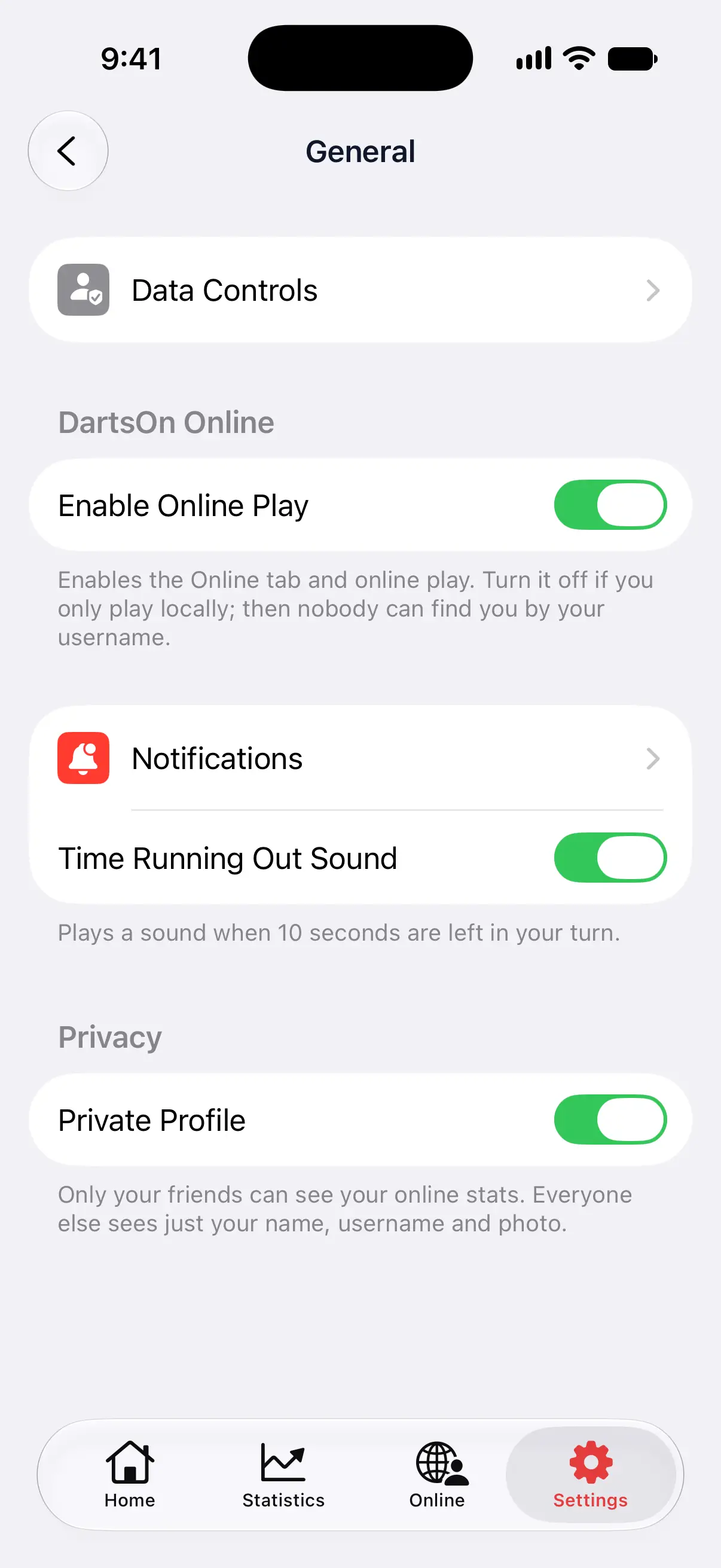
- Open Settings and tap General.
- Under Privacy, turn on Private Profile.
With Private Profile on, only your friends see your online stats and recent matches. Everyone else sees just your name, username and photo, with This Profile Is Private where your stats would be. Your friend count stays hidden from them too.
The setting is saved on your account, so it applies on every device. Private Profile shows in General only while you’re signed in and Enable Online Play is on.
Questions and answers
Do online matches count in my DartsOn statistics?
Yes. In the Statistics tab, choose Online or Local & Online under Games in Filters. Online Statistics on the Online tab remains online-only, so local games never change the stats other players see on your Online Profile.
Who can see my online stats in DartsOn?
Any signed-in DartsOn player who opens your Online Profile, unless you turn on Private Profile in Settings, General. Then only your friends see your stats, and everyone else sees your name, username and photo.
Why are some of my online stats blurred?
The detailed cards, such as trend charts and the heat map, need DartsOn Premium. The X01 headline card with your 3-dart average, wins and checkout percentage is free.
Can I see my online matches against one friend?
Yes. Open your friend's Online Profile. The You vs card shows your record against them, and tapping it lists every match you've played together.
Related
- Track your darts statistics in DartsOn Pick a player, game mode and time period on the Statistics tab, filter by rules, and see your averages, checkouts, high scores and records.
- Review a finished darts game in DartsOn Find past games on Home, read their summaries leg by leg, continue an unfinished game and share any local game or online match as a PDF, text or CSV.
- How to add friends in DartsOn Find friends by username or QR code, answer friend requests, see who's online or in a match, and remove a friend in DartsOn.
- Play darts online | DartsOn Online Play darts online with live scores, camera auto-scoring, live video and audio. Challenge anyone to 501, Cricket, Killer and more on your own dartboards.